|
VOOZH | about |
|
VOOZH | about |
In Java, Deserializing an array to an object means converting the Java Array into a Single Object this is mainly done when working with object serialization.
To deserialize an array to an object in Java, we typically use the Jackson library. Jackson unlocks diverse use cases, such as transforming API responses or manipulating structured data within an application.
Note: Deserializing a JSON array into a single Java object directly with Jackson isn't typically possible due to type erasure in Java.
Below are the steps and implementation of deserializing JSON array to a single Java object with Jackson.
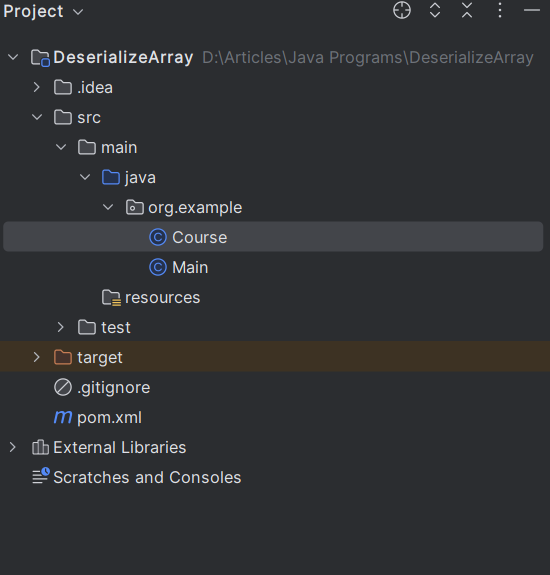
Below is the Structure of the Project that we have created.
Now, we will add Jackson dependency to the XML file.
After adding dependencies to pom.xml file, now we will create the POJO class.
Course.java
The Course class defines a POJO to map JSON data with id, courseName, and coursePrice properties. Getters and setters are provided for Jackson to populate objects.
After creating POJO class, we will add logic of Deserialization of Java Array to Java Object in the main class.
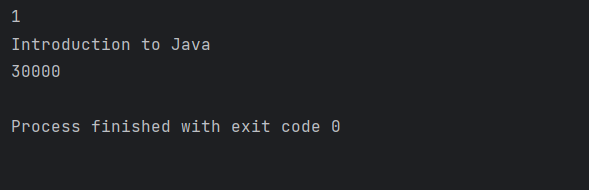
In this example, we use the readValue() method of the ObjectMapper class to deserialize the JSON array into an array of Person objects. Then, we can access the first element of the array to get a single Person object.
Note: readValue() method handles all the conversion between JSON and Java objects based on naming conventions.