|
VOOZH | about |
|
VOOZH | about |
JSON arrays are useful for storing multiple values together that are related or part of the same set. For example, storing a list of items, user profiles, product catalog, etc. JSON arrays allow ordered access to the values using indices like in regular arrays in other languages (0 indexed).
Below are the steps and implementation to convert JSON Array object to Java object using Jackson library.
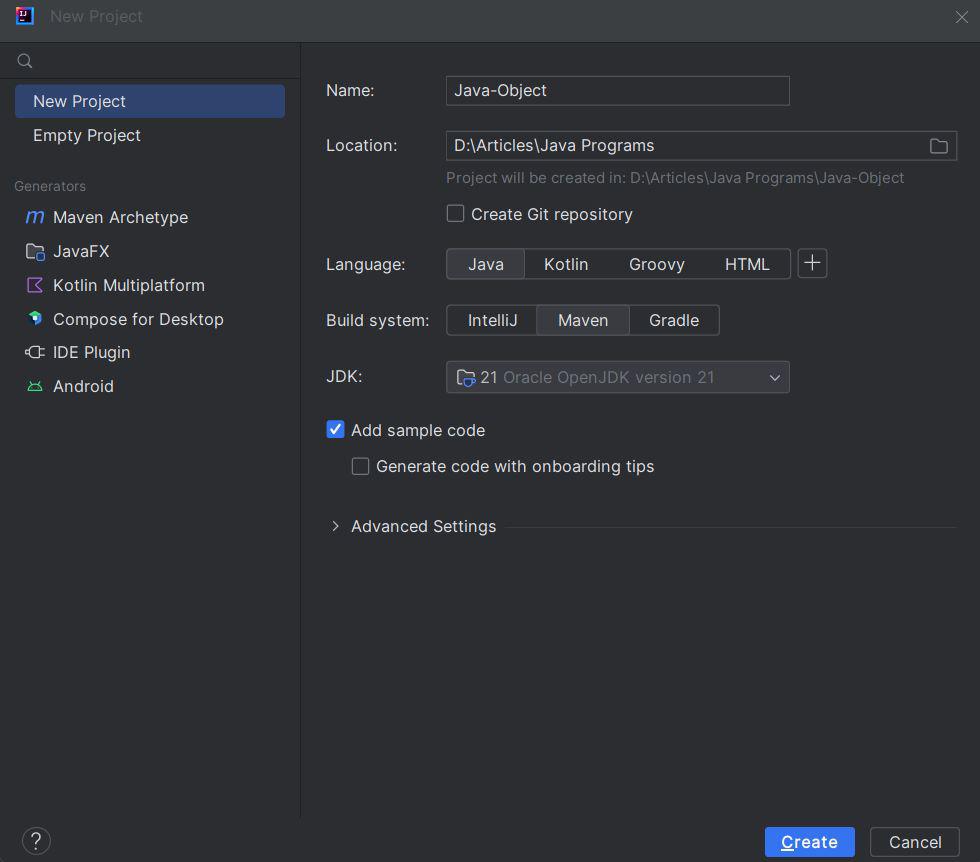
Open any preferred IDE and create a new Maven project. Here we will be using IntelliJ IDEA, we can do this by selecting File -> New -> Project.. -> Maven and following the wizard.
Now, we will add Jackson dependency to the pom.xml file.
The User class defines a POJO to map JSON data with name and age properties. Getters and setters are provided for Jackson to populate objects.
User.java
Now, we will add the logic to convert JSON Array Object to Java Object in the main class.
First Name: User1, Last Name: XYZ, Email: user1@example.com
First Name: User2, Last Name: PQR, Email: user2@example.com
jsonString representing an array of user objects.ObjectMapper instance from the Jackson library, which helps with JSON processing.readValue() method of the ObjectMapper to convert the JSON string into an array of User objects. We specify the type of the target array using User class.User objects and print the details of each user.