VOOZH about

URL: https://www.geeksforgeeks.org/java/how-to-handle-network-timeouts-and-retries-in-java/

⇱ How to Handle Network Timeouts and Retries in Java? - GeeksforGeeks


  • Courses
  • Tutorials
  • Interview Prep

How to Handle Network Timeouts and Retries in Java?

Last Updated : 23 Jul, 2025

In Java, handling network timeouts and retries can be achieved the using different libraries and techniques. One common approach involved using built-in classes such as "HttpURLConnection" or external libraries such as Apache HttpClient. By setting appropriate timeouts and implementing the retry logic and developers can enhance the resilience and reliability of the Java applications and ensure smooth operations even the adverse network conditions.

Prerequisites:

The following are the prerequisites to handle network timeouts and retries in Java.

  1. Networking Fundamentals
  2. Exception Handling
  3. Basic Java Syntax
  4. Maven or Gradle (Optional)
  5. HTTP Concepts (Optional)

Example

Step 1: Create a Java Class file in a New Java Project in Eclipse IDE

  1. Open Eclipse, Create a Java project, and name it "NetworkHandler".
  2. After that create a new Java class file, and name it "NetworkHandler".

Here is the path for the Java class file in a Java project:

👁 Directory Structure


Step 2: Implement the code

Explanation of the above Program:

  1. In the above example, after establish the connection, it will be check the response code with the help of "connection.getResponseCode()" method.
  2. If the response code will be "HTTP_OK" (200), it will read the response from the input stream using the "BufferedReader".
  3. The response is then the processed as needed. In the above example, it is simply print the response in the console window.
  4. Finally, the connection will be closed with the help of "connection.disconnect()" method.

Step 3: Run the Code

  1. After implement the code, you need to run the code.
  2. For run the code, right click on the java project and then select Run As > Java Application.

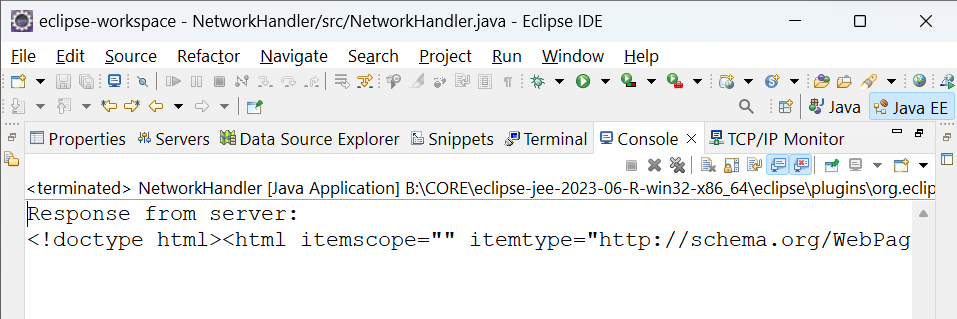
If the connection to the "http://www.google.com/" is successful.

The output will be shown in your console window in your Eclipse IDE.

👁 Output of the above Program
Output
Comment