|
VOOZH | about |
|
VOOZH | about |
Apache POI is an open-source java library to create and manipulate various file formats based on Microsoft Office. Using POI, one should be able to perform create, modify and display/read operations on the following file formats. For Example, Java doesn’t provide built-in support for working with excel files, so we need to look for open-source APIs for the job. In this article, we are going to discuss how to read the data from the password-protected Excel sheet using the Apache POI. For any protected Excel file, we needed to automate it and ask for the password, in the beginning, to handle us using the Apache POI.
Pre-requisites:
For creating a maven project the article check out this article
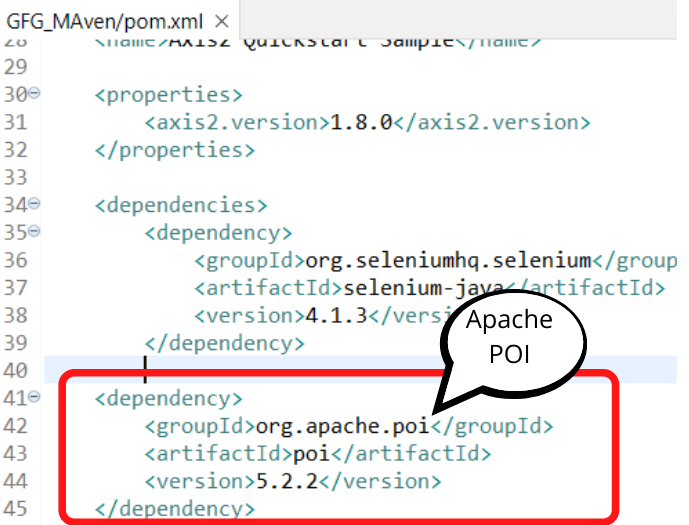
Apache POI:
<dependency>
<groupId>org.apache.poi</groupId>
<artifactId>poi</artifactId>
<version>5.2.2</version>
</dependency>
Apache poi-ooxml
<dependency>
<groupId>org.apache.poi</groupId>
<artifactId>poi-ooxml</artifactId>
<version>5.2.2</version>
</dependency>
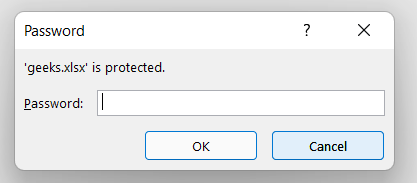
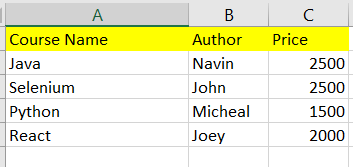
Let us have an Excel file that is protected by the password "geeks". It has the following data in it.
We have to open the protected file and read the data in the file using Apache POI. For opening protected file Apache POI provides the following method "workbookfactory":
XSSFWorkbook workbook=(XSSFWorkbook)WorkbookFactory.create(file,password);
WorkbookFactory.create(file,password);
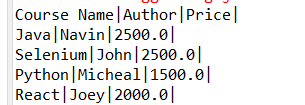
After we run the code, we get all the cell values in the console as mentioned below.