In Java, setting up a basic HTTP server involves creating an application that listens for incoming HTTP requests and responses. In this article, we will discuss how to set up a basic HTTP server in Java.
Implementation Steps to Set Up a Basic HTTP Server
- Step 1: Create an HttpServer instance.
- Step 2: Create a context and set the handler.
- Step 3: Start the server.
- Step 4: Handle the request.
Program to Set up a Basic HTTP Server in Java
Below is the Program to Set up a Basic HTTP Server in Java:
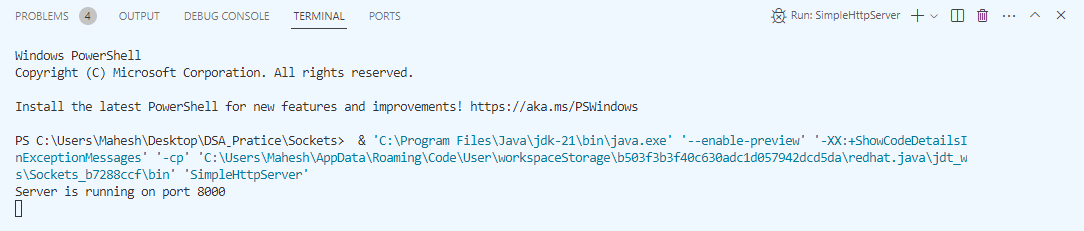
Output:
Below the terminal output is showing that the server is running on port number 8000.
👁 Output
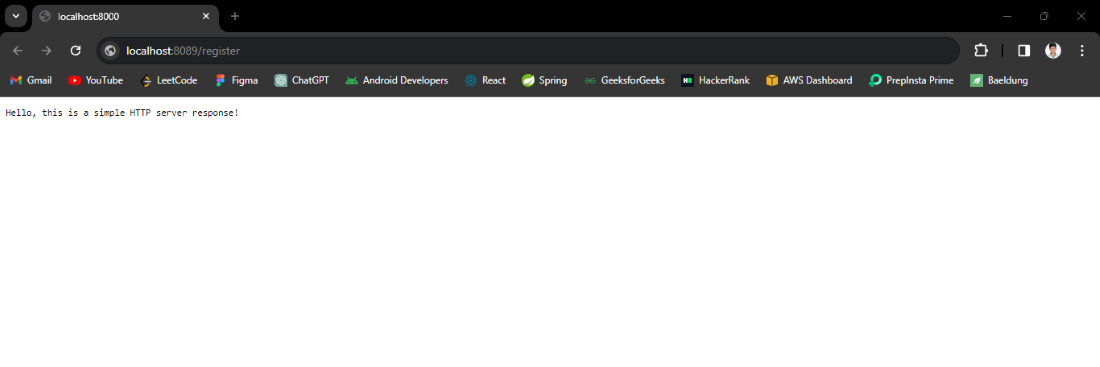
Response:
Below we can see the response in browser.
👁 Response in Browser
Explanation of the Code:
- The above program is the example of the set up a basic HTTP server that can be runs into the port number 8000.
- This server is created using HttpServer. First, an instance of HttpServer is created and assigned to a port number using InetSocketAddress.
- Then create the new handler once completed the configuration add the response text then start the server.
- The response message is handled in the MyHandler class, where the text "Hello, this is a simple HTTP server response!" is sent to the client.