|
VOOZH | about |
|
VOOZH | about |
In this article, we will learn how to write a file using Applet and grant access to write files using Applet.
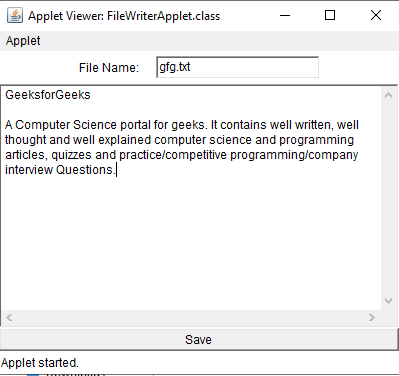
The applet output window contains three fields. Those are the file name field, Text area field, and save button field.
Important Note:
- Latest java version doesn't support applet. so, it needs older version of java which supports applet to be installed.
- Latest browser will not permit applet application to write files. So, we need to add .policy file with permission granting instructions.
There are certain Steps to execute the program as mentioned below:
Step 1: Create a policy file with the file name "FileWriterApplet.policy" and add the below code to grant access for writing the file.
FileWriterApplet.policy
grant {
 permission java.io.FilePermission "<<ALL FILES>>","write";
};
Step 2: Create an HTML file and replace it with the below code.
FileWriterApplet.html
Step 3: Create FileWriterApplet.java with below code which contains main logic to write the file.
Step 1: Enter the file name in the file name field.
Step 2: Write content in the text field.
Step 3. Click on save button to write the file.
After exectuing the commands in the command line this applet screen will occur.
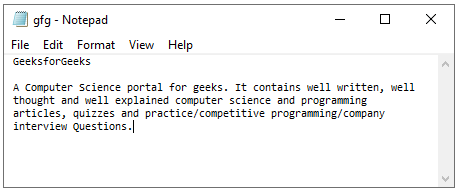
The below image shows the file written by the Applet File Writer.