👁 io.ByteArrayOutputStream() Class in Java
java.io.ByteArrayOutputStream class creates an Output Stream for writing data into byte array. The size of buffer grows automatically as data is written to it. There is no affect of closing the byteArrayOutputStream on the working of it's methods. They can be called even after closing the class.
Thus, no methods throws IO exception.
Declaration:
public class ByteArrayOutputStream
 extends OutputStream
Fields:
protected byte[] buf - The buffer where data is stored.
protected int count - The number of valid bytes in the buffer.
Constructors :
- ByteArrayOutputStream() : creates a new ByteArrayOutputStream to write bytes
- ByteArrayOutputStream(int buffersize) : creates a new ByteArrayOutputStream with buffersize to write bytes.
Methods:
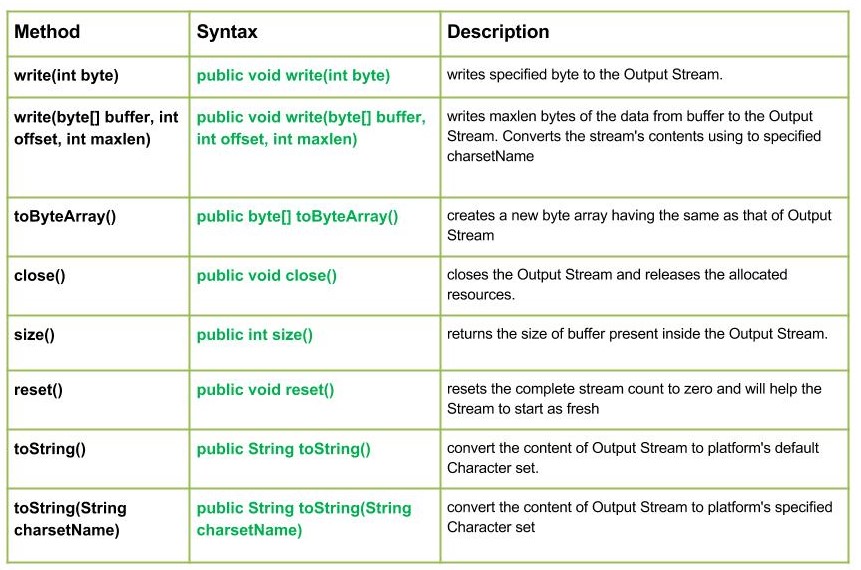
- write(int byte) : java.io.ByteArrayOutputStream.write(int byte) writes specified byte to the Output Stream.
Syntax :
public void write(int byte)
Parameters :
byte : byte to be written
Return :
void
- write(byte[] buffer, int offset, int maxlen) : java.io.ByteArrayOutputStream.write(byte[] buffer, int offset, int maxlen) writes maxlen bytes of the data from buffer to the Output Stream. It converts the stream's contents using the specified charsetName(A named mapping between sequences of sixteen-bit Unicode code units and sequences of bytes.)
Syntax :
public void write(byte[] buffer, int offset, int maxlen)
Parameters :
buffer : data of the buffer
offset : starting in the destination array - 'buffer'.
maxlen : maximum length of array to be read
Return :
void
- toByteArray() : java.io.ByteArrayOutputStream.toByteArray() creates a new byte array having the same as that of Output Stream
Syntax :
public byte[] toByteArray()
Parameters :
----------
Return :
new byte array having the same as that of Output Stream
Java Program explaining the use of write(byte[] buffer, int offset, int maxlen) and toByteArray() methods :
Output :
Use of write(buffer, offset, maxlen) by toByteArray() : 74 65 86 65
- close() : java.io.ByteArrayOutputStream.close() closes the Output Stream and releases the allocated resources.
Syntax :
public void close()
Parameters :
--------------
Return :
void
- size() : java.io.ByteArrayOutputStream.size() returns the size of buffer present inside the Output Stream.
Syntax :
public int size()
Parameters :
--------------
Return :
size of buffer present inside the Output Stream.
- reset() : java.io.ByteArrayOutputStream.reset() resets the complete stream count to zero and will help the Stream to start as fresh
Syntax :
public void reset()
Parameters :
--------------
Return :
void.
- toString() : java.io.ByteArrayOutputStream.toStrign() convert the content of Output Stream to platform's default Character set
Syntax :
public String toString()
Parameters :
--------------
Return :
the content of Output Stream by converting it to platform's default Character set
- toString(String charsetName) : java.io.ByteArrayOutputStream.toStrign(String charsetName) convert the content of Output Stream to platform's specified Character set
Syntax :
public String toString(String charsetName)
Parameters :
--------------
Return :
the content of Output Stream by converting it to platform's default Character set
Java Program illustrating the use ByteArrayOutputStream class methods :