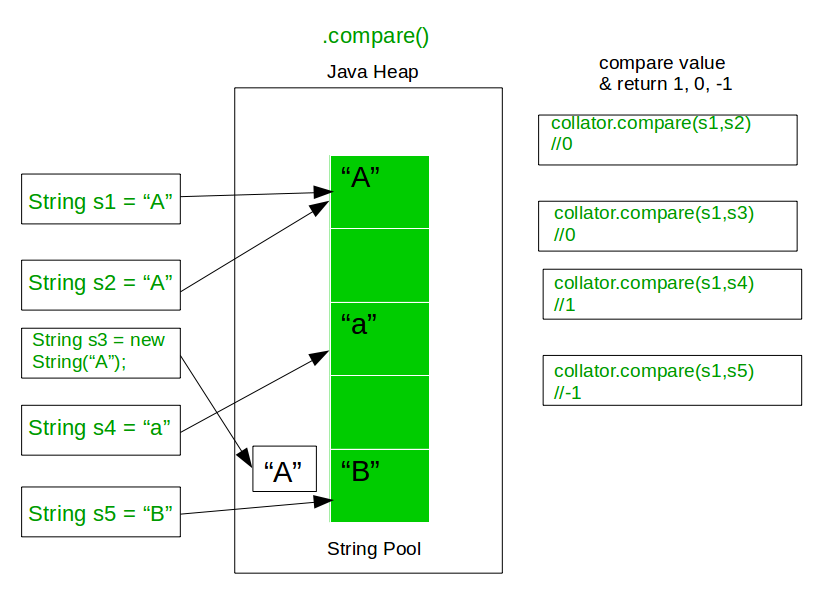
In Java, there are multiple ways to compare two String objects. Each method serves a different purpose and behaves differently based on whether reference comparison, content comparison, case sensitivity, or locale-specific rules are required.
The commonly used string comparison techniques are:
- Using == operator
- Using equals() method
- Using compareTo() method
- Using compareToIgnoreCase() method
- Using compare() method
Method 1: using == operator
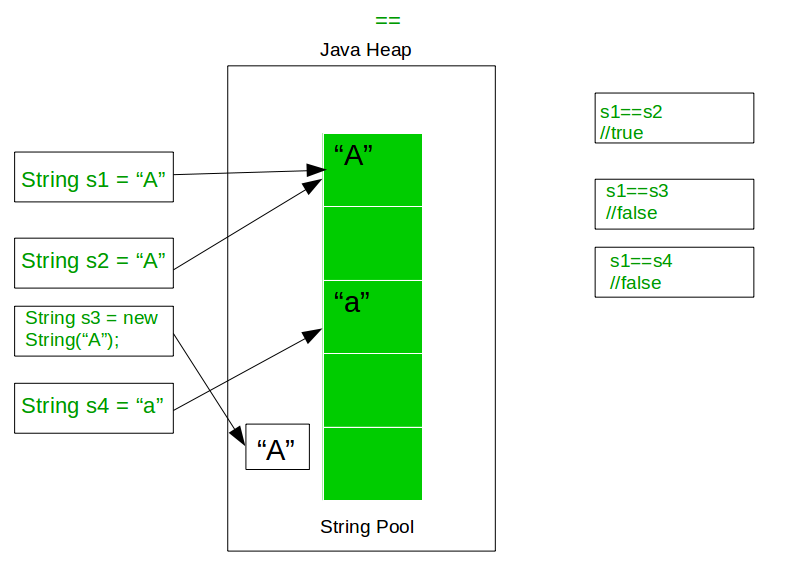
The == operator compares object references, not the actual content of the strings. It returns true only if both references point to the same memory location.Strings created without the new keyword are stored in the String Constant Pool, so they may refer to the same object.
👁 Image
Outputtrue
true
true
false
Explanation:
- s1, s2, and s3 are string literals, so they refer to the same object in the String Constant Pool.
- The == operator compares memory references, not string content.
- Comparisons between s1, s2, and s3 return true because they point to the same reference.
- s4 is created using the new keyword, so it refers to a different object in memory.
- Therefore, s1 == s4 returns false.
Method 2: Using equals() method
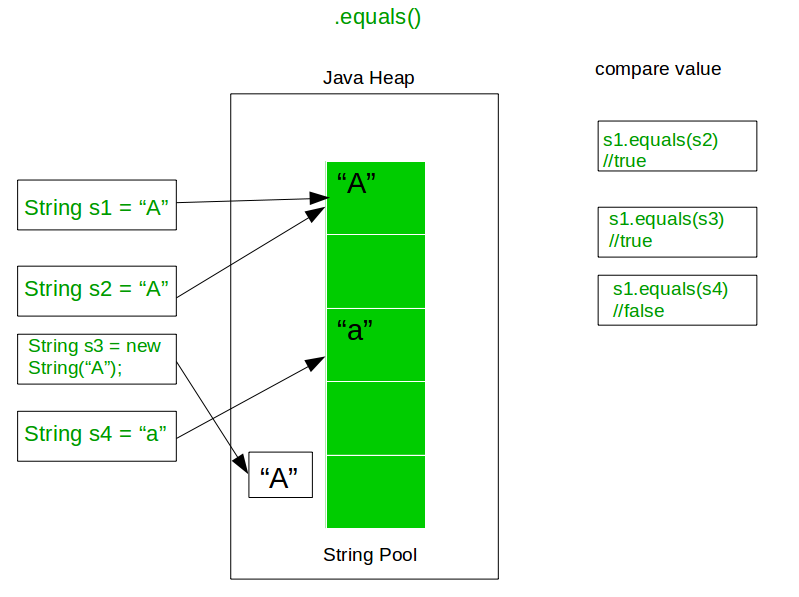
The equals() method compares the content of two strings. It returns true if both strings have the same sequence of characters.
👁 Image
Outputtrue
false
false
true
Explanation:
- equals() checks the actual characters in the strings, not their memory references.
- s1.equals(s2) returns true because both contain "A".
- s1.equals(s3) and s2.equals(s3) return false due to case difference ("A" vs "a").
- s1.equals(s4) returns true because both strings have the same content, even though s4 is created using new.
Method 3: Using compareTo() method
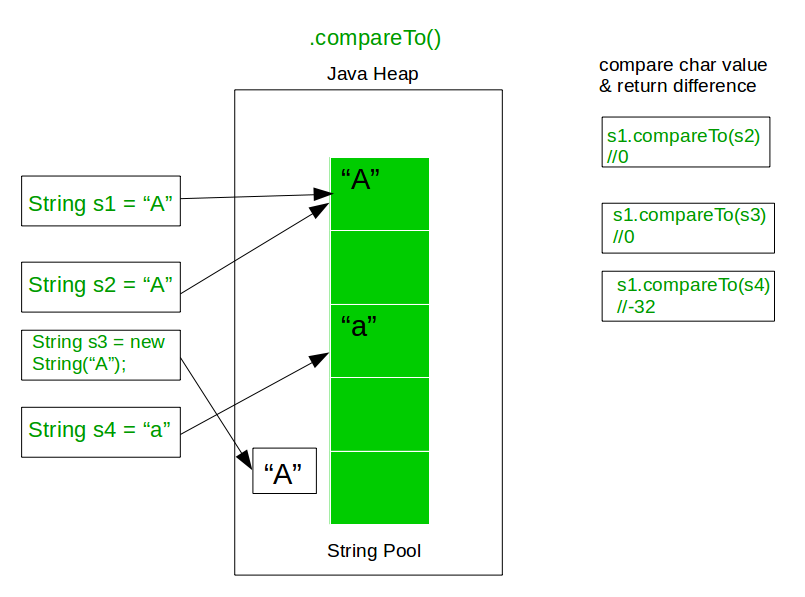
The compareTo() method compares strings lexicographically based on their Unicode values.
It returns:
- 0 if both strings are equal
- A negative value if the first string is smaller
- A positive value if the first string is greater
👁 Image
Explanation:
- compareTo() returns 0 if strings are equal, a negative value if the first string is smaller, and a positive value if it is greater.
- s1.compareTo(s2) - 0 because both are "A".
- s1.compareTo(s3) - -32 because "A" has a lower Unicode value than "a".
- s3.compareTo(s2) - 32 because "a" has a higher Unicode value than "A".
- s1.compareTo(s4) - 0 because both strings have the same content.
Method 4: Using equalsIgnoreCase() method
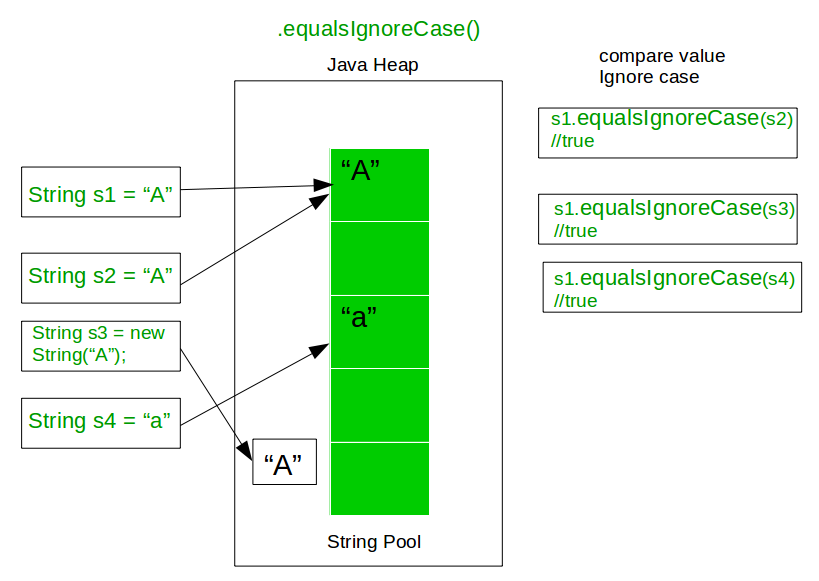
The equalsIgnoreCase() method compares string contents without considering case differences. It is a case-insensitive version of the equals() method.
👁 Image
Outputtrue
true
true
true
Explanation:
- equalsIgnoreCase() checks string content without considering uppercase or lowercase.
- s1.equalsIgnoreCase(s2) - true because both are "A".
- s1.equalsIgnoreCase(s3) and s2.equalsIgnoreCase(s3) - true because "A" and "a" are considered equal ignoring case.
- s1.equalsIgnoreCase(s4) - true because both have the same content, even though s4 is created using new.
Method 5: Using compare() method
For locale-sensitive string comparison, Java provides the Collator class from the java.text package.It allows comparison based on language-specific rules.
👁 Image