|
VOOZH | about |
|
VOOZH | about |
Java I/O (Input/Output) is a collection of classes and streams in the java.io package that handle reading data from sources (like files, keyboard, or network) and writing data to destinations (like files, console or sockets). It provides both byte and character streams to support all types of data.
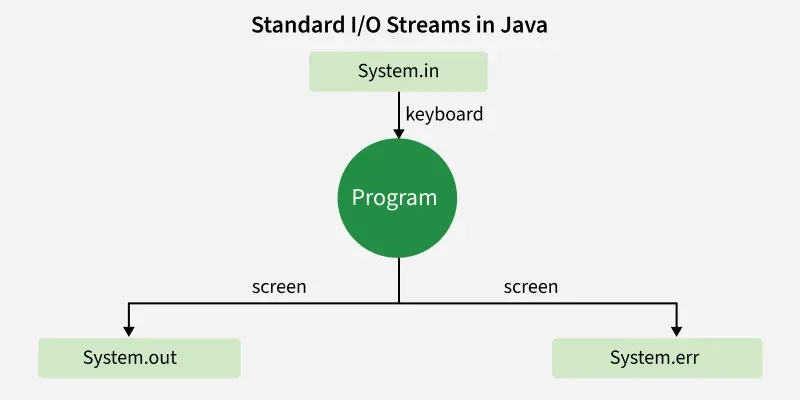
Before exploring various input and output streams, let's look at 3 most commonly used default streams that Java has provided:
System.in is an InputStream, so it provides methods from the InputStream class. Commonly used ones are:
Usually,
System.inis wrapped with classes likeScannerorBufferedReaderfor easier input handling.
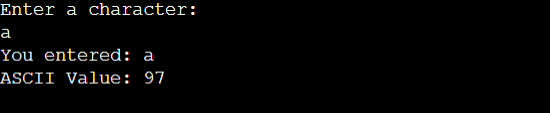
Example:
Output:
print(): This Java method displays text on the console, keeping the cursor at the end of the printed text so the next output continues from the same line.
Syntax:
System.out.print(parameter);
Example:
GfG!
GfG!
GfG!
println(): This method in Java is also used to display a text on the console. It prints the text on the console and the cursor moves to the start of the next line at the console. The next printing takes place from the next line.
Syntax:
System.out.println(parameter);
Example:
GfG! GfG! GfG!
printf(): The printf() method in Java is used for formatted output and can take multiple arguments, making it more flexible than print() or println().
Example:
Printing simple integer: x = 100
Formatted with precision: PI = 3.14
Formatted to specific width: n = 5.2000
Formatted to right margin: n = 2324435.2500
It is used to display the error messages. It works similarly to System.out with print(), println(), and printf() methods.
Example: Java Program demonstrating System.err
Output:
Depending on the type of operations, streams can be divided into two primary classes:
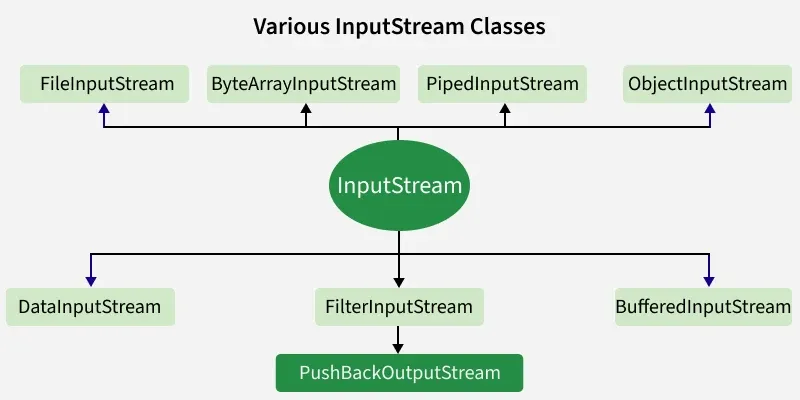
1. Input Stream: These streams are used to read data that must be taken as an input from a source array or file or any peripheral device. For eg., FileInputStream, BufferedInputStream, ByteArrayInputStream etc.
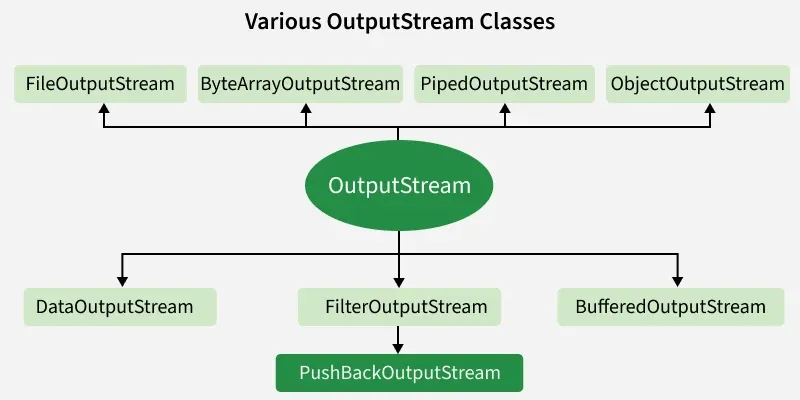
2. Output Stream: These streams are used to write data as outputs into an array or file or any output peripheral device. For eg., FileOutputStream, BufferedOutputStream, ByteArrayOutputStream etc.
To know more about types of Streams, you can refer to: Java.io.InputStream Class & Java.io.OutputStream class.
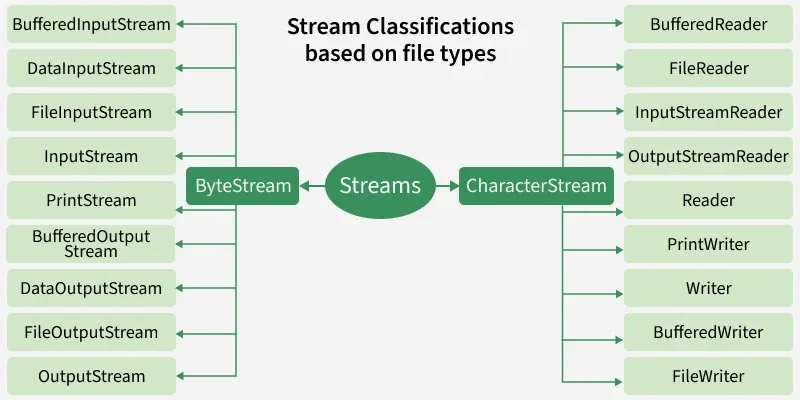
Depending on the types of file, Streams can be divided into two primary classes which can be further divided into other classes as can be seen through the diagram below followed by the explanations.
1. ByteStream:
Byte streams in Java are used to perform input and output of 8-bit bytes. They are suitable for handling raw binary data such as images, audio, and video, using classes like InputStream and OutputStream.
Here is the list of various ByteStream Classes:
| Stream class | Description |
|---|---|
| BufferedInputStream | Used to read data more efficiently with buffering. |
| DataInputStream | Provides methods to read Java primitive data types. |
| FileInputStream | This is used to read from a file. |
| InputStream | This is an abstract class that describes stream input. |
| PrintStream | This contains the most used print() and println() method |
| BufferedOutputStream | This is used for Buffered Output Stream. |
| DataOutputStream | This contains method for writing java standard data types. |
| FileOutputStream | This is used to write to a file. |
| OutputStream | This is an abstract class that describes stream output. |
Example: Java Program illustrating the Byte Stream to copy contents of one file to another file.
Output:
Shows contents of file test.txt
2. CharacterStream:
Character streams in Java are used to perform input and output of 16-bit Unicode characters. They are best suited for handling text data, using classes like Reader and Writer which automatically handle character encoding and decoding.
Here is the list of various CharacterStream Classes:
| Stream class | Description |
|---|---|
| BufferedReader | It is used to handle buffered input stream. |
| FileReader | This is an input stream that reads from file. |
| InputStreamReader | This input stream is used to translate byte to character. |
| OutputStreamWriter | Converts character stream to byte stream. |
| Reader | This is an abstract class that define character stream input. |
| PrintWriter | This contains the most used print() and println() method |
| Writer | This is an abstract class that define character stream output. |
| BufferedWriter | This is used to handle buffered output stream. |
| FileWriter | This is used to output stream that writes to file. |
Example: