 |
VOOZH | about |
|
VOOZH | about |
In Java Swing, JRootPane is a fundamental component that serves as the root container for creating complex user interfaces. It encapsulates the core functionality of a top-level window, like JFrame, and provides a structure for organizing the content within a GUI application. In Java JRootPane is a part of javax.swing package. It does not contain any constructor it has only the default constructor.
JRootPane(): It creates a JRootPane(), It setting up it's layeredPane, contentPane and glassPane
Methods | Description |
|---|---|
setContentPane(Container content) | This method allows you to set the content pane of the JRootPane. |
setJMenuBar(JMenuBar menu) | Used to set the menu bar for the JRootPane. |
setGlassPane(Component glass) | You can use this method to set the glass pane, which is typically an invisible layer used for custom painting, event handling, or overlaying the entire root pane. |
getLayeredPane() | Returns the JLayeredPane that allows you to work with multiple layers within the root pane. |
getContentPane() | Returns the content pane currently set in the JRootPane. |
getJMenuBar() | Retrieves the menu bar associated with the JRootPane. |
getGlassPane() | Retrieves the current glass pane. |
setDefaultButton(JButton defaultButton) | Sets the default button for the root pane, which is the button that responds to the "Enter" keypress. |
getDefaultButton() | Retrieves the default button currently set in the root pane. |

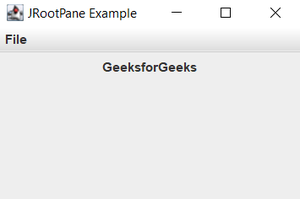
-300.png)