|
VOOZH | about |
|
VOOZH | about |
Microservices are more popular nowadays. They can be written in any language. In this article, let us see Spring Boot Microservices. in this article let us see a base project "currency-exchange-sample-service" which has a business logic and which can be invoked in another project "currency-conversion-sample-service". Both are Maven projects and let us see them one by one
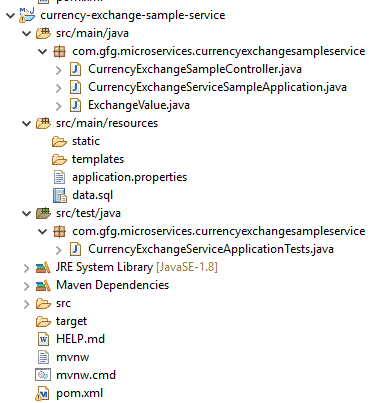
Project Structure
pom.xml
Let us see the important files
CurrencyExchangeServiceSampleApplication.java
CurrencyExchangeSampleController.java
@GetMapping("/currency-exchange-sample/fromCurrency/{fromCurrency}/toCurrency/{toCurrency}")
// where {fromCurrency} and {toCurrency} are path variable
// fromCurrency can be USD,EUR,AUD,INR and toCurrency can be the opposite of any fromCurrency
ExchangeValue.java
application.properties
spring.application.name=currency-exchange-sample-service
server.port=8000 #Representation of the port number . We can set different port number in run configuration also
spring.jpa.show-sql=true #To display the SQL
spring.h2.console.enabled=true
spring.datasource.platform=h2 #As we are using h2 datasource
spring.datasource.url=jdbc:h2:mem:gfg
data.sql
insert into exchange_value(id,currency_from,currency_to,conversion_multiple,port)
values(10001,'USD', 'INR' ,65,0);
insert into exchange_value(id,currency_from,currency_to,conversion_multiple,port)
values(10002,'EUR', 'INR' ,82,0);
insert into exchange_value(id,currency_from,currency_to,conversion_multiple,port)
values(10003,'AUD', 'INR' ,53,0);
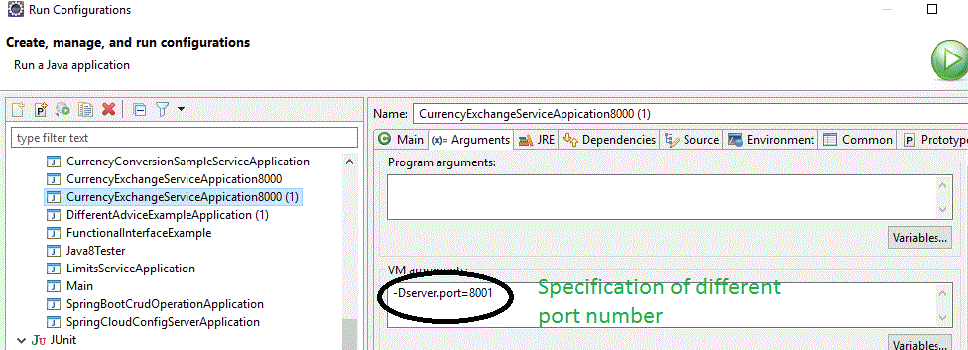
By default, it has been set to run on port 8000. We can create another instance and can make the project run on port 8001 in the below ways
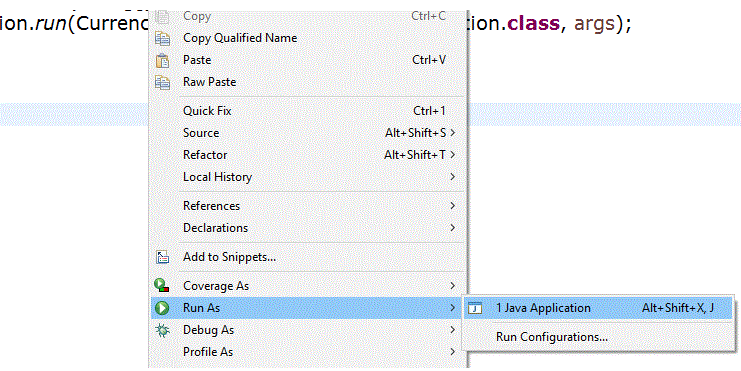
As this is the spring boot application, it can be normally run as Java application
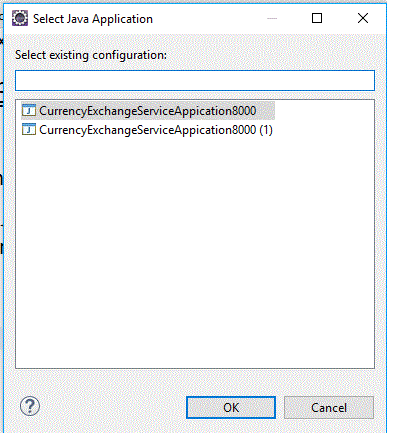
If we set to run the application on two different ports, we will get the below options
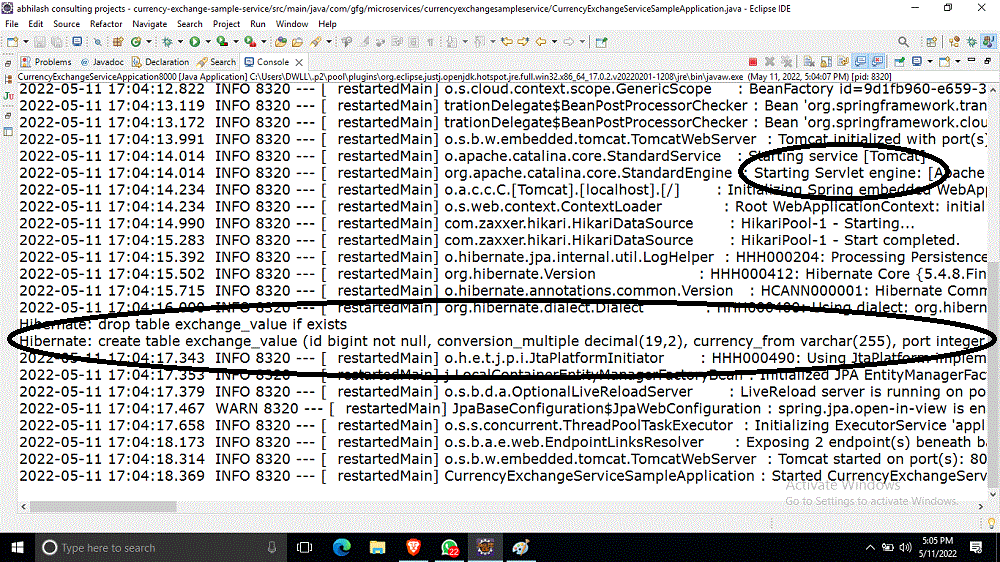
Let us select the first one. On running the application, in the console, we see as
From the console, we can see that it used default Tomcat and the project is running on port 8080. As we have used 3 insert scripts, automatically table is created and the data is inserted. We can able to do the following
http://localhost:8000/currency-exchange-sample/fromCurrency/USD/toCurrency/INR
When this URL is hit, it will be redirected to the controller, and fromCurrency is taken as "USD" and toCurrency is taken as "INR"
Because of this,
// Below set of code is executed and hence we are seeing the result like above
if (fromCurrency != null && toCurrency != null) {
 if (fromCurrency.equalsIgnoreCase("USD") && toCurrency.equalsIgnoreCase("INR")) {
 conversionMultiple = BigDecimal.valueOf(78);
 }
Similarly, we can able to execute the below following URLs
http://localhost:8000/currency-exchange-sample/fromCurrency/EUR/toCurrency/INR
http://localhost:8000/currency-exchange-sample/fromCurrency/AUD/toCurrency/INR
Hence according to our business needs, we can add business logic to the controller file. Let us see how the above service is getting called in the currency-conversion project
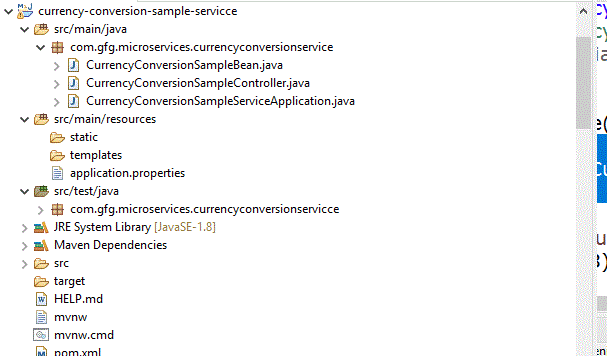
This is also a maven project
pom.xml
Main important java files
CurrencyConversionSampleServiceApplication.java
CurrencyConversionSampleBean.java
CurrencyConversionSampleController.java
@GetMapping("/currency-converter-sample/fromCurrency/{fromCurrency}/toCurrency/{toCurrency}/quantity/{quantity}")That is this project is started on port 8100. Now we can able to execute the following URLS
http://localhost:8100/currency-converter-sample/fromCurrency/USD/toCurrency/INR/quantity/1000
When this service is called, it will in turn invoke.
Assumption: currency-exchange-sample is running in port 8000 and it produces the required response
http://localhost:8000/currency-exchange-sample/fromCurrency/USD/toCurrency/INR
And then as the logic is written as
ResponseEntity<CurrencyConversionSampleBean>responseEntity=new RestTemplate().getForEntity("http://localhost:8000/currency-exchange-sample/fromCurrency/{fromCurrency}/toCurrency/{toCurrency}",CurrencyConversionSampleBean.class, uriVariables);
 CurrencyConversionSampleBean response=responseEntity.getBody();
 // creating a new response bean and getting the response back and taking it into Bean
 // Hence the output bean should have all the fields that is received from the response
 return new CurrencyConversionSampleBean(response.getId(), fromCurrency,toCurrency,response.getConversionMultiple(), quantity,quantity.multiply(response.getConversionMultiple()),response.getPort());
We are seeing the totalCalculatedAmount as 78 * 1000 i.e. 78000. We are getting "conversionMultiple" from the first URL and it is multiplied with the quantity value here. It is very ideal that, we no need to carry exchange service logic into this application i.e. part 1 project can be separate and part 2 project can invoke part 1 URLs here. So microservices can run separately and other services can use them. Rest of the URLs that can be checked
Example
http://localhost:8100/currency-converter-sample/fromCurrency/EUR/toCurrency/INR/quantity/5000
This will call in turn
http://localhost:8000/currency-exchange-sample/fromCurrency/EUR/toCurrency/INR
And the output will be
Example
http://localhost:8100/currency-converter-sample/fromCurrency/AUD/toCurrency/INR/quantity/2000
This will call in turn
http://localhost:8000/currency-exchange-sample/fromCurrency/AUD/toCurrency/INR
And the output will be