JPanel, a part of the Java Swing package, is a container that can store a group of components. The main task of JPanel is to organize components, various layouts can be set in JPanel which provide better organization of components, however, it does not have a title bar.
Constructors of JPanel
- JPanel(): creates a new panel with a flow layout
- JPanel(LayoutManager l): creates a new JPanel with specified layoutManager
- JPanel(boolean isDoubleBuffered): creates a new JPanel with a specified buffering strategy
- JPanel(LayoutManager l, boolean isDoubleBuffered): creates a new JPanel with specified layoutManager and a specified buffering strategy
Commonly used Functions of JPanel
- add(Component c): Adds a component to a specified container
- setLayout(LayoutManager l): sets the layout of the container to the specified layout manager
- updateUI(): resets the UI property with a value from the current look and feel.
- setUI(PanelUI ui): sets the look and feel of an object that renders this component.
- getUI(): returns the look and feel object that renders this component.
- paramString(): returns a string representation of this JPanel.
- getUIClassID(): returns the name of the Look and feel class that renders this component.
- getAccessibleContext(): gets the AccessibleContext associated with this JPanel.
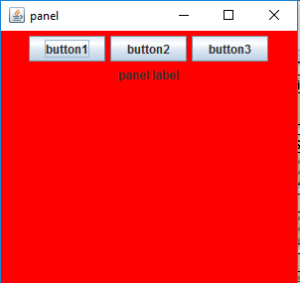
Let us take a sample program in order to illustrate the use of JPanel class by appending sequential execution snapshots of outputs justifying the below program sets as follows:
Example:
Output:
👁 Image
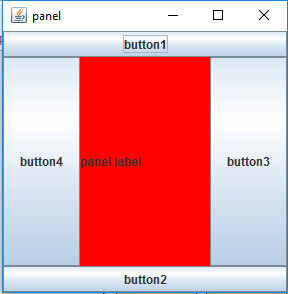
Example 2:
Output:
👁 Image
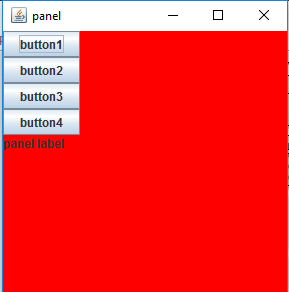
Example 3:
Output:
👁 Image
Henceforth, we are successfully able to generate buttons in our panel.
Note: In the previous Program, border layout and Box Layout are used. Different other layouts can be used to organize the components in a definite pattern, such as card layout, grid layout, etc.