|
VOOZH | about |
|
VOOZH | about |
The Scanner class, introduced in Java 5, belongs to the java.util package allows developers to read input from different sources easily.
Follow these steps to take user input using the Scanner class:
1. Import the Scanner class using import java.util.Scanner;
2. Create a Scanner object
- Scanner sc = new Scanner(System.in); // System.in represents standard input (keyboard).
3. When we want to ask the user for input, first print a prompt message so they know what to enter. Then use one of Scanner's handy methods to read the response:
4. Close the Scanner (recommended) using sc.close();
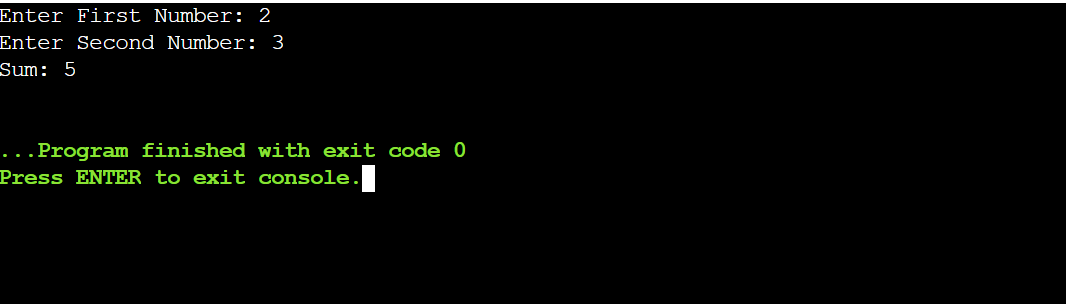
Example 1: Reading Two Numbers and Adding Them
Example 2: Taking Multiple Types of Input
In this example, we read different types of input such as strings, integers, and floating-point values.
Enter a sentence: Java is easy
Entered Sentence: Java is easy
Enter an integer: 10
Entered Integer: 10
Enter a float value: 3.5
Entered Float Value: 3.5
Note: Using nextLine() consistently helps avoid common input issues caused by leftover newline characters.
The Scanner class provides several methods to read different types of input. Some commonly used methods are listed below:
Method | Description |
|---|---|
| Used for reading Boolean value. | |
| Used for reading Byte value. | |
| Used for reading Double value. | |
| Used for reading Float value. | |
| Used for reading Int value. | |
| Used for reading Line value. | |
| Used for reading Long value. | |
| Used for reading Short value. | |
next() | Used for reading a single word |
| Aspects | BufferedReader | Scanner |
|---|---|---|
| Primary Use | Efficient reading of character streams. | Reading formatted input (e.g., integers, strings). |
| Speed | Faster for large input as it does less parsing. | Slower due to parsing overhead (e.g., nextInt(), nextFloat()). |
| Exception Handling | Throws checked exceptions (e.g., IOException). | No checked exceptions; easier to use. |
| Flexibility | Allows reading larger input efficiently. | Best suited for reading simple data types. |
| Thread Safety | Synchronized, making it thread-safe. | Not thread-safe by default. |
| Common Use | Used for reading large input efficiently. | Commonly used for smaller, formatted input. |