|
VOOZH | about |
|
VOOZH | about |
The JavaScriptExecutor is an interface in Selenium that enables you to execute JavaScript code within the context of the current page loaded in the browser. When a user opens a website, an unexpected pop-up window may appear, preventing the WebDriver from performing operations and producing inaccurate results. This is where the JavaScriptExecutor comes into use.
JavaScriptExecutor provides two methods:
This method executes JavaScript in the currently selected window or frame. The script runs as an anonymous function, and the script can return values. Data types returned are :
This method is used to execute the asynchronous JavaScript in the current window or frame. An asynchronous JavaScript execution is a single thread, while the rest of the page continues parsing, which enhances the performance.
Here are a few more use cases of the JavaScript Executor in Selenium:
JavascriptExecutor js = (JavascriptExecutor) driver;
js.executeScript("location.reload()");JavascriptExecutor js = (JavascriptExecutor) driver;
js.executeScript("document.getElementById('elementId').value = 'text';");JavascriptExecutor js = (JavascriptExecutor) driver;
js.executeScript("alert('Hello World');");JavascriptExecutor js = (JavascriptExecutor) driver;
String text = js.executeScript("return document.documentElement.innerText;").toString();
System.out.println(text);JavascriptExecutor js = (JavascriptExecutor) driver;
String title = js.executeScript("return document.title;").toString();
System.out.println(title);JavascriptExecutor js = (JavascriptExecutor) driver;
js.executeScript("window.scrollBy(0, 150);"); // Vertical scroll by 150 pixelsStep 1. Import the package
Import org.openqa.selenium.JavascriptExecutor;
Step 2. Create a reference
JavascriptExecutor js = (JavascriptExecutor) driver;
Step 3. Call the JavascriptExecutor method
js.executeScript(script, args);
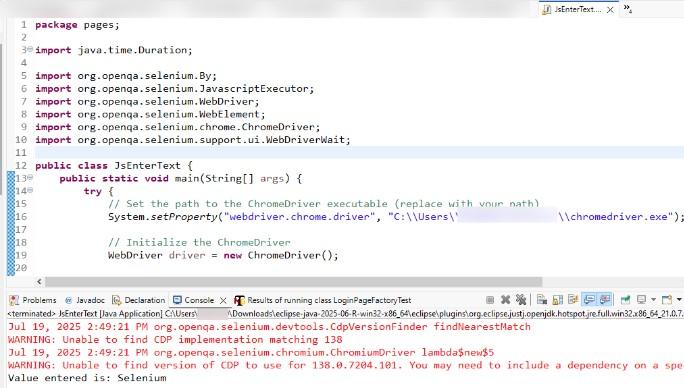
We will use JavaScriptExecutor to enter text into a search field on the GeeksforGeeks website.
JsEnterText.java
Output:
We use JavaScriptExecutor in Selenium to perform advanced actions such as clicking elements, entering text, and interacting with the page in ways that traditional WebDriver methods might struggle with there JavaScriptExecutor will be used.