|
VOOZH | about |
|
VOOZH | about |
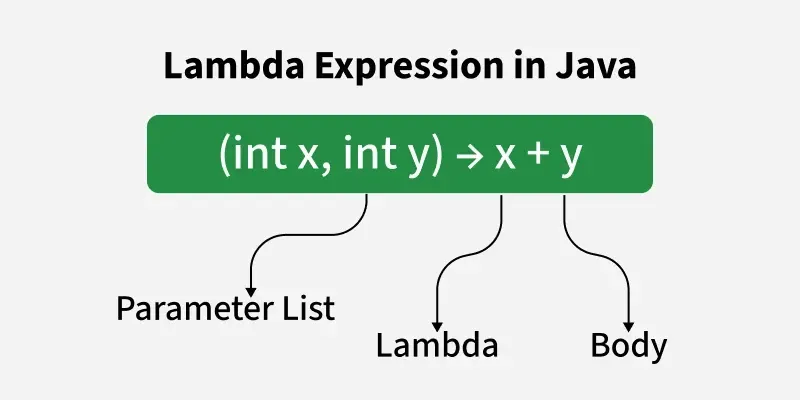
lambda expressions, introduced in Java 8, allow developers to write concise, functional-style code by representing anonymous functions. They enable passing code as parameters or assigning it to variables, resulting in cleaner and more readable programs.
Java Lambda Expression has the following syntax:
(parameters) -> {
// multiple statements
}
A functional interface has exactly one abstract method. Lambda expressions provide its implementation. @FunctionalInterface annotation is optional but recommended to enforce this rule at compile time.
10
There are three Lambda Expression Parameters are mentioned below:
Lambda expression without any input.
Syntax:
() -> System.out.println("Zero parameter lambda");
This is a zero-parameter lambda expression!
Takes one input; parentheses are optional.
Syntax:
(p) -> System.out.println("One parameter: " + p);
All elements:
1
2
3
Even elements:
2
Note: The forEach() method internally uses the Consumer<T> functional interface, which takes one argument and performs an action.
Takes more than one input; parentheses are required.
Syntax:
(p1, p2) -> System.out.println("Multiple parameters: " + p1 + ", " + p2);
9
20
Note: Lambda expressions are just like functions and they accept parameters just like functions.
Lambda expressions are widely used with Java Collections and Streams for concise operations
All names:
Alice
Bob
Charlie
Adam

Names starting with 'A':
ALICE
ADAM
| Interface | Method | Purpose |
|---|---|---|
| Predicate | boolean test(T t) | Tests a given condition and returns true or false. |
| Consumer | void accept(T t) | Performs an action on the given argument without returning a result. |
| Supplier | T get() | Supplies or generates a result without taking any input. |
| Comparator<T> | int compare(T o1, T o2) | Compares two objects to determine their order. |
| Comparable<T> | int compareTo(T o) | Defines the natural ordering for objects of a class. |
| Expression | Validity | Reason |
|---|---|---|
| () -> {} | Valid | No parameters, empty body |
| () -> "geeksforgeeks" | Valid | Single expression returns value |
| () -> { return "geeksforgeeks"; } | Valid | Uses braces with return keyword |
| (Integer i) -> { return "geeksforgeeks" + i; } | Valid | Correct syntax with typed parameter |
| (String s) -> { return "geeksforgeeks"; } | Valid | Parameter unused but valid |
| () -> { return "Hello" } | Invalid | Missing semicolon after return statement |
| x -> { return x + 1; } | Invalid | Invalid if type inference not possible |
| (int x, y) -> x + y | Invalid | If one parameter has type, all must |