|
VOOZH | about |
|
VOOZH | about |
Spring Boot JDBC simplifies database interaction by providing ready-to-use configurations and reducing boilerplate code. It leverages auto-configuration to manage JDBC components, allowing developers to focus mainly on writing SQL queries and business logic.
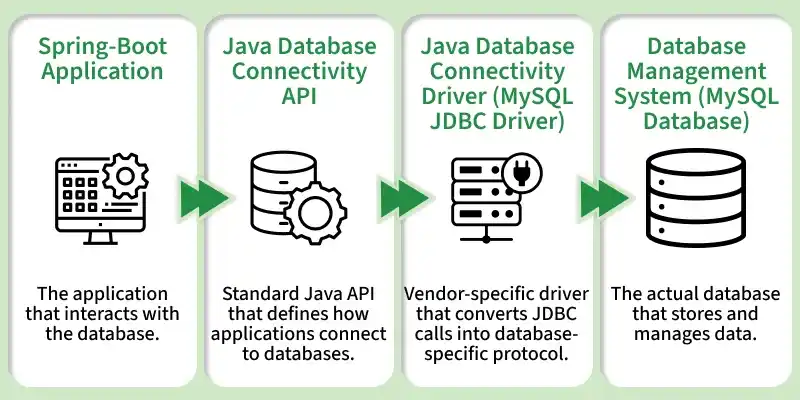
JdbcTemplate. JDBC consists of two parts as depicted below:
JDBC Connection Pooling is a technique that reuses database connections instead of creating a new one for every request, improving performance and reducing load on the database server.
To work with a database using Spring Boot, we need to add the following dependencies:
A. JDBC API
Database connectivity API specifies how the client connects and queries a database.
<dependency>
<groupId>org.springframework.boot</groupId>
<artifactId>spring-boot-starter-jdbc</artifactId>
</dependency>
B. MySQL Driver
MySQL JDBC and R2DBC driver to work with the database.
<dependency>
<groupId>mysql</groupId>
<artifactId>mysql-connector-java</artifactId>
<scope>runtime</scope>
</dependency>
After this, we will add datasource properties in application.properties file:
For MySQL database:
spring.datasource.url=jdbc:mysql://localhost:3306/test
spring.datasource.username=root
spring.datasource.password=root
spring.datasource.driver-class-name=com.mysql.cj.jdbc.Driver
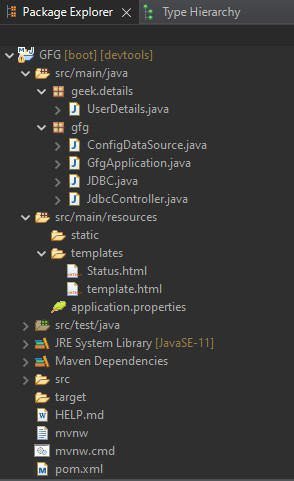
1. pom.xml (Configuration File)
2. Main Class of Spring application (GfgApplication.java)
3. Configuration of DataSource (ConfigDataSource.java)
DataSourceBuilder<T> is a useful class to build a DataSource.
org.springframework.boot.jdbc.DataSourceBuilder<T>
public final class DataSourceBuilder<T extends DataSource> extends Object
Method | Description |
|---|---|
create() | Creates a new instance of DataSourceBuilder. |
driverClassName(String driverClassName) | Specifies the driver class name which is to be used for building the datasource. |
url(String url) | Specifies the URL which is to be used for building the datasource. |
username(String username) | Specifies the username which is to be used for building the datasource. |
password(String password) | Specifies the password which is to be used for building the datasource. |
build() | Returns a newly built DataSource instance. |
This builder supports the following pooling Datasource implementations.
Name | Description |
|---|---|
Hikari | com.zaxxer.hikari.HikariDataSource |
Tomcat JDBC Pool | org.apache.tomcat.jdbc.pool.DataSource |
Apache DBCP2 | org.apache.commons.dbcp2.BasicDataSource |
Oracle UCP | oracle.ucp.jdbc.PoolDataSourceImpl |
👁 ConsoleNote: The first available pool implementation is used when no type has been explicitly set.
Example:
Note: Driver class name - 'com.mysql.jdbc.Driver' has been deprecated. It would not give error because the driver is automatically loaded and manual loading is not necessary. The new driver class name is 'com.mysql.cj.jdbc.Driver'.
D. User credentials to be stored in the database (UserDetails.java)
One can add the 'Lombok' library to skip Getter/Setter methods, construct No-Arguments constructor, the constructor for final fields, etc.
Maven-pom.xml dependency
Example:
E. Utility class for connecting and querying the database (JDBC.java)
Password encoding is a must for many security reasons. To use Spring Security, add the following dependency:
Maven - pom.xml
Pre-requisites are as follows:
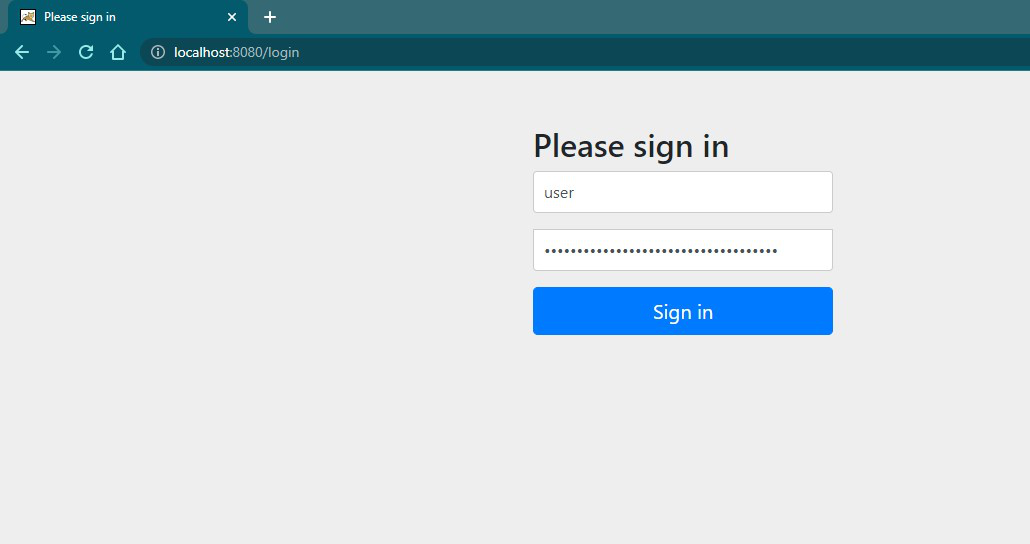
👁 Default login pageNote: Generated password becomes invalid for the next iteration/Running the application as the new password gets generated, but the username remains same.
org.springframework.boot.jdbc.DataSourceBuilder<T>
public final class DataSourceBuilder<T extends DataSource> extends Object
Constructor | Description |
|---|---|
| BCryptPasswordEncoder( ) | Default constructor. |
| BCryptPasswordEncoder( int strength ) | Strength is the log rounds to use between 4 to 31. Default is 10. |
| BCryptPasswordEncoder( int strength, SecureRandom random ) | The secure random instance to be used. |
| BCryptPasswordEncoder( BCryptVersion version ) | Version of BCrypt - 2a, 2b, 2y. |
| BCryptPasswordEncoder( BCryptVersion version, int strength ) | Bcrypt versions / log rounds. |
| BCryptPasswordEncoder( BCryptVersion version, int strength, SecureRandom random ) | Bcrypt versions / log rounds / Secure Random instance. |
| BCryptPasswordEncoder( BCryptVersion version, SecureRandom random ) | Bcrypt versions / Secure Random instance. |
Method | Description |
|---|---|
encode(CharSequence rawPassword) | Encodes a raw password provided with SHA-1 or greater hash combined with 8-Byte or greater randomly generated salt value. |
matches(CharSequence rawPassword, String encodedPassword) | Verifies the stored encoded password matches the submitted encoded raw password. Returns true if matched otherwise false. |
upgradeEncoding(String encodedPassword) | Returns true if the encoded password should be encoded again for better security, else false. The default implementation always returns false. |
F. Controller of Spring Application (JdbcController.java)
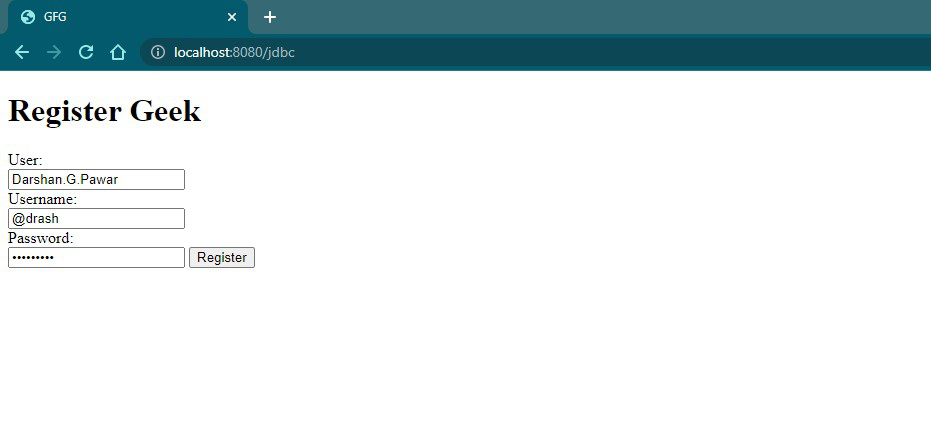
A. template.html: Gets user data and binds it to UserDetails object.
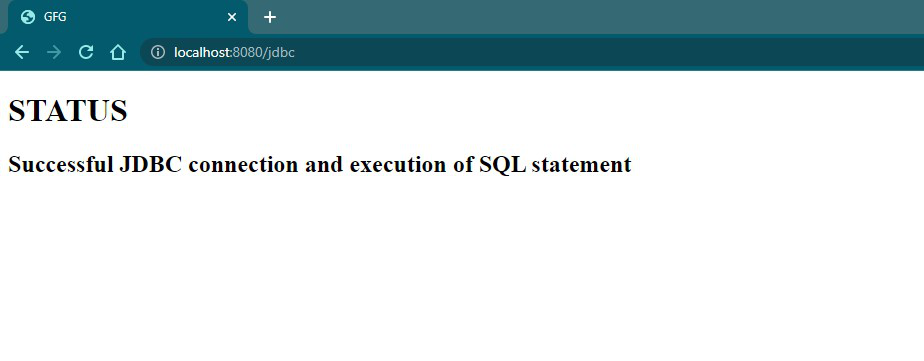
B. Status.html
Display the message of JDBC operation.
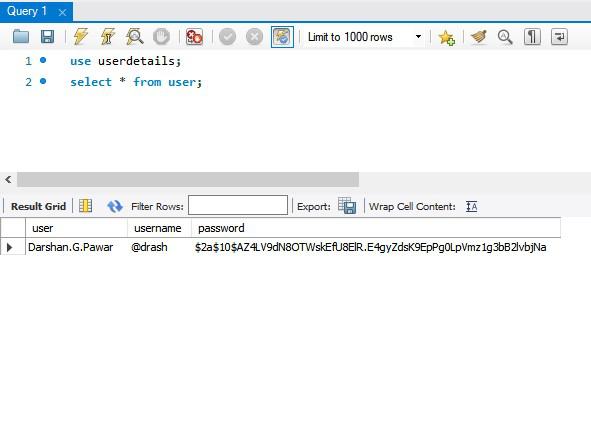
C. MySQL Database
Note: Spring Boot offers many convenient ways of working with data, e.g. Spring Data JPA - which has default implementation of Hibernate. We can use them to make advantage of Java Persistence API (JPA) for object/relational mapping and to avoid cumbersome efforts.

.png)