|
VOOZH | about |
|
VOOZH | about |
If you are aware of a microservices architecture, then there we have several spring boot applications (microservices) running on different ports or routes. An API gateway acts as a single point of entry for a collection of microservices. In simple words, all microservices can be accessed through a single port or route. It is a non-blocking and reactive gateway that provides several features like routing, filtering, load balancing, circuit breaking, and more. In this article first, we'll look at the spring cloud gateway architecture and then implement it.
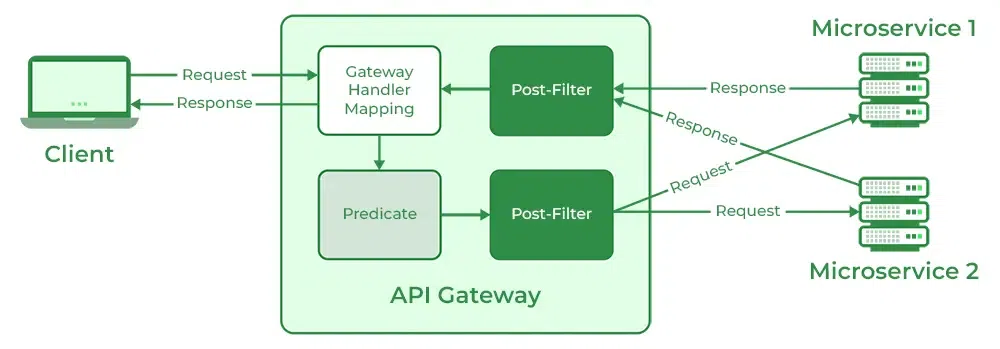
The main components of the spring cloud gateway are:
The process begins with the client sending a request to the API gateway. The request first goes to the Gateway mapping handler. It uses Predicate to check whether a request matches a route. The request is then transferred to Gateway Web Handler. It passes the request through the Filter Chain specific to the request. Here the filters can be considered in two categories. When requests arrive all the pre-filter logic is executed. After the request is made all the post-filter logic is executed.
Each spring boot application that we'll create will be the Maven project with the following configurations
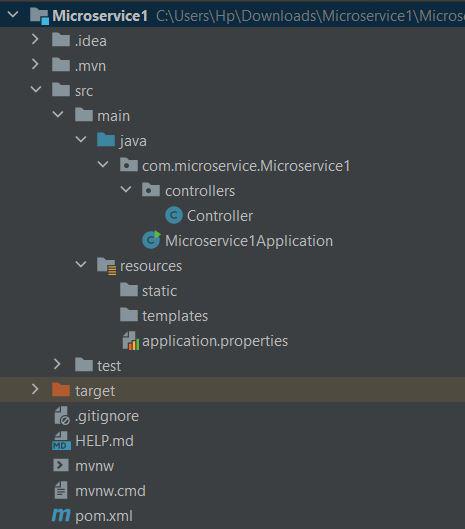
Below is what the project structure looks like
Include the below dependencies in the pom.xml.
Now, provide a name for the spring application and configure the port number. To do so, make the following changes to the application.properties file
spring.application.name=MicroService1
server.port=8081
The above configuration ensures that our first microservice runs on port 8081. Now let's create the Controller class.
The above controller class only contains one API "displayMessage" which is accessible via GET request. We'll fetch this API through Spring Cloud Gateway soon.
The second microservice has the same project structure and dependencies as that of the first microservice. Here also provide a name to the application and set the port number in the application.properties file.
spring.application.name=MicroService2
server.port=8082
Here also, We create a GET API inside the controller and then access it through Spring Cloud Gateway.
Now, we have both of our microservices reading and running on port numbers 8081 and 8082 respectively. Now let's create a Spring Cloud Gateway running at port 8083 and then we'll see whether both microservices can be accessed from port 8083 or not.
There are two ways to create an API gateway.
Create a Separate Spring boot application to create a gateway. Include the following dependencies in the pom.xml file.
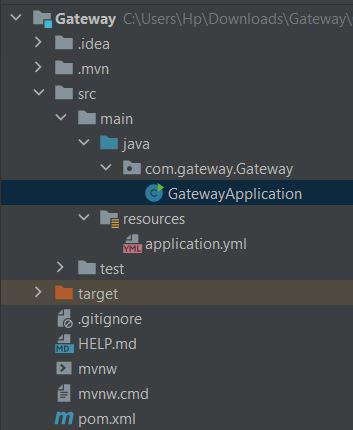
The project structure looks like
Now create a file with the name application.yml inside the resources folder and populate it with the following:
server:
 port: 8083
spring:
 cloud:
 gateway:
 routes:
 - id: Microservice1
 uri: http://localhost:8081/
 Predicates:
 - Path=/serviceA/**
 - id: Microservice2
 uri: http://localhost:8082/
 Predicates:
 - Path=/serviceB/**
here also, the project structure and dependencies remain the same. Also apart from port configuration, remove everything from the YML file. Now create a bean inside GatewayApplication.java class as follows:
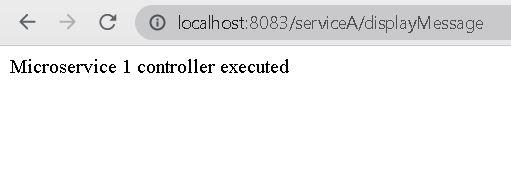
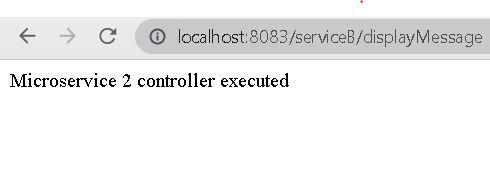
Now, on running the gateway application using any of the above methods, we can see that both microservices can be accessed with a single port as below