|
VOOZH | about |
|
VOOZH | about |
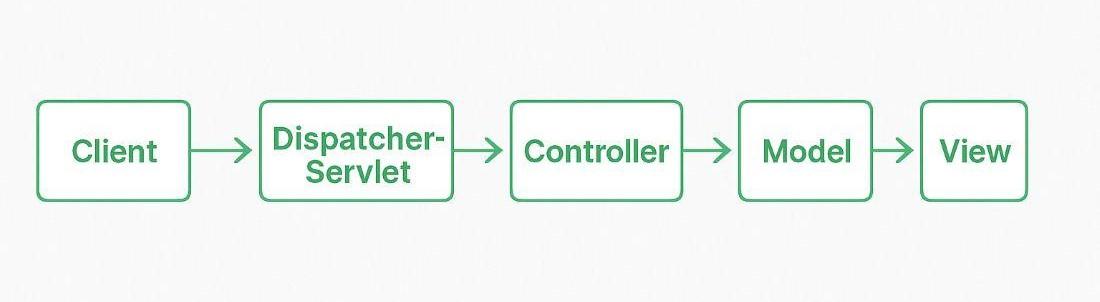
Spring MVC follows the Model-View-Controller (MVC) architecture to separate application logic, user interface, and request handling. It helps developers build organized and maintainable web applications using simple Java classes. ViewResolvers are used to map logical view names returned by controllers to actual view pages.
There are four main components of Spring Mvc.
A Model in Spring MVC represents the application data that is transferred between the controller and the view. It stores the information required for processing and displaying results to the user.
Example: A User object with name, email, and age
A View in Spring MVC is responsible for presenting application data to the user through the user interface. It displays the processed data received from the controller in a readable format.
Example: An HTML page showing user details.
A Controller in Spring MVC handles user requests and controls the application flow. It processes input data, interacts with the model, and returns the appropriate view to the user.
A Front Controller in Spring MVC is responsible for handling all incoming requests and directing them to the appropriate controller. It acts as a central entry point of the application.
- Eclipse (EE version).
- Tomcat Apache latest version
Folllow these steps to create a Spring Mvc Application with java based configuration.
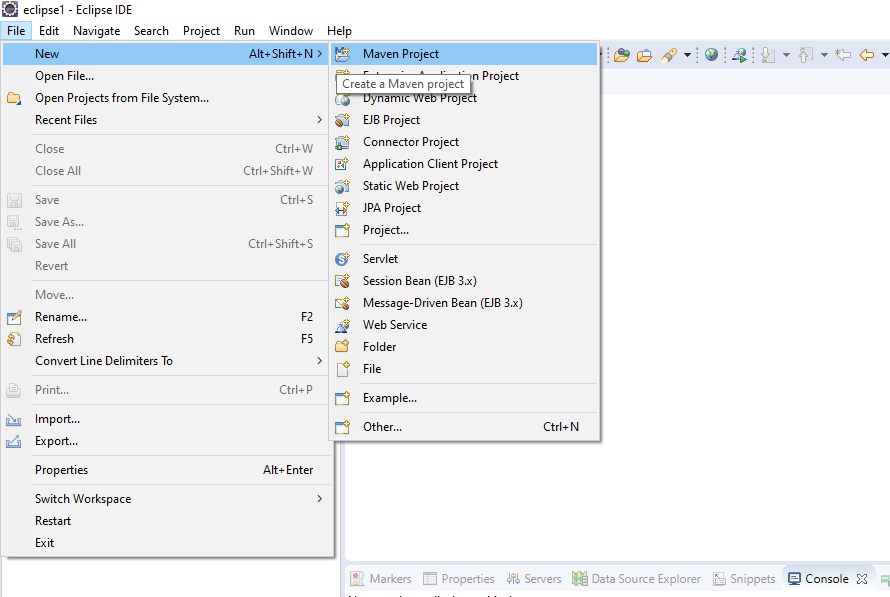
Go to File menu > Click on New > Select Maven Project.
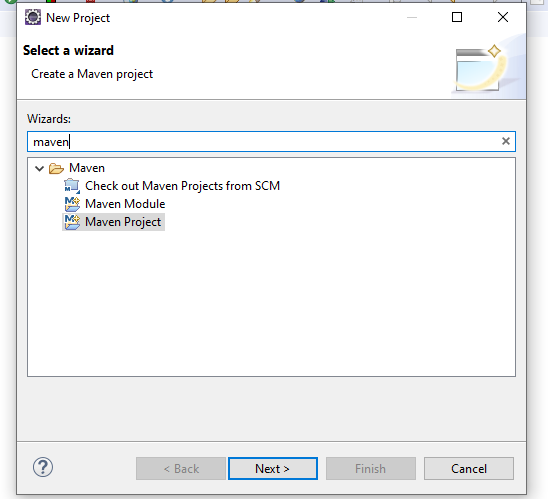
In the search bar, type maven, select Maven Project, and click Next.
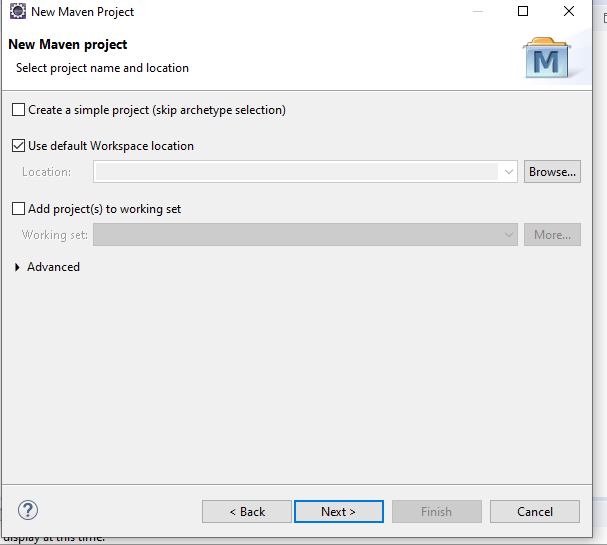
Ensure the default settings remain unchanged and click Next.
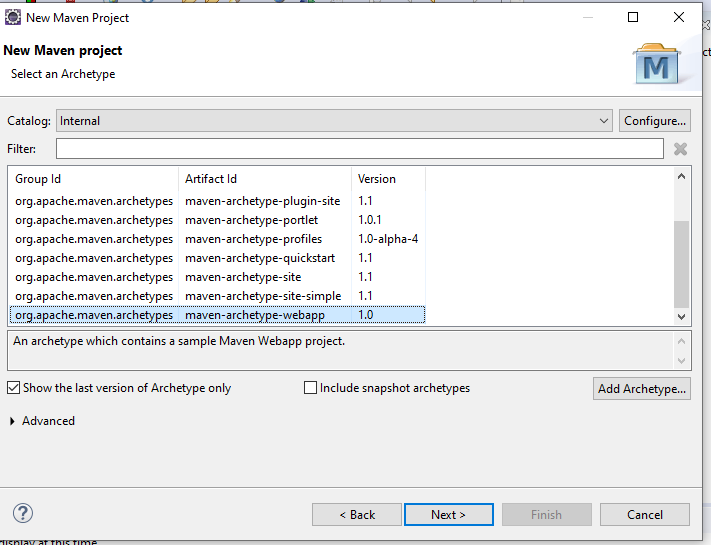
Select maven-archetype-webapp for web applications and click Next.
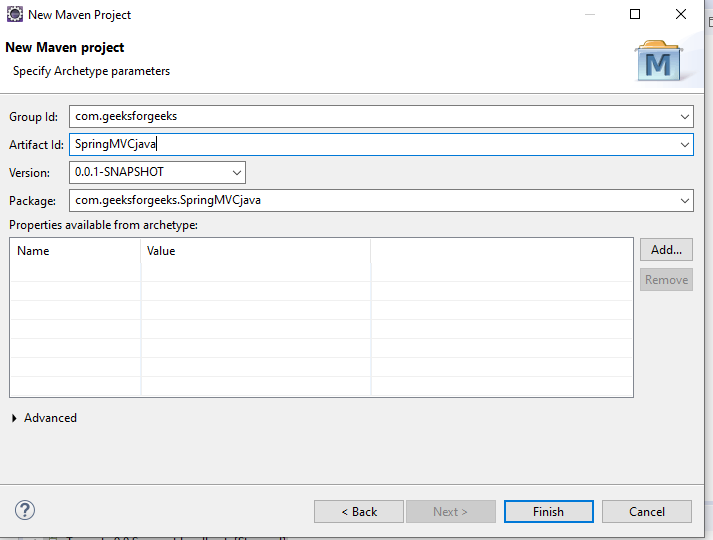
Provide a Group ID and Artifact ID.
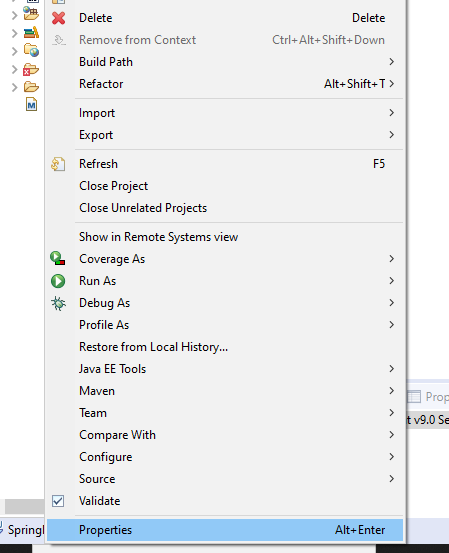
Right-click on the project > Properties
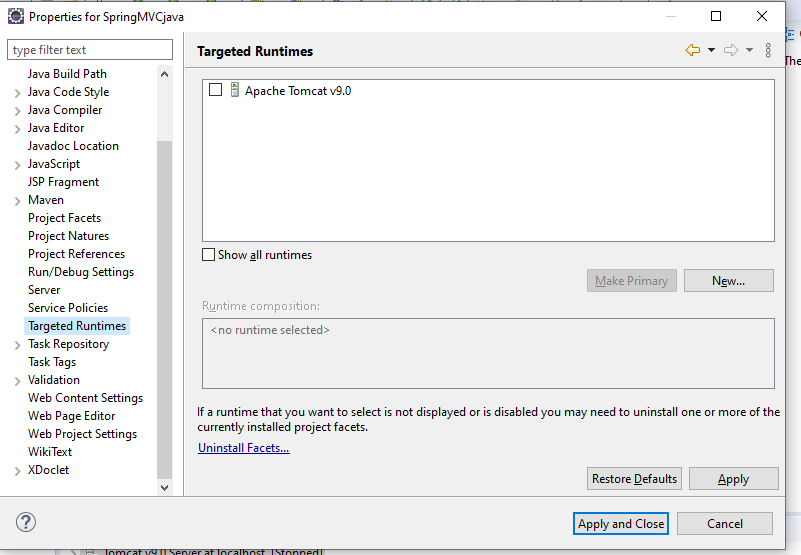
Click on Targeted Runtimes > Select the installed Apache Tomcat > Click Apply and Close.
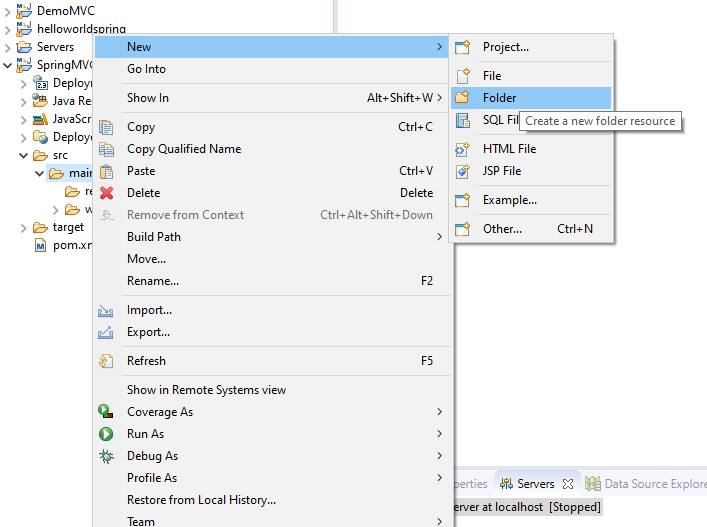
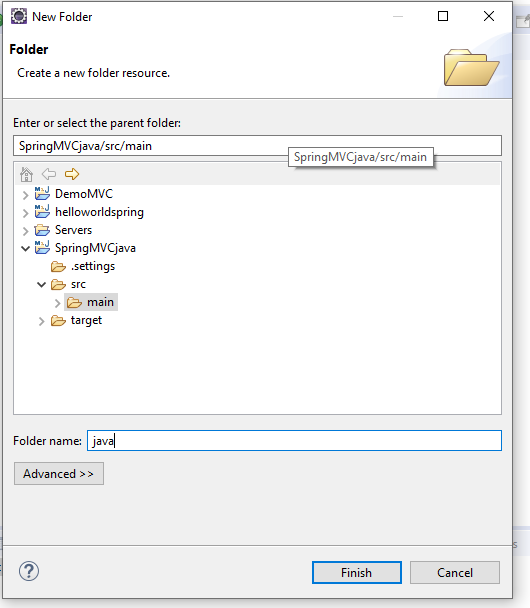
Ensure Java files are in src/main/java to build a Spring MVC project.
Name the folder as java.
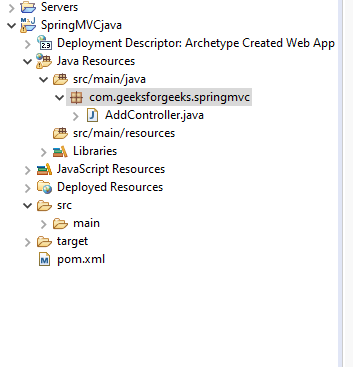
Create a Java class named "AddController" inside com.geeksforgeeks.springmvc under src/main/java.
This file contains the Maven dependencies for the Spring framework.
WebInitializer replaces with web.xml. The getServletMappings() function receives requests corresponding to the '/' URL mapping. getServletConfigClasses() configures the dispatcher servlet and transfers the handler to MVCconfig.class.
This file replaces the dispatcher servlet. The @ComponentScan annotation enables component scanning.
This controller handles the /greet request.
This is the landing page of the application.
This page is displayed when the button in index.jsp is pressed.
Open browser type below URL:
http://localhost:8080/SpringMVCApp/index.jsp
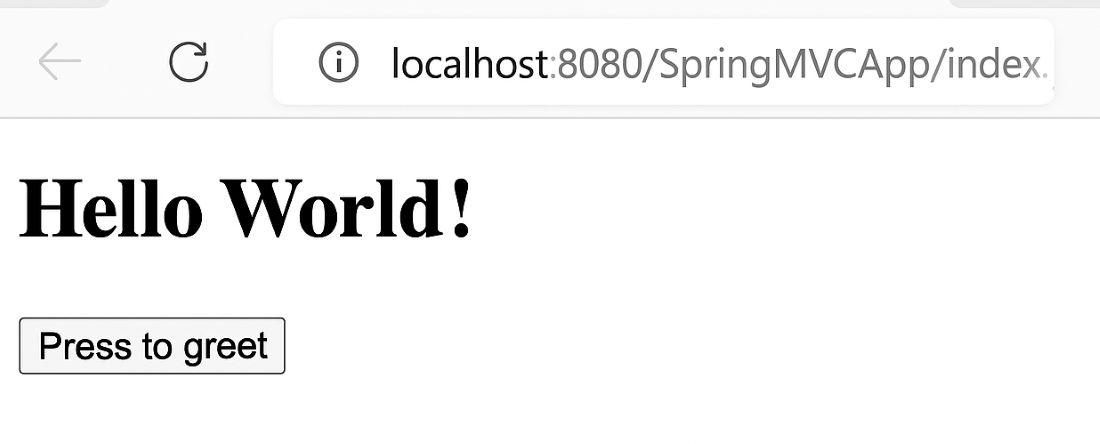
We will see a simple HTML page with:
Output:
When you click "Press to greet", it sends a request to the /greet endpoint, which is handled by the GreetController which loads result.jsp and displays.