|
VOOZH | about |
|
VOOZH | about |
Transactions in JDBC are used to manage a group of SQL operations as a single unit to ensure data consistency and reliability. They help maintain data integrity by applying all changes together or rolling them back in case of failure.
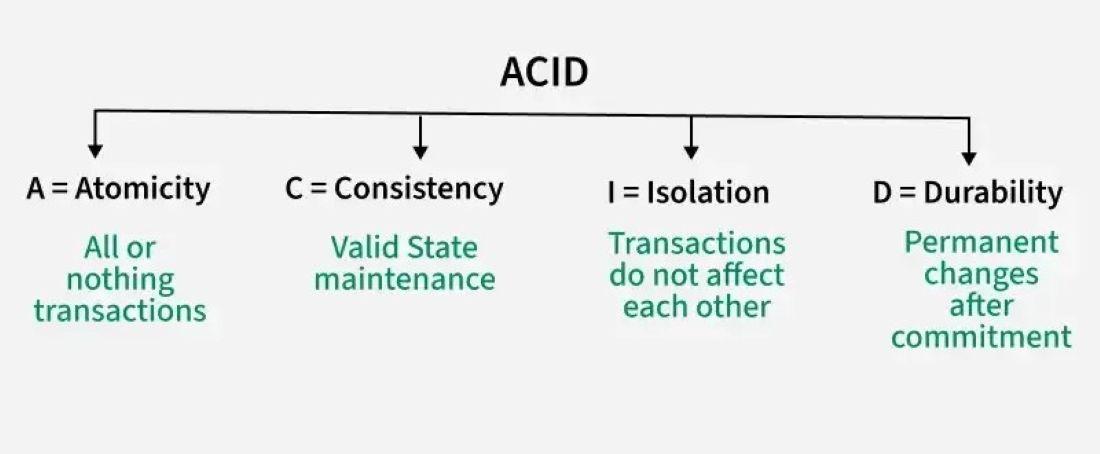
ACID properties define the fundamental principles that ensure reliable and consistent transaction processing in databases.
By default JDBC Connection is in auto-commit mode, then every SQL statement is committed to the database upon its completion. It is fine for simple applications, but there are three reasons why you may want to turn off the auto-commit and manage your own transactions
We can manage transactions manually by turning off auto-commit and using commit() and rollback() methods.
In Java, the commit() and rollback() methods play an essential role in database transactions, ensuring atomicity, consistency, isolation, and durability (ACID properties).
Commit: commit() saves all changes made during the transaction to the database.
conn.commit( );
Rollback: rollback() discards all changes made since the last commit, ensuring atomicity.
conn.rollback( );
This example demonstrates how to execute multiple updates in a single transaction, ensuring either all updates succeed or none do.
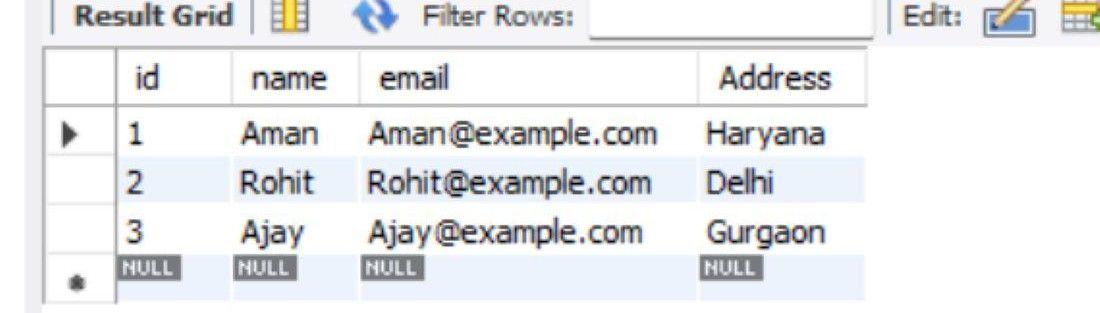
Output table:
To interact with a database, you need to add the MySQL JDBC driver to your project. If you are using Maven, add the following dependency to your pom.xml file.
EmployeeTransactionDemo describe how to perform a JDBC transaction using Java. It shows how two related updates to the employee table can be executed as a single unit of work, either both succeed, or neither does.
EmployeeTransactionDemo.java:
Explanation:
After running the program, the console will display a message confirming whether the transaction was committed or rolled back
Database Table After Transaction:
The changes to the employee table (updates to Aman’s address and Rohit’s email) will be reflected in the database only if the transaction was successfully committed.