VOOZH about

URL: https://www.geeksforgeeks.org/java/update-and-delete-operations-using-jdbc-in-java/

⇱ Update and Delete Operations Using JDBC in Java - GeeksforGeeks


  • Courses
  • Tutorials
  • Interview Prep

Update and Delete Operations Using JDBC in Java

Last Updated : 1 Aug, 2025

The UPDATE operation modifies existing records in a table, usually with a WHERE clause to target specific rows. Without it, all records may be updated. The DELETE operation removes records from a table, also typically using a WHERE clause. Omitting it deletes all rows in the table.

Create a simple register table

Update Operation in JDBC

Update Operation in JDBC involves loading the driver, connecting to the database, preparing an UPDATE query with PreparedStatement, setting parameters, and executing it using executeUpdate(). It returns the number of affected rows to determine success. Exception handling and resource cleanup are essential.

Syntax

UPDATE table_name SET column1 = value1 WHERE condition;

Implementation of the Update operation using JDBC

In JDBC, the Update operation is used to change current entries in a database table using SQL UPDATE statements.

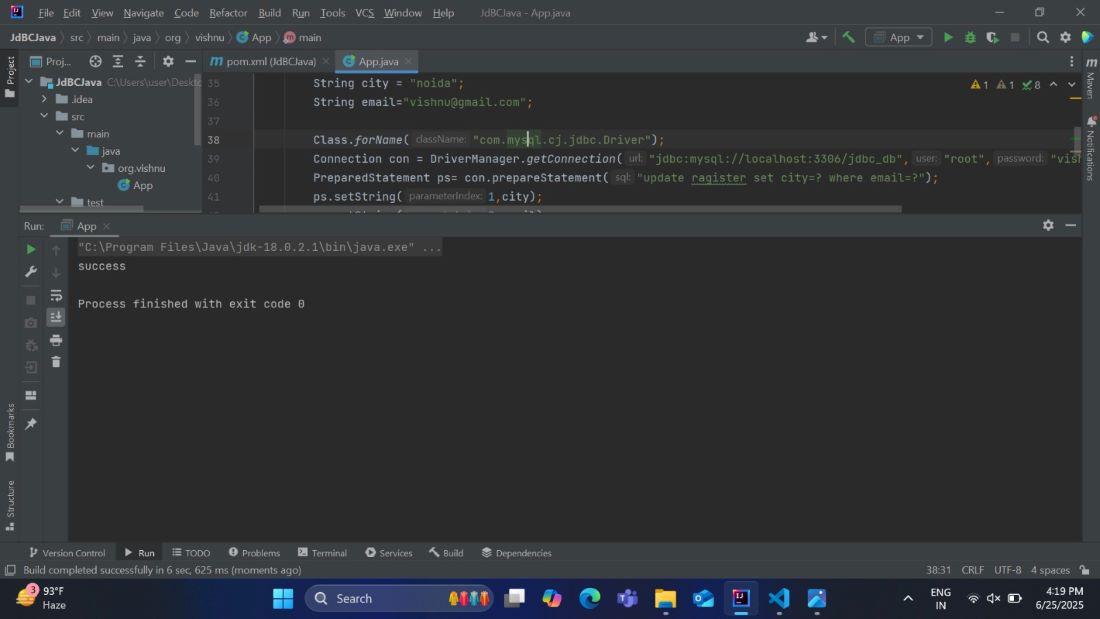
Example: The following example updates the city column for a user in the register table based on their email ID.

App.java:

Output:

👁 update
update

Explanation

  • The above program updates a record in a MySQL table using JDBC.
  • A city value ("noida") is updated based on a matching email ("gaurav@gmail.com").
  • The JDBC driver is loaded using Class.forName.
  • A database connection is established using DriverManager.getConnection.
  • An UPDATE SQL query with placeholders is prepared using PreparedStatement.
  • Parameters are set using setString() for city and the email, executeUpdate method is used to execute sql query, returning the affected row.
  • Print a message of success if the data is updated; otherwise, fail. Use try-with-resources to automatically close JDBC resources.
  • Exception handling is included for both SQL and class loading errors.

Delete Operation in JDBC

Delete Operation in JDBC follows the usual steps: load the driver, connect to the database, prepare a DELETE query with PreparedStatement, set parameters, and execute using executeUpdate(). It returns the number of rows deleted. Always close resources properly.

Syntax

DELETE FROM table_name WHERE condition;

Implementation of the Delete operation in JDBC

In JDBC, the Delete operation is used to delete current entries in a database table using SQL DELETE statements.

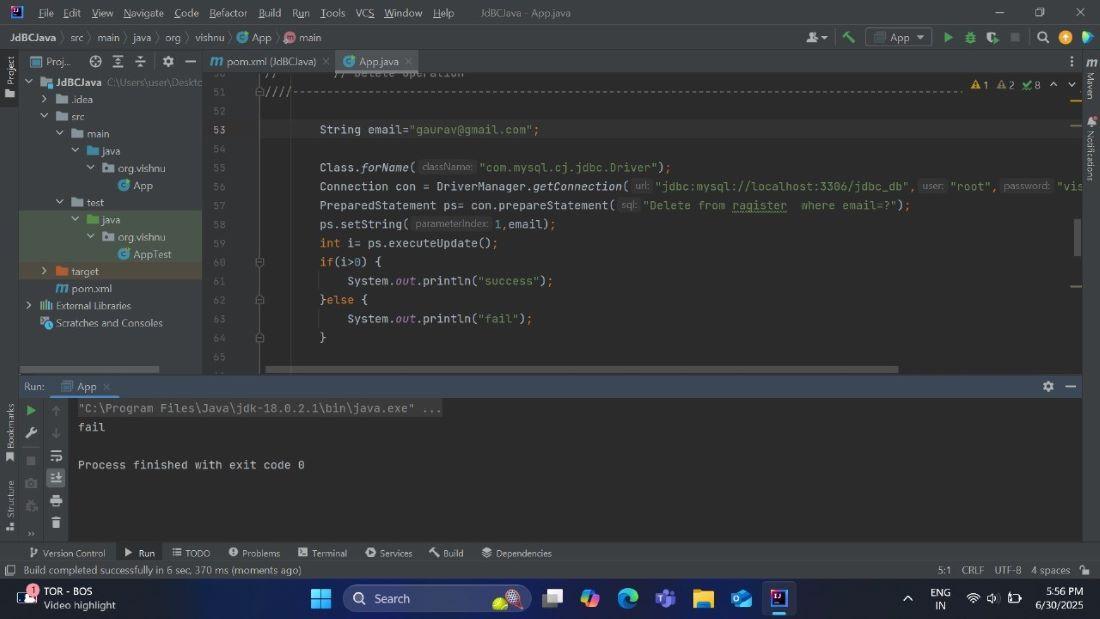
This example deletes a specific user from the register table based on their email.

App.java:

Output:

👁 delete
output

Explanation:

  • The program deletes a record from a MySQL table using JDBC.
  • The email value, like gaurav@gmail.com, is used to identify the record to be deleted.
  • The JDBC driver is loaded using Class.forName.
  • A database connection is established using DriverManager.getConnection.
  • A DELETE SQL query is prepared using a PreparedStatement.
  • The email value is set using setString() to replace the placeholder and the executeUpdate() method delete query and returns the number of rows affected.
  • Print a message of success if the data is deleted; otherwise, fail. Use try-with-resources to automatically close JDBC resources.
Comment
Article Tags:
Article Tags: