VOOZH about

URL: https://www.geeksforgeeks.org/java/variables-in-java/

⇱ Java Variables - GeeksforGeeks


  • Courses
  • Tutorials
  • Interview Prep

Java Variables

Last Updated : 20 Apr, 2026

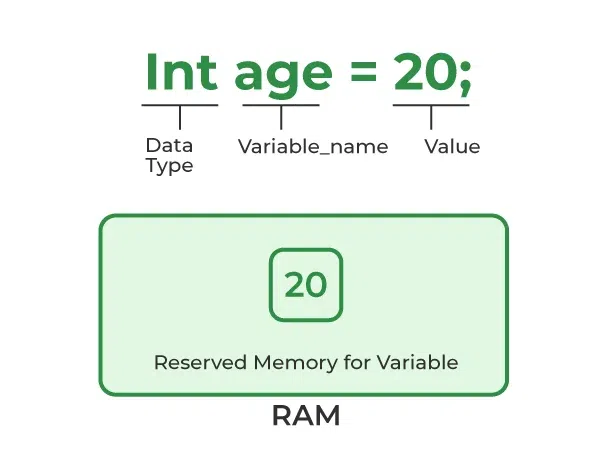
In Java, variables are containers used to store data in memory. Variables define how data is stored, accessed, and manipulated. A variable in Java has three components,

  • Data Type: Defines the kind of data stored (e.g., int, String, float).
  • Variable Name: A unique identifier following Java naming rules.
  • Value: The actual data assigned to the variable.

Output
Age: 25
Name: GeeksforGeeks
Salary: 50000.5

Declaration

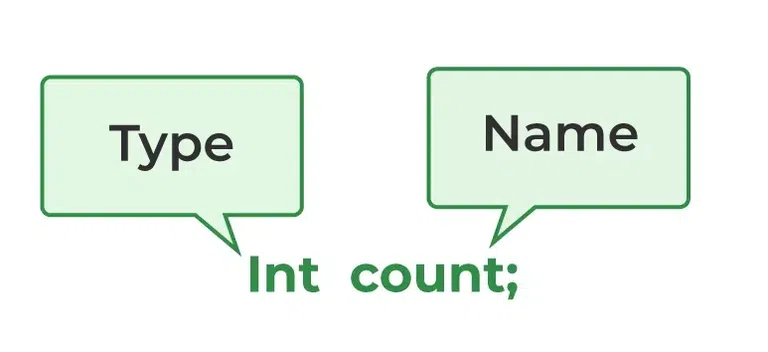
The image below demonstrates how we can declare a variable in Java:

👁 Variables in Java
Variable Declaration

From the image, it can be easily perceived that while declaring a variable, we need to take care of two things that are data type of the variable and name.

Initialization

It can be perceived with the help of 3 components explained above:

👁 Java Variables Syntax
Variable Initialization

Example: Here, we are initializing variables of different types like float, int and char.


Output
Simple Interest: 5.5
Speed: 20
Time: 10
Character: h

Naming Rule 's of Java Variables

  • Start with a Letter, $, or _ – Variable names must begin with a letter (a–z, A–Z), dollar sign $, or underscore _.
  • No Keywords: Reserved Java keywords (e.g., int, class, if) cannot be used as variable names.
  • Case Sensitive: age and Age are treated as different variables.
  • Use Letters, Digits, $, or _ : After the first character, you can use letters, digits (0–9), $, or _.
  • Meaningful Names: Choose descriptive names that reflect the purpose of the variable (e.g., studentName instead of s).
  • No Spaces: Variable names cannot contain spaces.
  • Follow Naming Conventions: Typically, use camelCase for variable names in Java (e.g., totalMarks).

Related articles:

Comment
Article Tags:
Article Tags: