Build tools are essential software utilities that automate the process of converting source code into executable applications. They manage the complete build lifecycle — from dependency resolution and compilation to testing and packaging. In modern DevOps environments, build tools ensure that applications are created in a consistent, efficient, and repeatable manner. By reducing manual effort, they helps team to deliver reliable software faster.
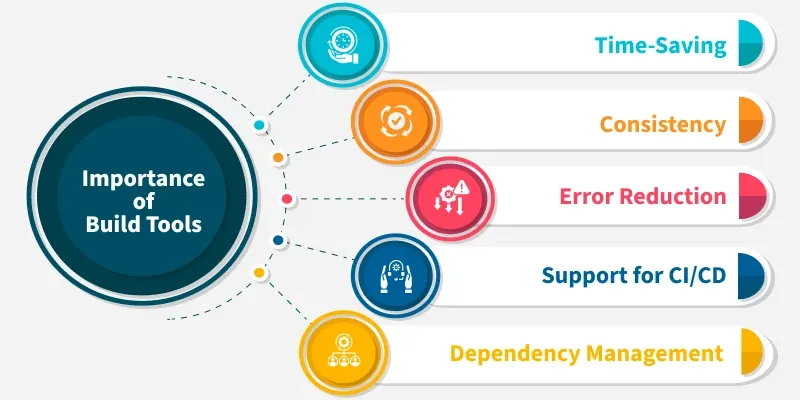
Execute compilation, testing, and packaging with a single command.
Automatically download and manage required libraries.
Ensure identical builds across developer machines and CI/CD environments.
A build tool manages and automates the entire build lifecycle of a software project. It converts raw source code into a deployable artifact by executing tasks in the correct order. This ensures the application is reliable, tested, and ready for deployment.
Compilation: Converts source code (Java, C++) into bytecode or binary format.
Testing: Runs unit and integration tests to verify code quality.
Packaging: Bundles compiled code into formats like .jar, .war, .exe, or Docker images.
Publishing: Uploads the final artifact to repositories such as Nexus, Artifactory, or Docker Hub.
Why Are Build Tools Critical?
Build tools are critical because they automate complex development tasks, manage large numbers of dependencies, and ensure consistent builds across different environments. They also act as the backbone of modern CI/CD pipelines by handling the actual build process.
1. Automation & Efficiency
Without a build tool, developers would manually compile files, link them, run tests, and package applications. Build tools complete these tasks in seconds with a single command.
Execute multiple build steps automatically
Reduce manual errors and save time
Example: Instead of 20 commands, simply run npm run build
2. Dependency Management
Modern applications depend on hundreds of external libraries. Build tools automatically download and manage both direct and transitive dependencies.
Automatically fetch required libraries
Handle transitive dependencies
Example: In Apache Maven, adding Spring Boot in pom.xml downloads Spring Core, Spring Web, logging, and JSON parsers.
3. Reproducibility
Build tools ensure the same build output regardless of who builds it or which operating system is used.
Abstract OS-level differences
Produce consistent artifacts across environments
Example: Gradle ensures builds work on Windows, macOS, Linux, and CI servers
4. The Foundation of CI/CD
CI tools orchestrate workflows but rely on build tools to compile and package applications.
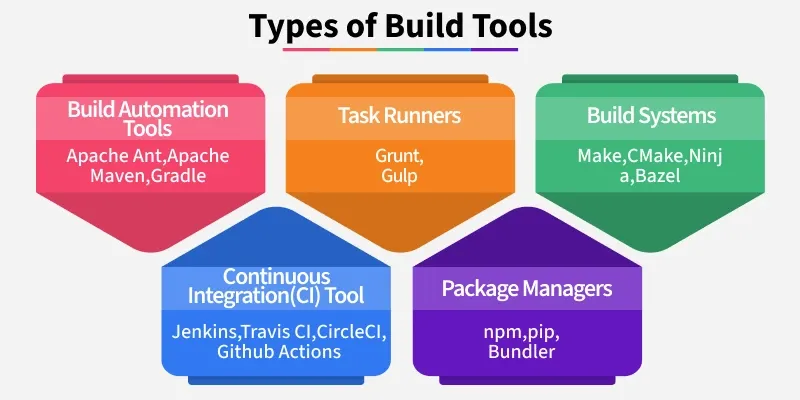
The following are the major categories of build tools used in software development:
1. Task-Based Build Tools
Task-Based Build Tools are software that automate specific development tasks like compiling code, running tests, or packaging applications. They work by defining tasks in scripts or configuration files, allowing developers to execute them individually or in sequence. These tools are ideal for projects that require custom automation without managing complex dependencies.
Some of The Common Example of Task Based Build Tool
Make – Automates compilation for C/C++ projects by defining rules in a Makefile; tracks dependencies to rebuild only what’s necessary.
Rake – Ruby-based tool for automating tasks like testing, packaging, or deployment using simple Ruby scripts called Rakefiles.
Ant – Java-focused build tool using XML files to define tasks such as compilation, JAR creation, and testing; widely used before Maven.
Nant – .NET equivalent of Ant; uses XML to define tasks like compilation, packaging, and deployment for C# and VB.NET projects.
2. Dependency-Based Build Tools
These are tools that not only automate tasks like compilation and packaging but also manage the relationships between different modules or libraries. They ensure that each component is built in the correct order and handle downloading and updating dependencies automatically.
Some of The Common Example of Task Based Buid Tool
Maven – For Java projects, it uses POM files to manage dependencies, build lifecycle, and project structure.
Gradle – Supports Java, Kotlin, and Android, combining dependency management with flexible, scriptable builds.
SBT (Simple Build Tool) – Primarily for Scala, it manages dependencies and supports incremental compilation for faster builds.
These Tools automatically build, test, and deploy code whenever changes are made, ensuring faster feedback and higher code quality. They integrate with version control systems to streamline the development workflow.
Some of The Common Example of Continuous Integration/Automation-Oriented Build Tool
Jenkins – Open-source automation server for building, testing, and deploying any project.
GitHub Actions – CI/CD platform built into GitHub for automating workflows directly from repositories.
GitLab CI/CD – Integrated CI/CD in GitLab for automated builds, tests, and deployments.
Travis CI – Cloud-based CI tool for testing and deploying code, often used with GitHub projects.
CircleCI – Cloud and self-hosted CI/CD platform for fast and scalable builds.
4. Language-Specific Build Tools
These Tools are designed to work closely with a particular programming language or framework, handling tasks like dependency management, compilation, and packaging in a way that fits the language’s ecosystem. They simplify development by providing conventions and tools tailored to that language.
Some of The Common Example of Language-Specific Build Tools
Bundler – Handles Ruby gem dependencies and ensures consistent environments.
Cargo – Rust’s build system and package manager, managing dependencies and compiling projects.
Composer – PHP tool for dependency management and autoloading libraries.
5. Package Managers with Build Capabilities
Package Managers with Build Capabilities are tools that primarily handle downloading, installing, and managing dependencies for a project, but they often include scripts to automate builds, testing, or deployment. They help maintain consistent environments and simplify project setup.
Some of The Common Example of Package Manager Build Tool
npm / Yarn – Manage JavaScript/Node.js packages and run scripts for building and testing projects.
pip / Poetry – Install and manage Python packages, handle dependencies, and support building distributable packages.
NuGet – .NET package manager that handles library dependencies and integrates with build processes.
6. Modern Declarative / Multi-Language Build Tools
These Build Tools are designed to handle projects across multiple languages and platforms, providing high-performance builds with features like caching and incremental compilation. They focus on reproducibility, scalability, and efficient dependency management.
Some of The Common Example of Modern Declarative/Multi-Language Tool
Bazel – Developed by Google, supports multiple languages and large-scale builds with fast, incremental compilation.
Buck – Developed by Facebook, similar to Bazel, optimized for speed and multi-language support.
Pants – Supports Python, Java, Scala, and Go, managing dependencies and enabling efficient incremental builds.
Anatomy of a Build: The Dependency Graph
The anatomy of a build is based on a dependency graph, usually a Directed Acyclic Graph (DAG), which maps how modules depend on each other. The build tool uses this graph to determine the correct order of operations, ensuring that dependencies are built before the modules that rely on them. This approach optimizes build time and avoids unnecessary work.
Parallel Execution – Independent modules can be built simultaneously, reducing total build time.
Incremental Builds – Only modules that have changed or depend on changed files are rebuilt.
Dependency Ordering – Ensures that modules are built in the correct sequence to avoid errors.
Build tools help developers automate compilation, manage dependencies, and streamline workflows across projects. They save time, reduce errors, and improve efficiency.
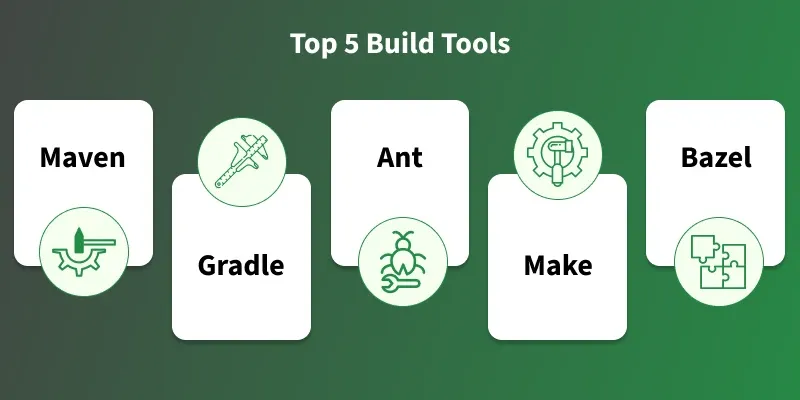
These are the top 5 build tools given below in the image: