|
VOOZH | about |
|
VOOZH | about |
When we are working with loops and want to stop the execution of loop immediately if a certain condition is satisfied, in this case, we can use either break or return expression to exit from the loop.
In this article, we will discuss learn how to use break expression to exit a loop. When break expression encounters in a program it terminates to nearest enclosing loop.
There are two types of break expressions in Kotlin:
We are going to learn how to use unlabelled break expression in while, do-while, and for loops.
Table of Content
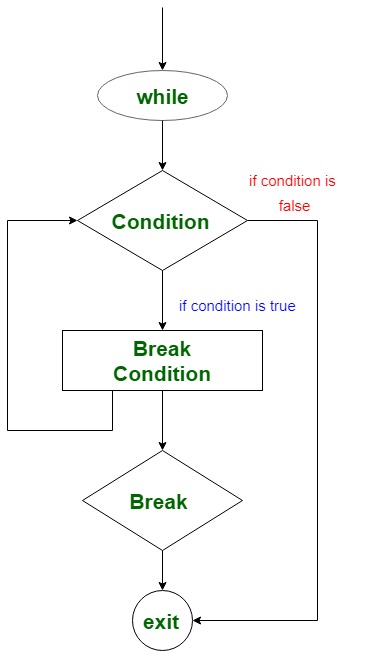
Unlabelled break is to used to exit the loop when it satisfies a specific condition without checking the test expression. Then, transfers the control to the following statement of while block.
while(test expression) {
 // code to run
 if(break condition) {
 break
 }
 // another code to run
}
Kotlin program to find the sum of integers from 1 to 10.
Output:
The sum of integers from 1 to 10: 55In the above program, we calculate the sum of integers from 1 to 10 with the help of while loop and break expression. Take a variable sum and initialize it with 0. Another variable i to iterate through the loop and initialize it with 1.
Now, the iterator continues from (i = 1) and executes the sum statement. When the iterator value i becomes 11, then it executes the break expression and exits the loop without checking the test expression (i <= Int.MAX_VALUE). Then, control passes to the following statement print() of the while block, and it prints the sum of integers = 55
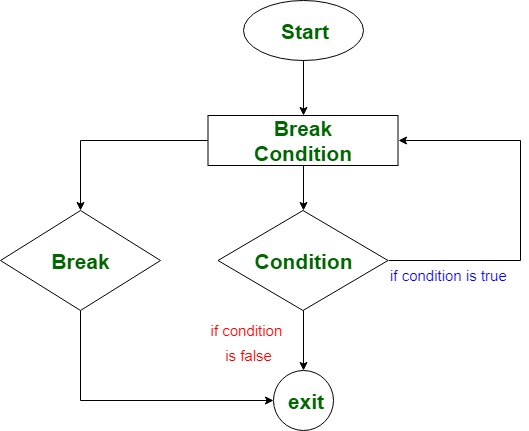
In a do-while loop, we can also use the break expression to exit the loop without checking the test expression.
do {
 //code to run
 if(break condition) {
 break
 }
while(test expression)
Kotlin program to print the elements of an array
Output:
The name of 0 th planet: Earth
The name of 1 th planet: Mars
The name of 2 th planet: Venus
The name of 3 th planet: Jupiter
In the above program, we traverse the array to print names of planets. First of all, initialize an array names with planet names and i is the iterator for test expression. We calculate the size of an array using names.size.
do block first print the element of the array, and every time the value of the array at any index is compared with "Jupiter". If it does match, then increment the iterator and execute again. If the condition is true, then execute the break expression and exit the do-while loop without checking for the test expression.
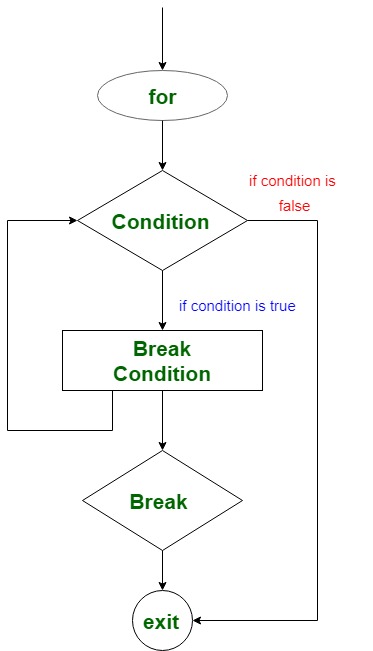
We can use a break expression while traversing the for loop within an array or string.
for(iteration through iterator) {
 // code to run
 if(break condition){
 break
 }
}
Kotlin program to print a string upto a particular character
In the program below, we traverse the string to break at a particular position by comparing the char value. First of all, initialize an array name with the value "GeeksforGeeks". Then a for loop to traverse using an iterator i. It prints the char value and compares it at each position with char 's'. If matches, then exit the loop and transfer control to the following statement.
Output:
Geeks