|
VOOZH | about |
|
VOOZH | about |
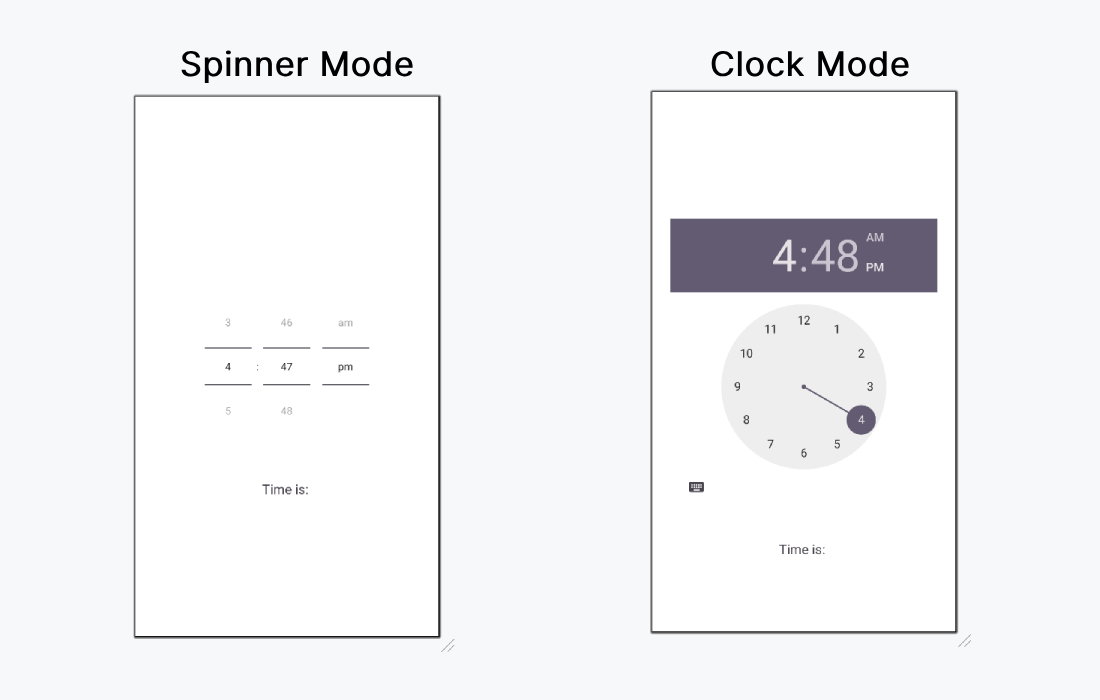
The Android TimePicker is a user interface component that allows users to select a specific time in either a 24-hour format or an AM/PM format. It ensures users input valid times within an application. TimePicker provides two display modes:
You can implement TimePicker in two ways:
In this article, we'll focus on using the TimePicker widget within the XML layout for better clarity and structure.
| XML Attributes | Description |
|---|---|
| android:timePickerMode | Used to specify the mode of TimePicker(spinner or clock) |
| android:background | Used to set background color of the Text View. |
Below are the steps to be followed:
We can use android:timePickerMode to choose which the mode for the TimePicker. The possible values are "clock" and "spinner". This article demonstrate how to implement both type of modes.
activity_main.xml:
First of all, we declare two variables textView and timePicker to access the widgets from the XML layout using their id's.
val textView = findViewById(R.id.textView)
val timePicker = findViewById(R.id.timePicker)
Then, we set the setOnTimeChangedListener(), to detect when the time is changed
timePicker.setOnTimeChangedListener { view, hourOfDay, minute ->
 // your code here
}
MainActivity.kt: