VOOZH about

URL: https://www.geeksforgeeks.org/linux-unix/group-management-commands-in-linux/

⇱ Group Management Commands in Linux - GeeksforGeeks


  • Courses
  • Tutorials
  • Interview Prep

Group Management Commands in Linux

Last Updated : 22 Dec, 2025

Group management commands in Linux are used to create, modify, and manage user groups on the system. These commands help administrators control group-based access to files and resources, making user management easier and more secure in multi-user environments.

  • Used to create and delete user groups
  • Helps manage group memberships and passwords
  • Supports group-based permission management
  • Essential for organizing users and maintaining security

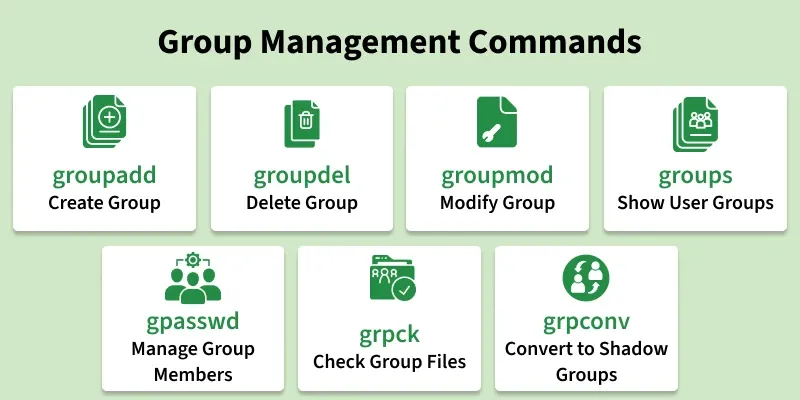
The following commands are used for group management in Linux.

πŸ‘ group_management_commands

1. groupadd

The groupadd command is used to create a new user group on the system. It helps organize users with similar access requirements.

  • Creates a new group
  • Used by system administrators
  • Supports group-based access control

Syntax:

groupadd group_name

Example:

groupadd developers
  • This creates a new group named developers.

2. groupdel

The groupdel command is used to delete an existing group from the system. It removes group-related entries safely.

  • Deletes user groups
  • Used for cleanup
  • Admin-level command

Syntax:

groupdel group_name

Example:

groupdel developers
  • This deletes the developers group.

3. groupmod

The groupmod command is used to modify an existing group’s properties. It can change the group name or group ID.

  • Modifies group details
  • Supports renaming groups
  • Useful for group maintenance

Syntax:

groupmod [options] group_name

Example:

 groupmod -n devteam developers
  • This renames the developers group to devteam.

4. groups

The groups command displays the groups a user belongs to. It helps verify group memberships.

  • Shows user group membership
  • Useful for permission checks
  • Simple and fast command

Syntax:

groups username

Example:

groups user1
  • This shows all groups assigned to user1.

5. gpasswd

The gpasswd command is used to manage group passwords and group membership. It allows adding or removing users from groups.

  • Manages group members
  • Controls group access
  • Admin-level utility

Syntax:

gpasswd [options] group_name

Example:

gpasswd -a umang geeks
πŸ‘ Image
  • This adds umang to the geeks group.

6. grpck

The grpck command checks the integrity of group files. It verifies entries in /etc/group and /etc/gshadow.

  • Checks group file consistency
  • Detects invalid group entries
  • Helps maintain system integrity

Syntax:

grpck

Example:

grpck
  • This checks group configuration files for errors.

7. grpconv

The grpconv command converts group information to shadow format. It improves security by storing sensitive group data securely.

  • Converts group files to shadow format
  • Improves security
  • Admin-only command

Syntax:

grpconv

Example:

grpconv
  • This converts group files to shadow group files.
Comment
Article Tags:

Explore