|
VOOZH | about |
|
VOOZH | about |
Ever wondered how a website loads when you enter a URL in your browser? In the background, web servers serve your requests and send you the content you view. One of the most popular web servers is Apache HTTP Server, commonly referred to as simply Apache. Apache is the top choice for websites and applications worldwide due to its open-source, reliable, secure, and highly customizable.
In this article, we'll explore what Apache is, how it works, its features, installation steps, configurations, security aspects, and comparisons with alternatives like Nginx.
Apache HTTP Server is an open-source and free web server that is written by the Apache Software Foundation (ASF). It is among the most widely used web servers, serving millions of websites on various platforms such as Linux, Windows, and macOS, and forms an integral part of the LAMP stack (Linux, Apache, MySQL, PHP), which is commonly utilized for web hosting and development.
Uses of Apache Server are:
Also Read: Web Server and Its Types
Apache is a fundamental part of LAMP (Linux, Apache, MySQL, PHP), the most popular web development stack. It supports easy integration with database management systems such as MySQL and scripting languages such as PHP and Python to develop dynamic web applications.
LAMP stands for:
Apache is the foundation of most CMS (Content Management Systems) such as WordPress, Joomla, and Drupal and thus is a favorite among hosting dynamic websites.
For details refer the article: LAMP Full Form
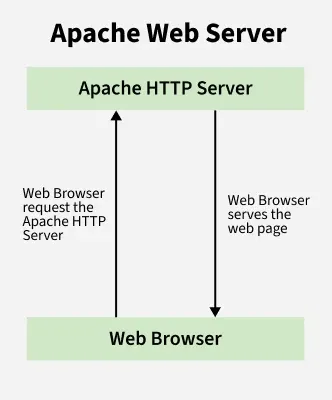
Apache uses a client-server model to process the HTTP and HTTPS requests, when the user enter the website address:
Apache listens for HTTP on port 80 and HTTPS on port 443.
Note: Apache also supports reverse proxy, caching, and compression to improve website speed and performance.
Read:How to Configure an Apache Web Server?
Apache and Nginx are the two most popular web servers. Here's how they compare:
| Feature | Apache | Nginx |
|---|---|---|
| Architecture | Process-based | Event-driven |
| Performance | Good for dynamic content | Better for high traffic sites |
| Configuration | .htaccess for per-site settings | Uses centralized config files |
| Static Content | Slower than Nginx | Faster for serving static files |
| Dynamic Content | Handles PHP natively | Uses external processors like FastCGI |
| Scalability | Not as scalable for high loads | Highly scalable for large websites |
For more details refer the article Difference between Apache and Nginx
sudo apt update
sudo apt install apache2 -y
sudo systemctl enable apache2
sudo systemctl start apache2\
Check if Apache is running:
sudo systemctl status apache2httpd.conf file.httpd.exe to start the server.Mac users can install Apache using Homebrew:
brew install httpd
sudo apachectl start
For more details refer the article: How to Install Apache Web Server in Linux: Ubuntu, Fedora, RHEL?
Apache configurations are stored in:
/etc/httpd/httpd.conf (Linux)/usr/local/apache2/conf/httpd.conf (macOS)C:\Apache24\conf\httpd.conf (Windows) Change the default port:
Listen 8080Enable virtual hosts to host multiple websites:
<VirtualHost *:80>
 ServerName example.com
 DocumentRoot /var/www/example
</VirtualHost>
Enable URL rewriting:
a2enmod rewriteFor more details refer the article :How to Configure an Apache Web Server?
The security of an Apache web server is one of the most important aspects as it is the frontline of defense against cyber attacks such as SQL injection, cross site scripting (XSS) and DDoS. Try these additional steps to help fortify the security of your server:
The use of SSL/TLS when encrypting data prevents man in the middle attacks and allows for seamless communication between the web server and the clients.
sudo apt install certbot python3-certbot-apache
sudo certbot --apache -d example.com
Redirect all HTTP traffic to HTTPS by adding this to .htaccess:
RewriteEngine On
RewriteCond %{HTTPS} !=on
RewriteRule ^(.*)$ https://%{HTTP_HOST}%{REQUEST_URI} [L,R=301]
Apache sometimes allows directory listing in order to ease navigation but it could potentially compromise sensitive documents. To prevent this, open your .htaccess file:
Options -IndexesPoorly configured Apache settings can be used by attackers to their advantage. Protect critical files such as .htaccess:
<Files ".htaccess">
 Require all denied
</Files>
Limiting the request size which prevents buffer overflow attacks:
LimitRequestBody 1048576You can set restrictions to your Apache web server by filtering specific unwanted IP addresses:
<Directory "/var/www/html">
 Order Deny,Allow
 Deny from 192.168.1.100
 Allow from all
</Directory>
Always keep Apache updated which ensures bug fixes, security patches, and performance improvements:
sudo apt update && sudo apt upgrade apache2To prevent clickjacking attacks, add the following to your Apache configuration file:
Header always append X-Frame-Options SAMEORIGINApache modules extend the functionality of the Apache HTTP Server, allowing it to support dynamic content, security features, and performance optimizations.
| Module Name | Functionality |
|---|---|
mod_ssl | Enables HTTPS (SSL/TLS) support |
mod_rewrite | Allows URL rewriting (e.g., SEO-friendly URLs) |
mod_security | Acts as a Web Application Firewall (WAF) |
mod_deflate | Compresses web pages to improve loading speed |
mod_proxy | Enables reverse proxy support |
mod_cache | Caches dynamic content to reduce server load |
mod_headers | Modifies HTTP headers for security and optimization |
sudo a2enmod rewrite
sudo systemctl restart apache2
While Apache HTTP Server is one of the most widely used web servers, some alternatives offer better performance, scalability, and security.
| Web Server | Best For |
|---|---|
| Nginx | Quicker for delivering static files and serving high-traffic websites |
| LiteSpeed | High-performance, optimized for WordPress and PHP applications |
| Caddy | Latest web server with auto HTTPS support |
| IIS (Internet Information Services) | Microsoft’s web server, best for Windows environments |
Apache HTTP Server is a powerful web server software that is still open-sourced and widely used across the globe. It is the backbone of millions of applications and websites. It is a crucial part of the LAMP stack (Linux, Apache, MySQL, PHP), which offers great flexibility along with modularity, security, and cross-platform compatibility. Therefore, it is the number one choice for hosting CMS-based dynamic sites like WordPress, Joomla, Drupal and even enterprise applications.
As for the security offered by the software, it has proven to be very robust. Providing secure web access through SSL/TLS (HTTPS) and using powerful Apache modules like mod_rewrite, mod_ssl, and mod_security, Apache guarantees the best performance, security, and scalability.