|
VOOZH | about |
|
VOOZH | about |
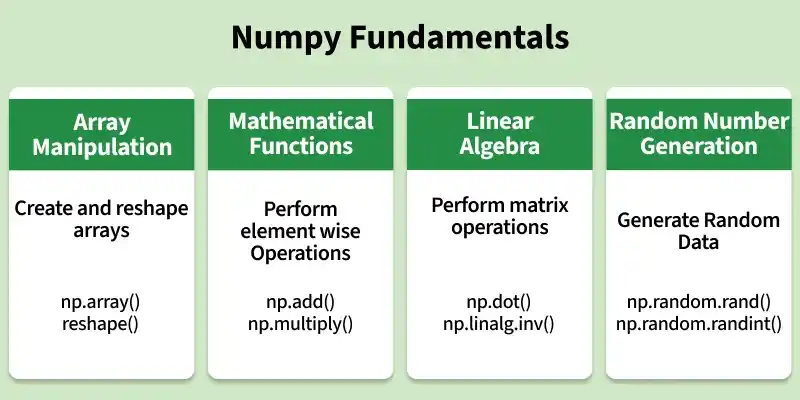
Numpy is a general-purpose array-processing package. It provides a high-performance multidimensional array object and tools for working with these arrays. It is the fundamental package for scientific computing with Python. Besides its obvious scientific uses, Numpy can also be used as an efficient multi-dimensional container of generic data.
A NumPy array (ndarray) is a collection of elements of the same data type stored in a multidimensional structure. Arrays provide an efficient way to store and perform operations on numerical data.
NumPy arrays are created using the np.array() function. They can be created from Python sequences such as lists and tuples.
[1 2 3]
[[1 2 3]
 [4 5 6]]
[1 3 2]
Explanation:
Elements in a NumPy array can be accessed using indexing and slicing. Indexing retrieves specific elements, while slicing extracts a range of elements from an array.
First 2 rows and alternate columns:
 [[-1. 0.]
 [ 4. 6.]]
Selected elements: [0. 6. 2. 3.]
Explanation:
NumPy arrays support various mathematical operations that can be performed on individual elements or between multiple arrays. These operations are applied efficiently without using explicit loops.
Adding 1 to every element:
 [[2 3]
 [4 5]]
Subtracting 2 from each element:
 [[ 2 1]
 [ 0 -1]]
Sum of all array elements: 10
Array sum:
 [[5 5]
 [5 5]]
Explanation:
Every NumPy array has a data type (dtype) that determines the type of values stored in the array. NumPy can automatically detect the data type or you can specify it explicitly while creating the array.
int64
float64
int64
Explanation:
NumPy provides built-in functions for performing mathematical operations on arrays. These operations are applied element-wise and can be performed efficiently on entire arrays at once.
[[ 7. 13.]
 [ 4. 14.]]
19.0
[[2. 2.64575131]
 [1.41421356 2.44948974]]
[[4. 2.]
 [7. 6.]]
Explanation:
To learn about default numpy methods, refer to Numpy Methods.