|
VOOZH | about |
|
VOOZH | about |
NumPy stands for Numerical Python and is used for handling large, multi-dimensional arrays and matrices. Unlike Python's built-in lists NumPy arrays provide efficient storage and faster processing for numerical and scientific computations. It offers functions for linear algebra and random number generation making it important for data science and machine learning.
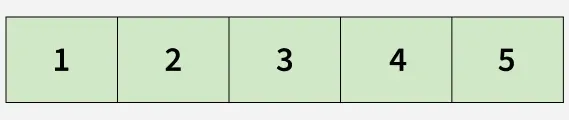
1. One Dimensional Array: stores elements in a single row. It is the simplest type of NumPy array and is commonly used to represent a sequence of values.
Example: The following example creates a one-dimensional NumPy array from a Python list.
List: [1, 2, 3, 4]
Numpy Array: [1 2 3 4]
<class 'list'>
<class 'numpy.ndarray'>
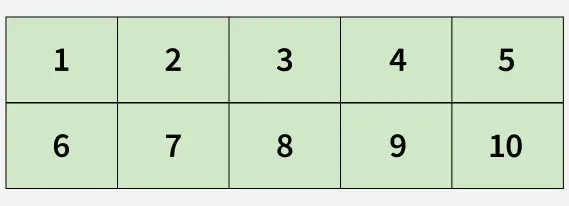
2. Multi-Dimensional Array: stores data in two or more dimensions. The most common type is a two-dimensional array, which organizes data into rows and columns.
Example: The following example creates a two-dimensional NumPy array from multiple Python lists.
[[ 1 2 3 4]
 [ 5 6 7 8]
 [ 9 10 11 12]]
Explanation:
1. Axis: represents a dimension of an array.
Axis 0 -> Rows (first dimension)
Axis 1 -> Columns (second dimension)
Axis 2 -> Third dimension in a 3D array
For example, a two-dimensional array has Axis 0 and Axis 1.
2. Shape: indicates the number of elements along each dimension. It is returned as a tuple.
(5, 3)
Explanation: array contains 5 rows and 3 columns. Therefore, arr.shape returns (5, 3)
3. Rank: number of dimensions (axes) it has.
4. Data Type (dtype): property specifies the type of data stored in an array, such as integers, floating-point numbers, or strings.
Data type of array 1: int64
Data type of array 2: float64
1. numpy.array(): creates a NumPy array from Python sequences such as lists or tuples.
[3 4 5 5]
2. numpy.fromiter(): creates a one-dimensional array from an iterable object.
['G' 'e' 'e' 'k' 's' 'f' 'o' 'r' 'g' 'e' 'e' 'k' 's']
3. numpy.arange(): returns evenly spaced values within a specified range.
[ 1. 3. 5. 7. 9. 11. 13. 15. 17. 19.]
4. numpy.linspace(): returns a specified number of evenly spaced values between two limits.
[ 3 6 10]
5. numpy.empty(): creates an array of a given shape without initializing its values.
[[ 3130309 21840 0]
 [ 0 540950078 1920216673]
 [1886613089 677737327 1918962217]
 [ 679043442 539767131 857746482]]
6. numpy.ones(): creates an array filled with ones.
[[1 1 1]
 [1 1 1]
 [1 1 1]
 [1 1 1]]
7. numpy.zeros(): creates an array filled with zeros.
[[0 0 0]
 [0 0 0]
 [0 0 0]
 [0 0 0]]