How to detect Operating System through a C program
Last Updated : 15 Jul, 2025
One can find out the operating system on which the program is running with the help of C programming. This piece of information is very useful for the case where we want to build platform independent program. To find the OS (Operating System) we check out the macro defined by the compiler, for example windows with 32-bit OS has "_WIN32" as macro so if the macro is defined then the system we are working on is windows with 32-bit operating system. Similarly other OS has different macro defined. The list of macro for some popular OS are as follows:
Sr. No.
Operating System
Macro Present
Notes
1.
Windows 32-bit + 64-bit
_WIN32
for all Windows OS
2.
Windows 64 bit
_WIN64
Only for 64 bit windows
3.
Apple
__APPLE__
For all Apple OS
4.
Apple
__MACH__
alternative to above
5.
iOS embedded
TARGET_OS_EMBEDDED
include TargetConditionals.h
6.
iOS simulator
TARGET_IPHONE_SIMULATOR
include TargetConditionals.h
7.
iPhone
TARGET_OS_IPHONE
include TargetConditionals.h
8.
MacOS
TARGET_OS_MAC
include TargetConditionals.h
9.
Android
__ANDROID__
subset of linux
10.
Unix based OS
__unix__
-
11.
Linux
__linux__
subset of unix
12.
POSIX based
_POSIX_VERSION
Windows with Cygwin
13.
Solaris
__sun
-
14.
HP UX
__hpux
-
15.
BSD
BSD
all BSD flavors
16.
DragonFly BSD
__DragonFly__
-
17.
FreeBSD
__FreeBSD__
-
18.
NetBSD
__NetBSD__
-
19.
OpenBSD
__OpenBSD__
-
Note:
It must be noted that the macros are valid for GNU GCC and G++ and may vary for other compilers.
Below is the program to detect which OS we are working on:
Output:
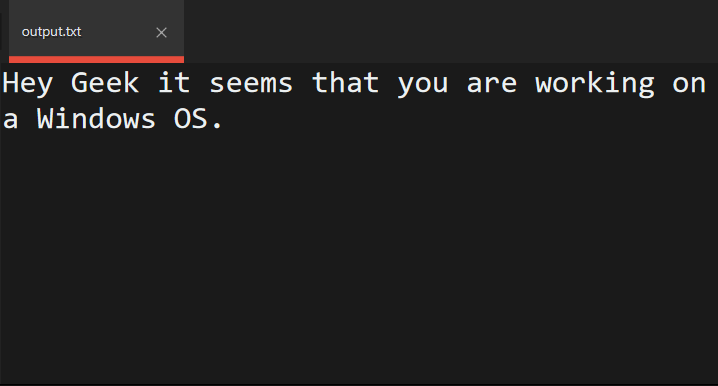
Below is the output of the above program on a Windows OS:
👁 Image
Similarly one can find out the operating system and can