|
VOOZH | about |
|
VOOZH | about |
PHP is one of the widely used programming languages across several organizations mostly used for creating web architectures and back-end applications. Most of the big tech giants still rely on PHP for their back-end applications and are also increasingly adopting developer tools such as Docker. Thus, it becomes very important to learn how to access and use PHP inside Docker Containers.
Docker provides regularly updated PHP Images that can be pulled straight from the Dockerhub and can be customized using Dockerfiles. The Docker PHP Image allows you to build and run PHP applications and to access such applications on your localhost, you can use the -p flag to connect and publish ports. In this article, we will discuss how to create a PHP Docker Container with the help of the Apache server.
Php is popular server-side scripting language that is designed primarily for web development. It can also be used for general purpose programming languages. It is embedded within the HTML and known for its simplicity and flexibility. It is used for building dynamic and interactive web pages including content management systems like Wordpress due to its extensive libraries and ease of integration with databases.
Docker container is a lightweight, standalone executable software package that includes everything that needed to run an application such as the code, runtime, libraries and dependencies. Containers helps the operating systems in enhancing the OS-level virtualization for running multiple isolated applications on a single host ensuring the consistency across different environments. Docker containers are the preferable solution for developing, testing and deployingthe applications efficiently and reliably.
The following steps guide you on how to install the PHP based docker container:
FROM php:7.0-apache
COPY . /var/www/php
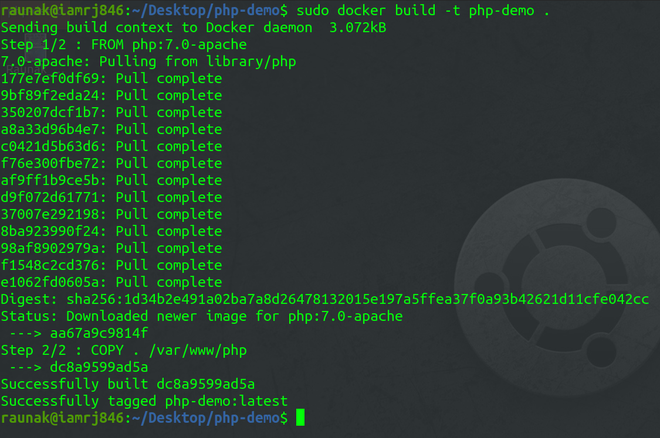
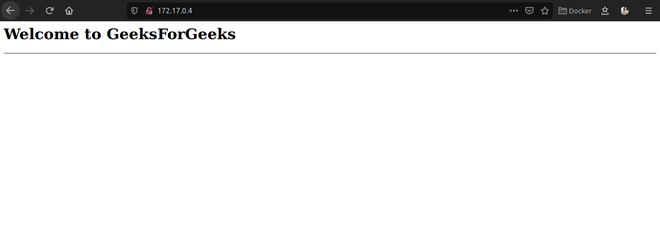
sudo docker build -t php-demo .👁 Creating the Docker Imagesudo docker images👁 Listing the docker imagessudo docker run -p 80:80 php-demo👁 Running the ContainerThe following steps guide you on how to update the PHP in docker container:
Step 1: Pull the Latest PHP Image
Firstly pull the latest version of PHP image from the dockerhub. The following command helps in pulling the latest image:
docker pull php:latest👁 Pull the php docker imageStep 2: Stop the Running Container
docker stop <container_name>docker stop my-php-app👁 Stopping docker containerStep 3: Remove the Existing Container
docker rm <container_name>Step 4: Run a New Container with the latest Image
docker run -d --name <new_container_name> php:latestStep 5: Verify the latest PHP Version
docker exec -it <new_container_name> php -vThe following are the reasons to create a PHP docker container: