Prerequisite: Ruby Programming Language
Before we start with the installation of Ruby on Windows, we must have first-hand knowledge of what Ruby is?. Ruby is a pure Object-Oriented language developed by Yukihiro Matsumoto (also known as Matz in the Ruby community) in the mid-1990s in Japan. Everything in Ruby is an object except the blocks but there are replacements too for it i.e procs and lambda. The objective of Ruby’s development was to make it act as a sensible buffer between human programmers and the underlying computing machinery.
Ruby is based on many other languages like
Perl,
Lisp,
Smalltalk,
Eiffel and
Ada. It is an interpreted scripting language which means most of its implementations execute instructions directly and freely, without previously compiling a program into machine-language instructions.
Downloading and Installing Ruby
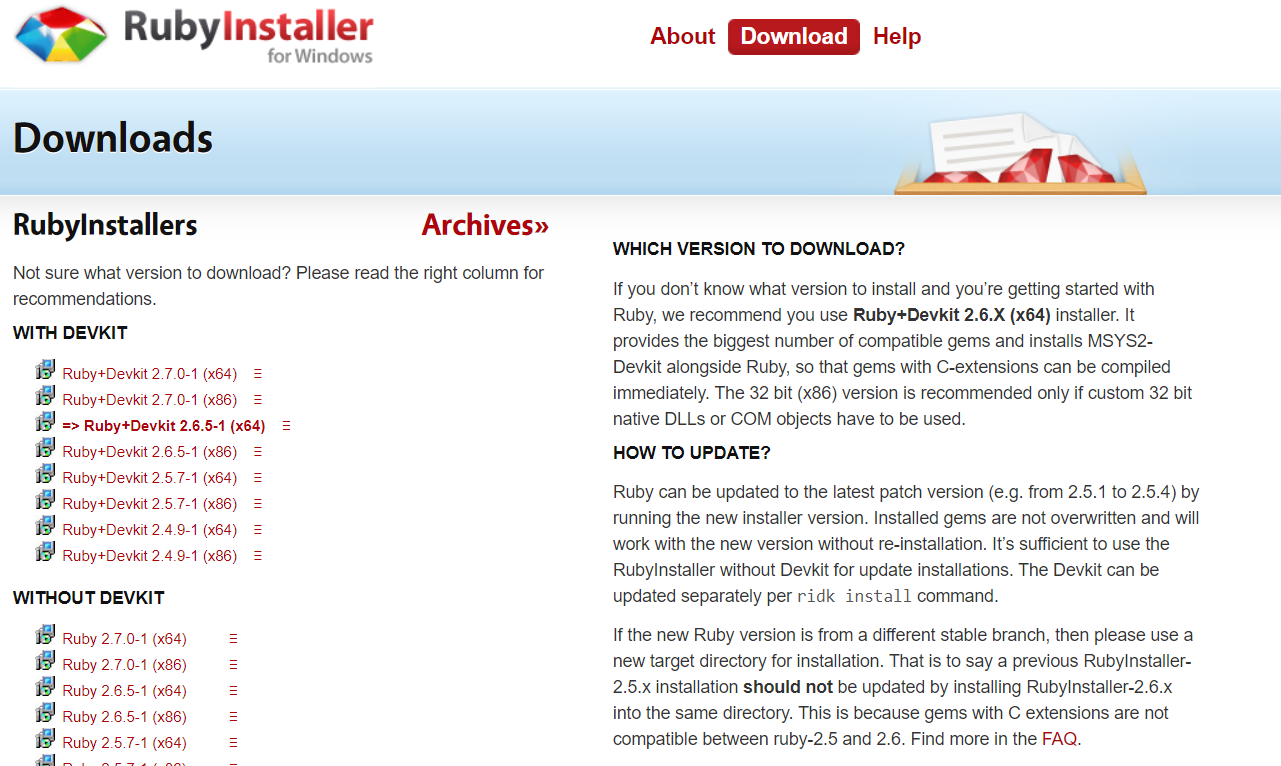
All the versions of Ruby for Windows can be downloaded from
rubyinstaller.org. Download the latest version and follow the further instructions for its Installation.
👁 Ruby-Download-Windows
Beginning with the installation:
Installing MYSYS2 Components:
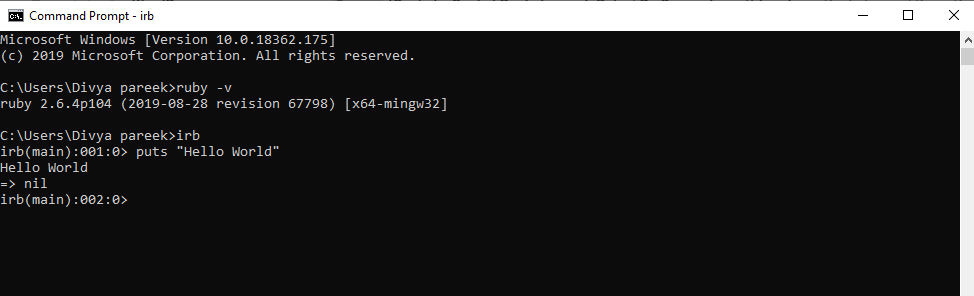
To check if Ruby installed correctly, perform a version check for the same using the following command on the command-line:
ruby -v
👁 Ruby-Windows-Version-Check
Here’s a sample Program to begin with the use of Ruby Programming:
Let’s consider a simple Hello World Program.
Using command-line, run the irb command. After this we can write the ruby code and it will run on command line.
👁 Image