|
VOOZH | about |
|
VOOZH | about |
Testing is a crucial part of Rails development, ensuring your application runs smoothly and without errors. In this article, we’ll explore how to write unit tests, integration tests, and use RSpec in Rails. With clear examples and a demo application, you’ll learn how to confidently test your Rails apps, enhancing their reliability and performance.
Testing plays a vital role in the software development process, especially in Rails, where changes in one part of the application can easily affect others. By writing tests, developers can catch bugs early, prevent regressions, and ensure that their code behaves as expected across different scenarios. Testing also makes it easier to refactor code, knowing that the existing functionality is well-protected by tests.
Before diving into the specifics, it's essential to understand some key concepts and terminology related to testing in Rails:
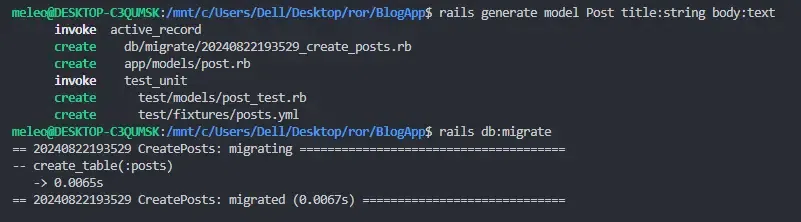
Let’s create a simple Rails application called 'BlogApp' where users can create, read, update, and delete blog posts. We’ll write tests for this app to understand how everything works.
rails new BlogApp
cd BlogApp
rails generate model Post title:string body:text
rails db:migrate
Now that we have our basic app, let's dive into testing.
Unit tests are used to test individual components of your application, like models or methods, to ensure they work correctly. Let’s write a test to ensure that the Post model validates the presence of a title.
Step 1: Add validation to the Post model in 'app/models/post.rb'.
Step 2: Write the test. Rails uses 'minitest' by default, so we’ll write our test using that. write the following code in 'test/models/post_test.rb'.
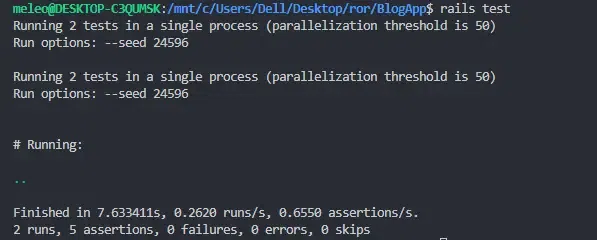
Step 3: Run the test using this command.
rails test
This confirms that your Post model validation worked as expected, ensuring that a post cannot be saved without a title.
Integration tests are used to test how different parts of your application work together, like how a user interacts with your app. We’ll write a test to simulate a user creating a post.
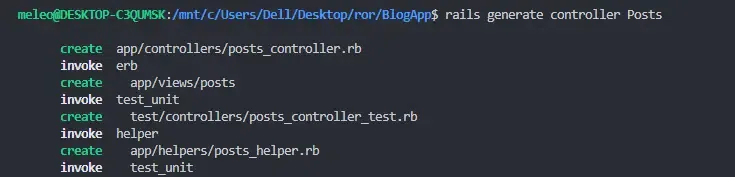
Step 1: Generate the controller and routes.
rails generate controller Posts
Step 2: Set up the routes. Open the 'config/routes.rb' and write the following.
Step 3: Edit 'app/controllers/posts_controller.rb' to include the actions needed for creating and displaying posts.
Step 4: Create a file named 'new.html.erb' in the 'app/views/posts/' directory. This file will render the form for creating a new post.
If you want to verify that the post creation works, you should have a view to show the details of a post. Create a file named 'show.html.erb' in the 'app/views/posts/' directory.
Step 5: Now, create the test by opening 'test/integration/posts_test.rb'(if not available, create it manually) and write the below code.
Step 6: Run the test using this command.
rails test
Your integration tests have confirmed that your 'PostsController' and views are interacting correctly. This means that your form for creating a new post works as expected, and the system correctly handles both successful and unsuccessful form submissions.
RSpec is a popular testing framework for Rails that provides a more readable and flexible syntax than the default 'minitest'. Let’s convert our unit test for the 'Post' model to RSpec.
Step 1: Add RSpec to your 'Gemfile' using this line. Mention the latest version or according to your need.
gem 'rspec-rails', '~> 6.1.4'
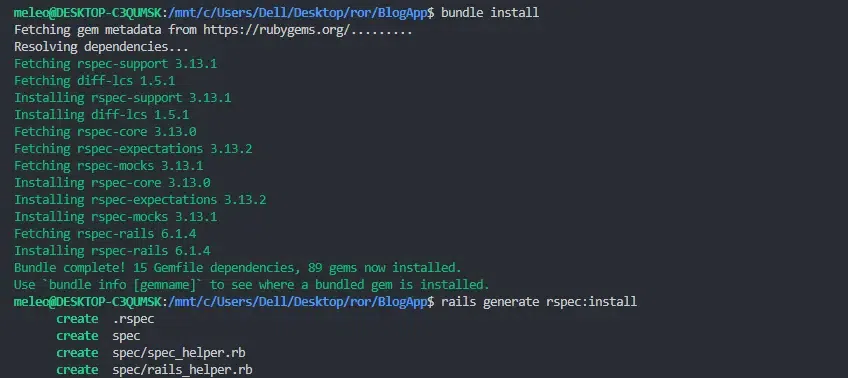
Then install it using,
bundle install
rails generate rspec:install
Step 2: Create the spec file for the Post model. Open 'spec/models/post_spec.rb' and write this code.
Step 3: Run the test using the below command.
bundle exec rspec
This indicates that your RSpec setup is working correctly and your code is functioning as intended for the tested functionality.
Testing is crucial for ensuring that your Rails application functions correctly and efficiently. By writing unit and integration tests, you can verify that individual components and their interactions work as expected. In this article, we covered how to set up and execute integration tests using RSpec, focusing on creating and validating forms through the full application workflow.
Successful tests confirm that your application’s core features operate smoothly, providing confidence in its reliability. Incorporating effective testing practices helps you catch bugs early and maintain robust, high-quality code as your application evolves. Continue to write and maintain tests for new features and edge cases to ensure ongoing application stability and user satisfaction.