|
VOOZH | about |
|
VOOZH | about |
Scala is a general-purpose programming language that combines both object-oriented and functional programming. Designed for scalability and flexibility, it allows developers to write concise and maintainable code for everything from small scripts to large enterprise systems. First released in June 2004, with the latest stable version being Scala 2.12.6, released on April 27, 2018.
Scala is:
Scala programs can be written on any plain text editor like notepad, notepad++, or anything of that sort. One can also use an online IDE for writing Scala codes or can even install one on their system to make it more feasible to write these codes because IDEs provide a lot of features like intuitive code editor, debugger, compiler, etc.
To begin with, writing Scala Codes and performing various intriguing and useful operations, one must have scala installed on their system. This can be done by following the step by step instructions provided below:
The first thing we need to have is a Java Software Development Kit (SDK) installed on the computer. We need to verify this SDK packages and if not installed then install them.
As we are done with installing the java, now let's install the scala packages. The best option to download these packages is to download from the official site only: https://www.scala-lang.org/download/
The packages in the link above is the approximately of 100MB storage. Once the packages are downloaded then open the downloaded .msi file.
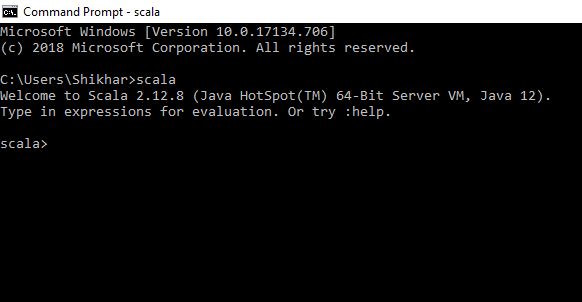
Open the command prompt now and type in the following codes:
C:\Users\Your_PC_username>scalaWe will receive an output as shown below:
If you get this output without any error, then you have installed Scala successfully.
Here is a simple Scala code, printing a string. We recommend you to edit the code and try to print your own name.
Output:
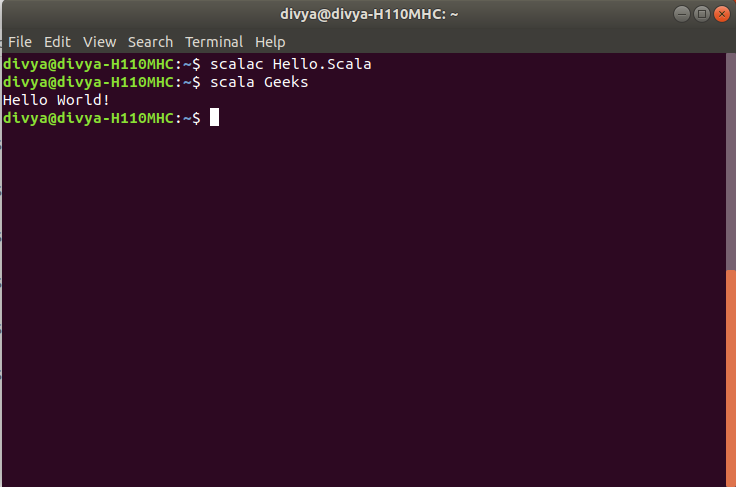
Hello, World! Open Command line and then to compile the code type Scala Hello.scala. If your code has no error then it will execute properly and output will be displayed:
Variables are simply a storage location. Every variable is known by its name and stores some known and unknown piece of information known as value. In Scala there are two types of variable:
Example:
// Mutable Variable
var name: String = "geekforgeeks";

// Immutable Variable
val name: String = "geekforgeeks";
To learn Scala Variables refer - Variables in Scala, Scope of Variable in Scala.
An operator is a symbol that represents an operation to be performed with one or more operand. Operators allow us to perform different kinds of operations on operands. There are different types of operators used in Scala as follows:
Example :
Addition is: 14
Subtraction is: 6
Equal To Operator is False
Logical Or of a || b = true
Bitwise AND: 0
Addition Assignment Operator: ()
To learn Scala Operators, refer - Operators in Scala
Decision Making in programming is similar to decision making in real life. Scala uses control statements to control the flow of execution of the program based on certain conditions. These are used to cause the flow of execution to advance and branch based on changes to the state of a program.
Decision Making Statements in Scala:
Example 1: To illustrate use of if and if-else
Even Number
Sudo Placement
Example 2: To illustrate the use of Nested-if
Number is divisible by 2 and 5
To know more about Decision Making please refer to Decision making in Scala
In Scala, loops are used to execute a block of code multiple times—just like in other programming languages. However, Scala encourages a more functional approach (like using map, foreach, filter, etc.), but it still supports traditional loops. The loops in Scala are:
1. for loop :
Value of y is: 1
Value of y is: 2
Value of y is: 3
Value of y is: 4
2. While loop :
Value of x: 1
Value of x: 2
Value of x: 3
Value of x: 4
3. do-while loop :
10 9 8 7 6 5 4 3 2 1
To know more about Loops please refer to Loops in Scala
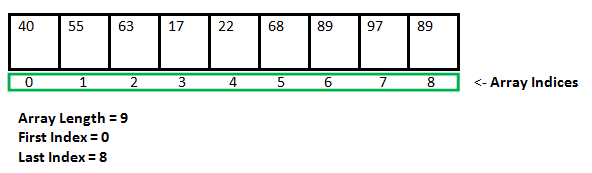
Array is a special kind of collection in Scala. it is a fixed size data structure that stores elements of the same data type. It is a collection of mutable values. Below is the syntax.
Syntax :
var arrayname = new Array[datatype](size)
It will create an array of integers which contains the value 40, 55, 63, 17 and many more. Below is the syntax to access a single element of an array, if we've created an array named number.
number(0)It will produce the output as 40.
In this example we create an array while providing the values of its elements at the same time. In this case, the type is inferred.
second element of an array is:
geeks
To know more about arrays please refer to Arrays in Scala
A string is a sequence of characters. In Scala, objects of String are immutable which means a constant and cannot be changed once created. In Scala a String type is specified before meeting the string literal. but when the compiler meet to a string literal and creates a string object str.
Syntax :
var str = "Hello! GFG"
or
val str = "Hello! GFG"

var str: String = "Hello! GFG"
or
val str: String = "Hello! GFG"
Hello! GFG
GeeksforGeeks
When a new string is created by adding two strings is known as a concatenation of strings. Scala provides concat() method to concatenate two strings, this method returns a new string which is created using two strings. You can also use ‘+’ operator to concatenate two strings.
String 1:Welcome! GeeksforGeeks
String 2: to Portal
New String :Welcome! GeeksforGeeks to Portal
This is the tutorial of Scala language on GFG portal
To know more about Strings please refer to Strings in Scala
A function is a collection of statements that perform a certain task. Scala is assumed as functional programming language so these play an important role. It makes easier to debug and modify the code. Scala functions are first class values. Below is the syntax of Scala Functions.
Syntax:
def function_name ([parameter_list]) : [return_type] = {

 // function body

}
In the above code, def keyword is used to declare a function in Scala.
Function Calling : There are mainly two ways to call the function in Scala. First way is the standard way as follows:
function_name(paramter_list)In the Second way, a user can also call the function with the help of the instance and dot notation as follows:
[instance].function_name(paramter_list)Output :
Sum is: 8In Scala, An anonymous function is also known as a function literal. A function which does not contain a name is known as an anonymous function.
Syntax :
(z:Int, y:Int)=> z*y
Or
(_:Int)*(_Int)
Output :
Geeks12Geeks
GeeksforGeeks
A function definition inside an another function is known as Nested Function. In Scala, we can define functions inside a function and functions defined inside other functions are called nested or local functions.
Syntax :
def FunctionName1( perameter1, peramete2, ..) = {
def FunctionName2() = {
// code
}
}
Output:
Min and Max from 5, 7
Max is: 7
Min is: 5
Currying in Scala is simply a technique or a process of transforming a function. This function takes multiple arguments into a function that takes single argument.
Syntax :
def function name(argument1, argument2) = operationOutput:
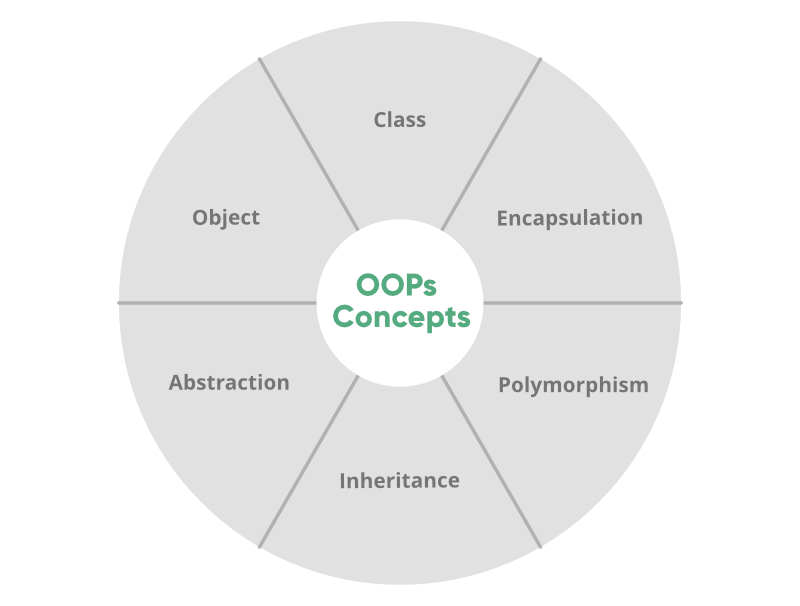
39Object-oriented programming aims to implement real-world entities like inheritance, hiding, polymorphism, etc in programming. The main aim of OOP is to bind together the data and the functions that operate on them so that no other part of the code can access this data except that function.
OOP's Concepts:
Classes and Objects are basic concepts of Object Oriented Programming which revolve around the real-life entities. A class is a user-defined blueprint or prototype from which objects are created.
Name of the company : Apple
Total number of Smartphone generation: 16
Traits are like interfaces in Java. But they are more powerful than the interface in Java because in the traits you are allowed to implement the members. Traits can have methods(both abstract and non-abstract), and fields as its members.
Creating a trait -
Output :
Pet: Dog
Pet_color: White
Pet_name: Dollar
To know more about Traits please refer to Traits in Scala
Regular Expressions explain a common pattern utilized to match a series of input data so, it is helpful in Pattern Matching in numerous programming languages. In Scala Regular Expressions are generally termed as Scala Regex.
Output :
Some(GeeksforGeeks)To know more about tuple please refer to Regular Expressions in Scala.
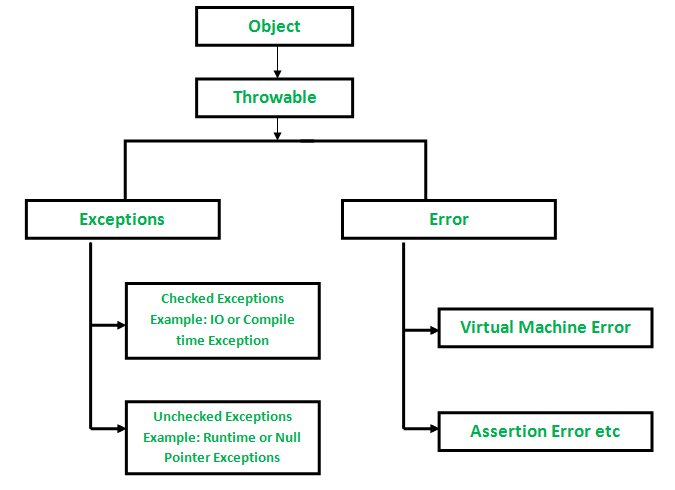
An exception is an unwanted or unexpected event, which occurs during the execution of a program i.e at run time. These events change the flow control of the program in execution.
In Scala, all exceptions are unchecked. there is no concept of checked exception Scala facilitates a great deal of flexibility in terms of the ability to choose whether to catch an exception.
Output :
You are eligible for internshipOutput :
Arithmetic Exception occurred.
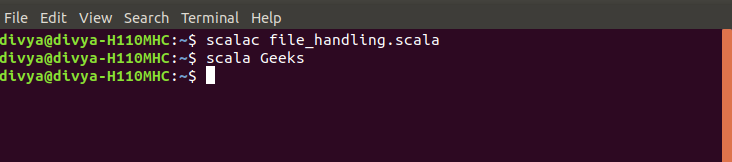
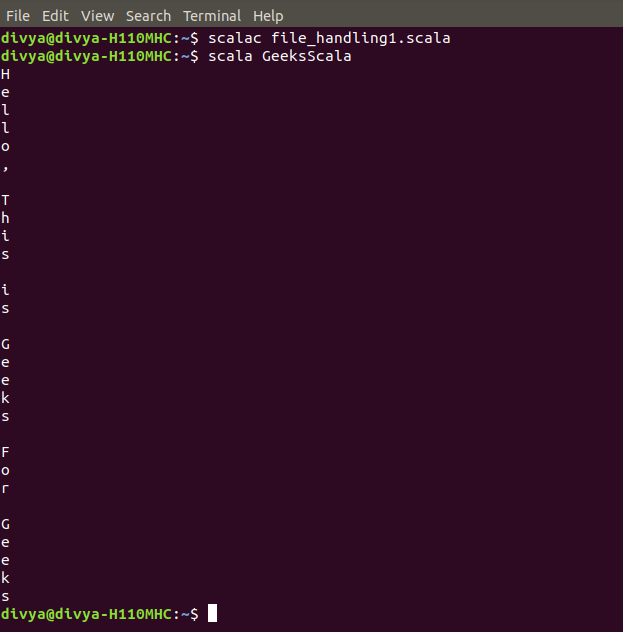
File Handling is a way to store the fetched information in a file. Scala provides packages from which we can create, open, read and write the files. For writing to a file in scala we borrow java.io._ from Java because we don’t have a class to write into a file, in the Scala standard library. We could also import java.io.File and java.io.PrintWriter.
Below is the example to reading a file.
To know more about various different File Handling, please refer to File Handling in Scala
A list is a collection which contains immutable data. List represents linked list in Scala. The Scala List class holds a sequenced, linear list of items. Lists are immutable whereas arrays are mutable in Scala. In a Scala list, each element must be of the same type. list is defined under scala.collection.immutable package.
Syntax :
val variable_name: List[type] = List(item1, item2, item3)
or
val variable_name = List(item1, item2, item3)
Example :
Output :
List 1:
List(Geeks, GFG, GeeksforGeeks, Geek123)

List 2:
C
C#
Java
Scala
PHP
Ruby
To know more about List please refer to List in Scala.
Map is a collection of key-value pairs. In other words, it is similar to dictionary. Keys are always unique while values need not be unique. In order to use mutable Map, we must import scala.collection.mutable.Map class explicitly.
Example :
Output :
30To know more about Map please refer to Map in Scala.
An iterator is a way to access elements of a collection one-by-one. It resembles to a collection in terms of syntax but works differently in terms of functionality. To access elements we can make use of hasNext() to check if there are elements available and next() to print the next element.
Syntax:
val v = Iterator(5, 1, 2, 3, 6, 4)

//checking for availability of next element
while(v.hasNext)

//printing the element
println(v.next)
Example :
Output:
5 1 2 3 6 4 To know more about tuple please refer to Iterators in Scala.
A set is a collection which only contains unique items. The uniqueness of a set are defined by the == method of the type that set holds. If you try to add a duplicate item in the set, then set quietly discard your request.
Syntax :
// Immutable set
val variable_name: Set[type] = Set(item1, item2, item3)
or
val variable_name = Set(item1, item2, item3)

// Mutable Set
var variable_name: Set[type] = Set(item1, item2, item3)
or
var variable_name = Set(item1, item2, item3)
Example :
Output :
Set 1:
Set(Geeks, GFG, GeeksforGeeks, Geek123)

Set 2:
Scala
C#
Ruby
PHP
C
Java
Example :
Output :
Set 1:
Set(Geeks, GFG, GeeksforGeeks, Geek123)

Set 2:
10
100000
10000
1000
100
To know more about Set please refer to Set in Scala | Set-1 and Set in Scala | Set-2.
Tuple is a collection of elements. Tuples are heterogeneous data structures, i.e., is they can store elements of different data types. A tuple is immutable, unlike an array in Scala which is mutable.
Example :
Output :
15
chandan
true
To know more about tuple please refer to tuple in Scala.
This article has covered the most important concepts of Scala, helping you build a solid foundational understanding of the language. It explored all the essential topics such as arrays, strings, tuples, loops, lists, operators, and file handling, equipping you with the core skills needed to start working with Scala effectively.
For more, you can also refer to: Scala Programming Language