|
VOOZH | about |
|
VOOZH | about |
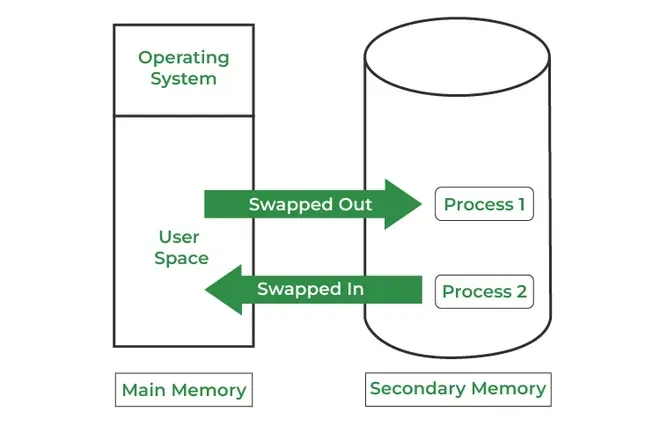
Swapping is a memory management technique in which a process is temporarily moved from main memory (RAM) to secondary storage (disk) and vice versa. This allows the operating system to manage limited RAM effectively and run multiple processes concurrently in a multiprogramming environment.
Example: RAM has 4 GB with Process A and Process B running, each using 2 GB. When Process C, which also requires 2 GB, needs to run, there is no free memory. The operating system swaps Process A out to the disk and loads Process C into RAM. After Process C finishes, Process A is brought back into memory to continue execution.
Note: Swapping moves whole processes between RAM and disk, which is slow and inefficient. Modern OS like Windows, Linux, and macOS use paging instead of swapping . Paging loads only the needed parts of a process, making memory management faster and efficient.
| Advantages | Disadvantages |
|---|---|
| Reduces waiting time by using swap space as an extension of RAM, keeping the CPU busy. | Risk of data loss if the system crashes during swapping. |
| Frees main memory by moving inactive processes to secondary storage. | Increased page faults due to frequent swapping reduce performance. |
| Allows multiple processes to run using a single main memory with a swap partition. | Disk access is slower than RAM, causing execution delays. |
| Enables large programs to run on systems with limited physical memory. | Excessive swapping (thrashing) causes severe performance degradation. |
| Prevents memory overload by ensuring active processes have enough RAM. | CPU may spend more time swapping than executing processes. |