VOOZH about

URL: https://www.geeksforgeeks.org/system-design/state-design-pattern/

⇱ State Design Pattern - GeeksforGeeks


  • Courses
  • Tutorials
  • Interview Prep

State Design Pattern

Last Updated : 13 May, 2026

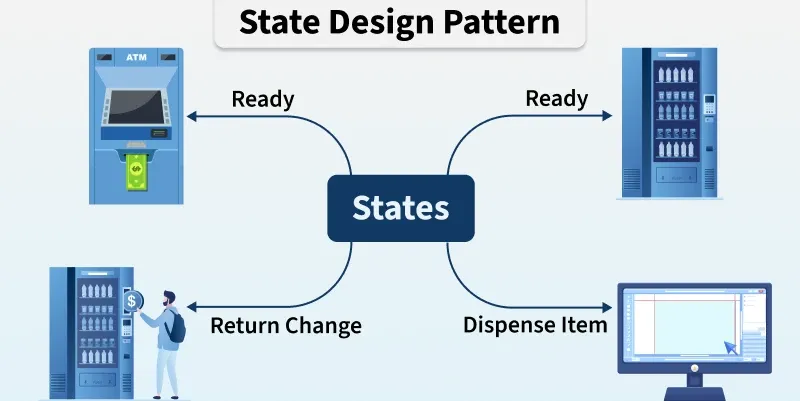
The State Design Pattern is a behavioral design pattern that lets an object alter its behavior when its internal state changes. It encapsulates state-specific behavior into separate state classes, allowing the object to manage state transitions cleanly. This avoids complex conditional statements and makes the system more maintainable and flexible.

  • Allows an object’s behavior to change dynamically by encapsulating state-specific behavior into separate classes.
  • Simplifies state transitions while improving code maintainability and extensibility.

Example: a vending machine responds differently based on state (item selected, money paid and item dispensed).

👁 state_design_pattern
State Design Pattern

Working

The pattern works by encapsulating each possible state in a separate class and letting the context object delegate behavior to the current state.

  • The context (main object) holds a reference to the current state.
  • Each state class defines behavior specific to that state.
  • When the context’s state changes, it switches the state object, automatically changing its behavior.
  • Clients interact with the context without needing to know the current state.

Real Life Software Examples

The State pattern can be observed in many real-world applications where an object’s behavior changes depending on its current condition.

  • Media Player behaves differently in each play, pause and stop states. The internal state determines what action happens when a button is pressed. For example, in play state, it responds to pause and stop.
  • Document (Google Docs and MS Word) respond differently according to the current status of the document. In Draft: only the author can edit. In Review: reviewers can comment, but not edit and in Published: it becomes read-only.

Uses

The State pattern is commonly used when an object’s behavior depends on its state and changes over time.

  • Vending machines (item selected, money inserted, item dispensed)
  • Traffic light systems (green, yellow, red states)
  • Media players (playing, paused, stopped states)
  • Workflow systems where tasks progress through different states

Components

The State pattern is structured around components that separate state-specific behavior from the main object, allowing behavior to change dynamically at runtime.

  • Context: Maintains a reference to the current state, delegates behavior to it, and provides an interface for clients.
  • State Interface/Base Class: Defines common methods for all states, allowing Context to work with them without knowing concrete types.
  • Concrete States: Implement the State interface, encapsulating behavior for specific states and defining Context’s actions in those states.

👁 componentdiagramstate

Implementation Example

Problem Statement

Imagine a vending machine that sells various products. The vending machine needs to manage different states such as ready to serve, waiting for product selection, processing payment, and handling out-of-stock situations. Design a system that models the behavior of this vending machine efficiently.

Applying the State Design Pattern in This System

  • Modeling States: Each state (Ready, Product Selected, Payment Pending, Out of Stock) is represented as a separate class, keeping the code organized.
  • Encapsulation: Each state class defines its own behavior (e.g., ReadyState handles selection, PaymentPendingState handles payments), simplifying complex logic.
  • Dynamic Transitions: The machine moves between states (e.g., Ready → Product Selected → Payment Pending) based on user actions.
  • Reusability: State classes can be reused across different vending machine implementations, reducing duplication.
  • Maintainability & Flexibility: New states or changes can be added without impacting other parts, making the system easier to extend and maintain.

User Interaction with the System

User interactions with the vending machine trigger state transitions. For example, when a user inserts money, the vending machine transitions from the "ReadyState" to the "PaymentPendingState." Similarly, when a product is selected, the vending machine transitions to the "ProductSelectedState." If a product is out of stock, the vending machine transitions to the "OutOfStockState."

👁 ClassDiagramState

Let’s break down into the component wise code:

1. Context(VendingMachineContext)

The context is responsible for maintaining the current state of the vending machine and delegating state-specific behavior to the appropriate state object.

2. State Interface (VendingMachineState)

This interface defines the contract that all concrete state classes must implement. It typically contains a method or methods representing the behavior associated with each state of the vending machine.

3. Concrete States (Specific Vending Machine States)

Concrete state classes represent specific states of the vending machine, such as "ReadyState," "ProductSelectedState," and "OutOfStockState." Each concrete state class implements the behavior associated with its respective state, like allowing product selection, processing payment, or displaying an out-of-stock message.

Complete code for the above example

The complete code for the above example is:


Output
Ready state: Please select a product.
Product selected state: Processing payment.
Payment pending state: Dispensing product.
Out of stock state: Product unavailable. Please select another product.

Advantages

This pattern makes state-dependent behavior easier to manage and extend.

  • Eliminates large conditional statements for state handling
  • Makes it easy to add or modify states without affecting existing code
  • Improves code readability and maintainability
  • Supports dynamic behavior changes at runtime

Disadvantages

Despite its benefits, it has some drawbacks.

  • Increases the number of classes in the system
  • Can add unnecessary complexity for objects with few states
  • State transitions can become harder to track in large systems
Comment
Article Tags:

Explore