|
VOOZH | about |
|
VOOZH | about |
Scrapy is a fast high-level web crawling and scraping framework written in Python used to crawl websites and extract structured data from their pages. It can be used for many purposes, from data mining to monitoring and automated testing.
As developers, we spend most of our time debugging than writing new code. Logging is one of the techniques that is used to make debugging easier. It refers to keeping track of the log of events, including errors, problems, etc., that arise during the code's runtime.
Initially, Scrapy provided the logging feature through the scrapy.log module.
But it is deprecated now and no longer supported.
Instead, python's built-in logging module can be used along with Scrapy to log its events.
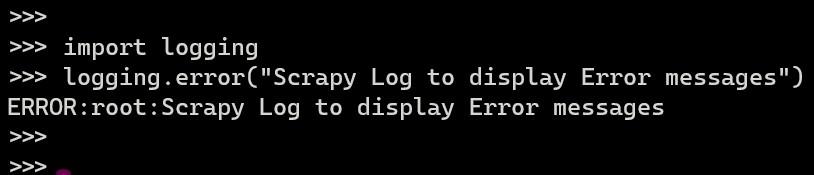
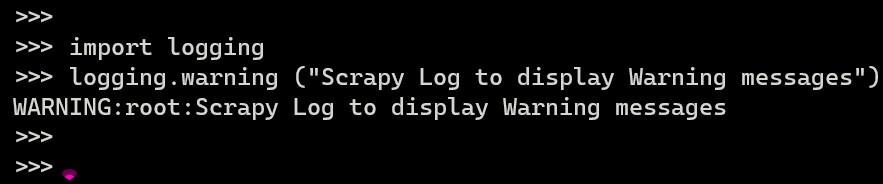
Python’s built-in logging has defined 5 different levels to indicate the severity of a given log message as listed below in Decreasing order of severity:
Scrapy supports a Logger inside each Spider instance. It can be accessed and used as shown below:
1. Installation of packages – run the following command from the terminal
pip install scrapy
2. Create a Scrapy project – run the following command from the terminal
scrapy startproject scrapy_log
cd scrapy_log
scrapy genspider log http://books.toscrape.com/
Here,
4. Define the Parse function - Add the following code to "scrapy_log\spiders\log.py"
The Logging basic configuration is defined in the below code as follows:
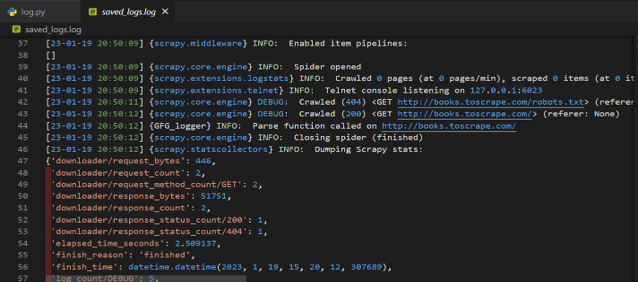
The logs can be saved to a Log File as shown in the below code where it saves the logs to a file named ("saved_logs.log")
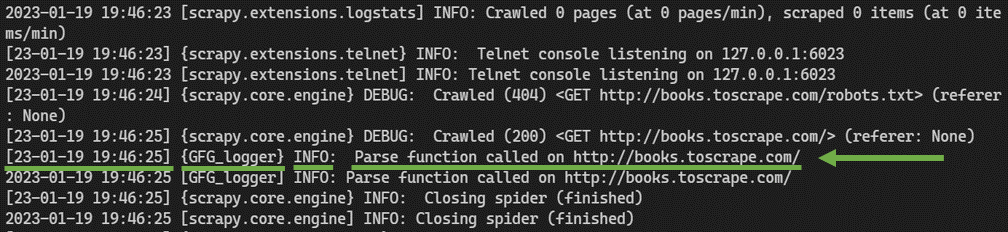
5. Run the spider using either of the following commands:
scrapy crawl log
The above command lists all the logs.
scrapy crawl log -L INFO
Here, "-L" is used to specify the Log level that needs to be listed (i.e. INFO/DEBUG/CRITICAL/WARN/ERROR)