|
VOOZH | about |
|
VOOZH | about |
React-Redux is a tool that helps you manage the state (data) of your React app in one central place. This makes your app easier to maintain and debug as it grows.
It is based on three fundamental principles:
To effectively use React-Redux, you need to understand some key concepts:
The store is a central place that holds all the app’s data. It’s the only place where the data can be changed.
An action is a simple JavaScript object that tells Redux what change to make. It must have a type and can optionally include a payload with extra information.
const incrementAction = {
 type: 'INCREMENT',
 payload: 1
};A reducer is a pure function that decides how the state changes when an action is received. It takes the current state and an action, and returns a new state.
const counterReducer = (state = 0, action) => {
 switch (action.type) {
 case 'INCREMENT':
 return state + action.payload;
 case 'DECREMENT':
 return state - action.payload;
 default:
 return state;
 }
};Dispatch is used to send an action to the Redux store. This triggers the reducer to update the state.
store.dispatch(incrementAction);A selector is a function that is used to get specific data from the Redux store.
const selectCount = (state) => state.count;The Provider component makes the Redux store available to all React components in the app.
import { Provider } from 'react-redux';

<Provider store={store}>
 <App />
</Provider>;connect() is used to connect a React component to the Redux store so it can access state and dispatch actions.
import { connect } from 'react-redux';

const Counter = ({ count, increment }) => (
 <div>
 <h1>{count}</h1>
 <button onClick={increment}>Increment</button>
 </div>
);

const mapStateToProps = (state) => ({
 count: state.count
});

const mapDispatchToProps = (dispatch) => ({
 increment: () => dispatch({ type: 'INCREMENT', payload: 1 })
});

export default connect(mapStateToProps, mapDispatchToProps)(Counter);React-Redux connects React components to the Redux store, ensuring smooth state management across your app. Here’s a simplified breakdown of how it works:
The Redux store holds the entire state of your application. It’s created using createStore() and initialized with a reducer to define how the state changes.
const store = createStore(counterReducer);Actions are plain objects that describe changes in state. These actions are dispatched to inform Redux of a state change.
store.dispatch({ type: 'INCREMENT', payload: 1 });A reducer is a function that updates the state based on the action type. It takes the current state and action, then returns a new state.
const counterReducer = (state = 0, action) => {
 switch (action.type) {
 case 'INCREMENT': return state + action.payload;
 default: return state;
 }
};React-Redux’s connect() function connects React components to the Redux store, allowing components to access state and dispatch actions.
const mapStateToProps = (state) => ({ count: state });
const mapDispatchToProps = (dispatch) => ({
 increment: () => dispatch({ type: 'INCREMENT', payload: 1 })
});The Provider component makes the store available to all components in the app.
<Provider store={store}><App /></Provider>React-Redux ensures that only components dependent on updated state will re-render, optimizing performance.
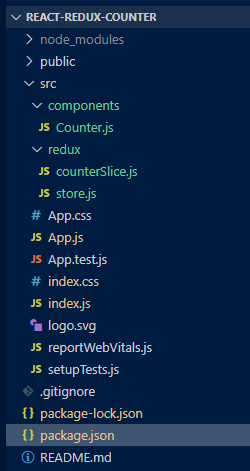
These are the steps to follow to use Redux in a React application.
First, create a new React app using create-react-app:
npx create-react-app react-redux-counter
cd react-redux-counter
Next, install redux and react-redux:
npm install redux react-redux"dependencies": {
"@testing-library/jest-dom": "^5.17.0",
"@testing-library/react": "^13.4.0",
"@testing-library/user-event": "^13.5.0",
"react": "^18.3.1",
"react-dom": "^18.3.1",
"react-redux": "^9.1.2",
"react-scripts": "5.0.1",
"redux": "^5.0.1",
"web-vitals": "^2.1.4"
}You need to define action types, which represent the actions that will update the state.
Action creators are functions that return action objects.
Reducers specify how the application's state changes in response to actions. The reducer function receives the current state and action, and returns the updated state.
Now, create the Redux store using the createStore function from Redux.
Next, wrap your entire application with the Redux Provider to make the store accessible to all components in the app.
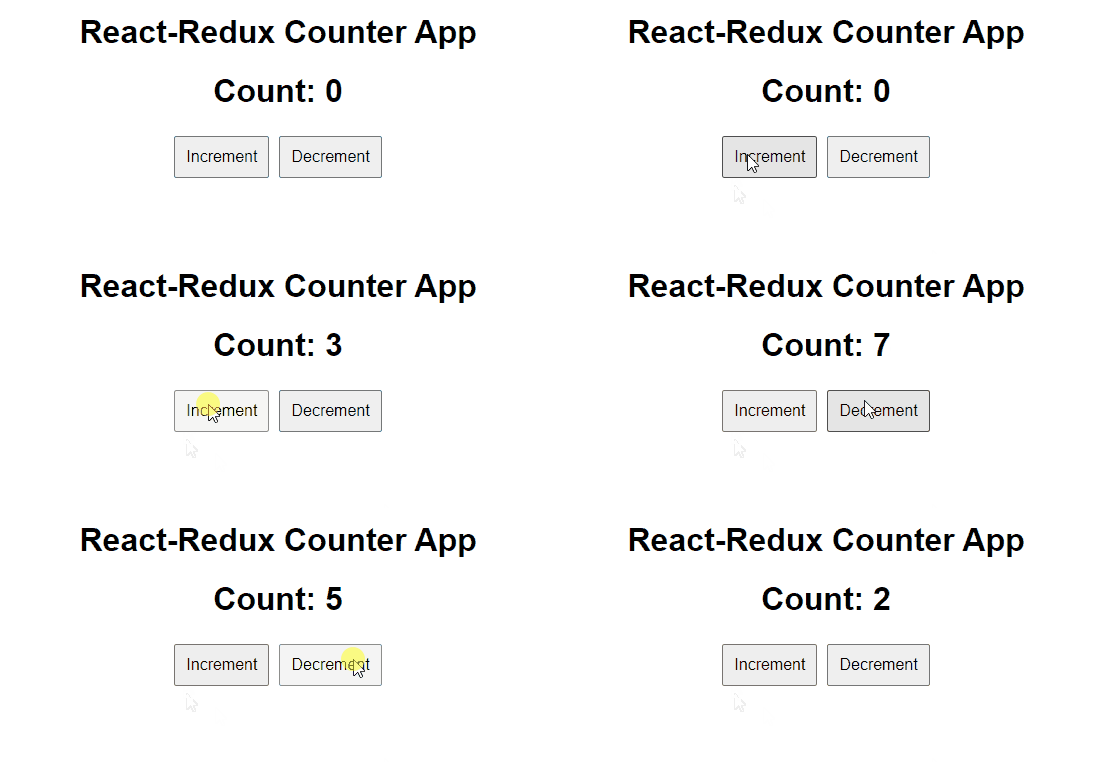
To start the application run the following command.
npm startOutput: