How to Change Default Font in Outlook: Quick Steps
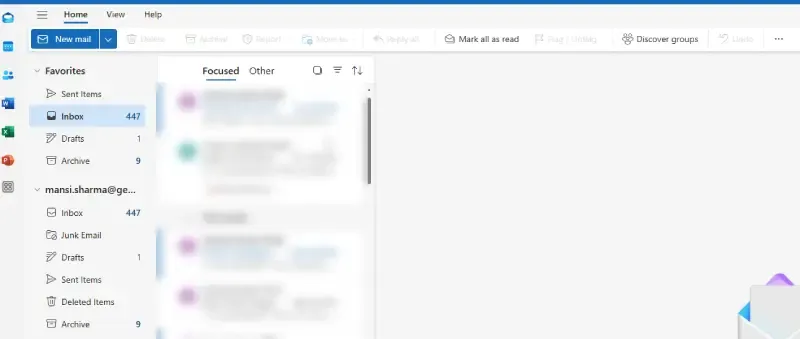
Open Outlook >> Click File.
Select Options >>Mail.
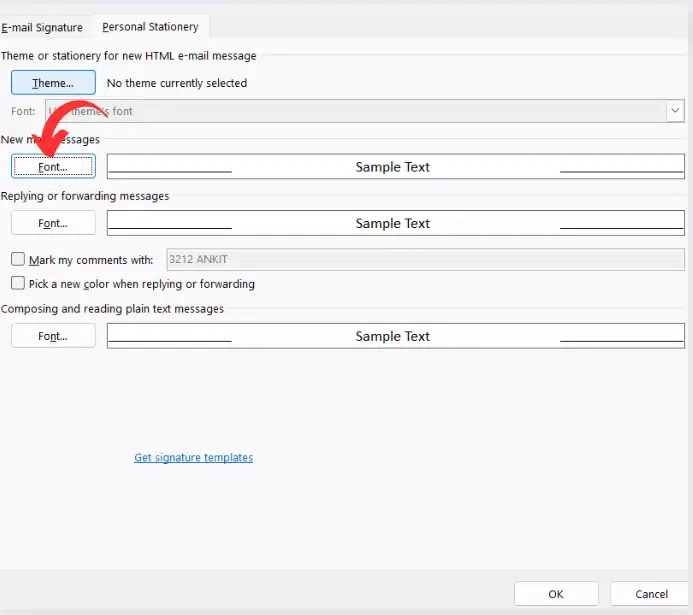
Click Stationery and Fonts under Compose messages.
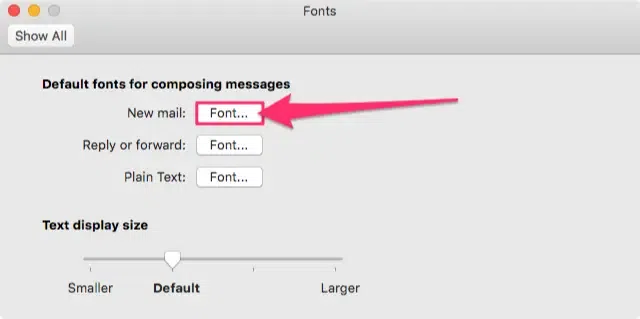
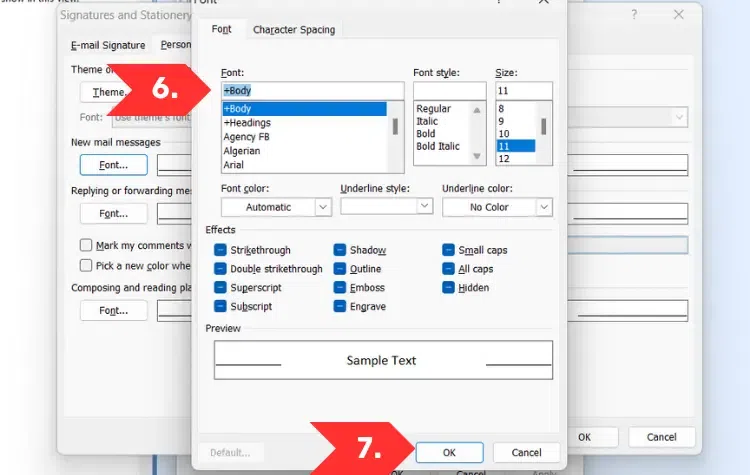
New Mail Messages>> Click Font>> Select Preferred Font
Click OK
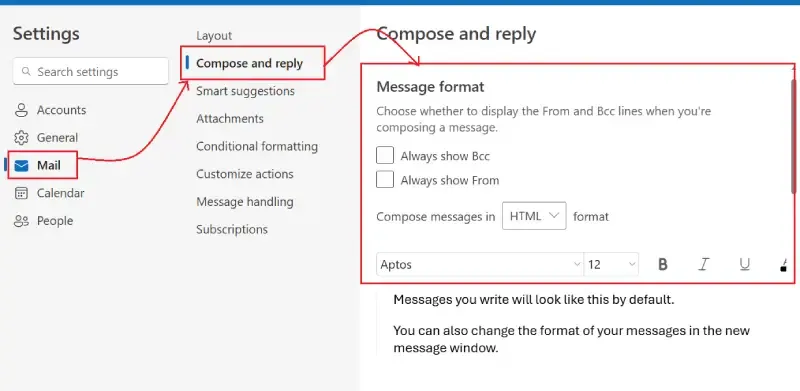
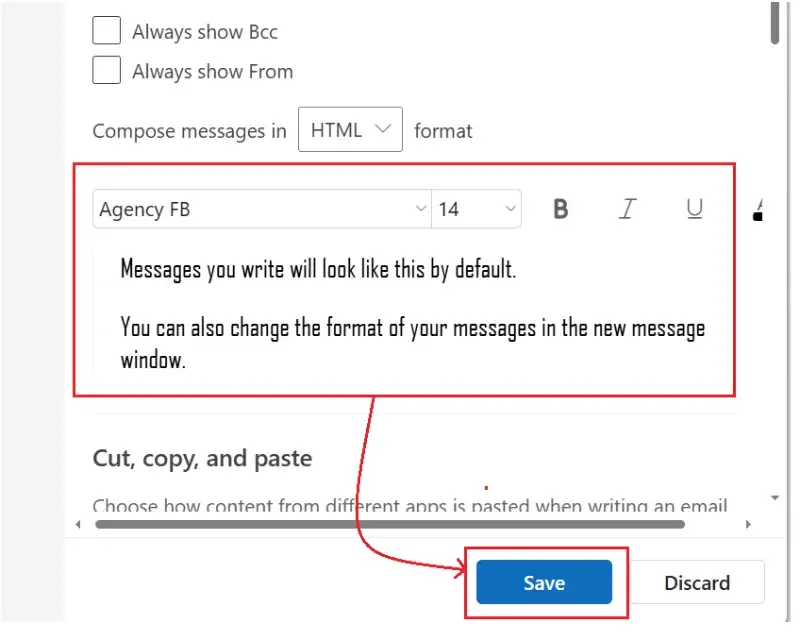
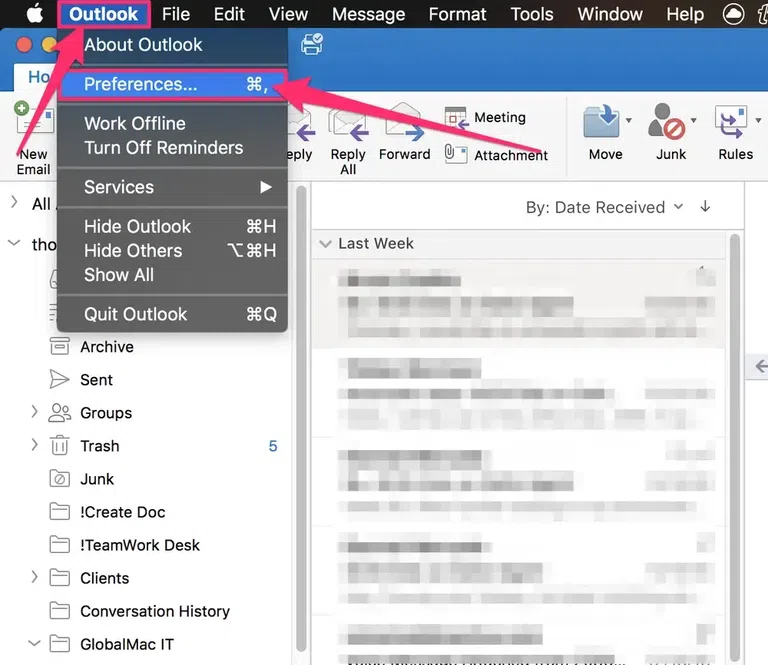
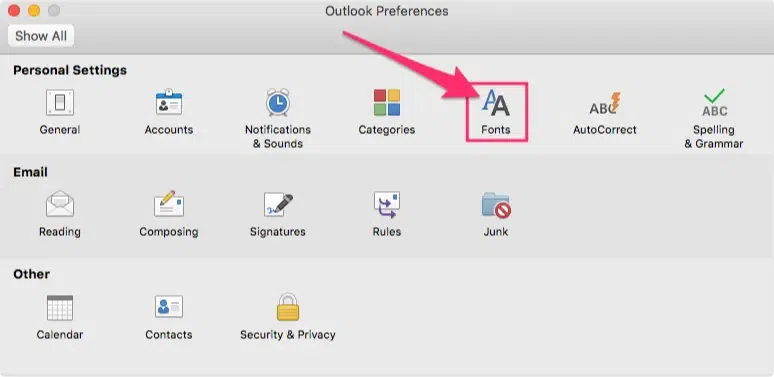
Changing the font in Outlook is a simple yet effective way to personalize your emails and improve readability. Whether you're using Outlook 365, Outlook 2019, Outlook 2016, Outlook Web, or Outlook on Mac, you can easily adjust the default font size, style, and color to suit your preferences.
If you're wondering how to change the font in Outlook 365 or how to set a default font in Outlook Web, this guide provides step-by-step instructions to help you update your font settings effortlessly.
How to Change Font in Outlook (Windows & Microsoft 365)
By default, Microsoft Outlook uses Aptos as the standard font for composing emails. The font size is set to 11 points, but you can adjust it based on your preference. Follow the steps given below to change the font settings in Outlook. If you use Outlook 365, Outlook 2019, Outlook 2016, or Outlook 2013, follow these steps to update your font settings:
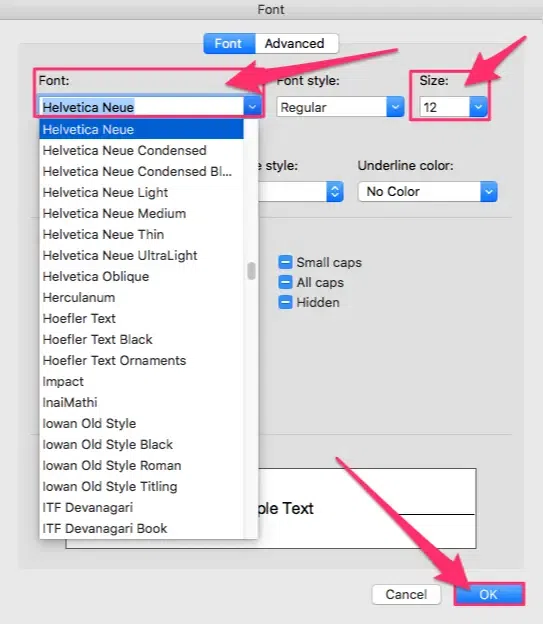
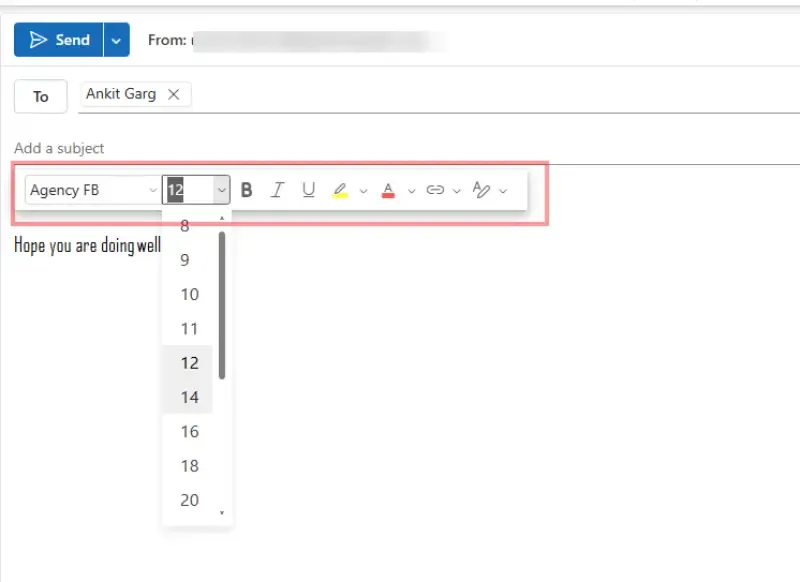
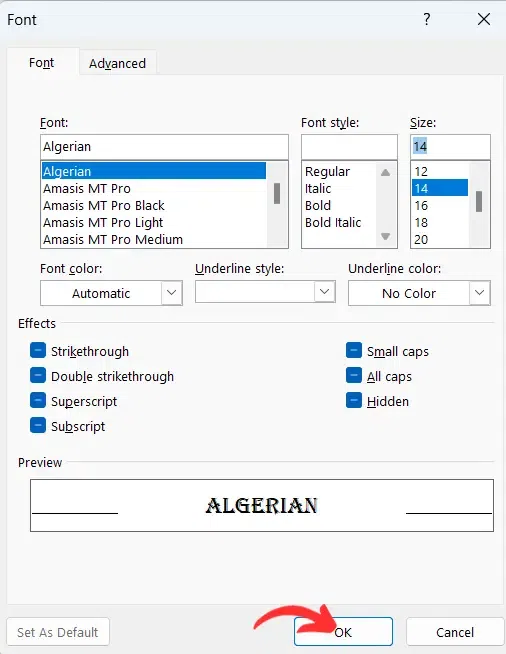
A Font dialog box will appear. Here, you can select the desired font, style, size, and color from the drop-down list. Outlook provides different font styles and also gives the feature of font coloring.
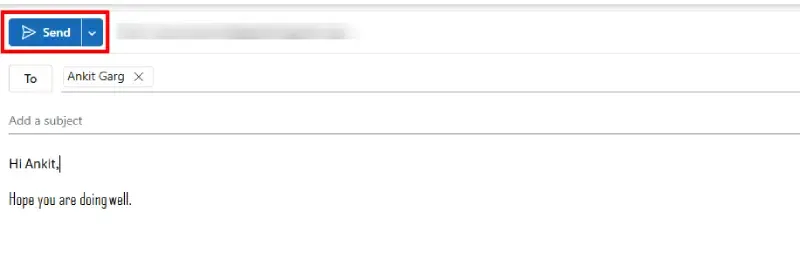
Select the desired Font from the drop-down list and change font size (if desired). Now click on OK to apply the changes and these changes will be reflected while writing the mail.
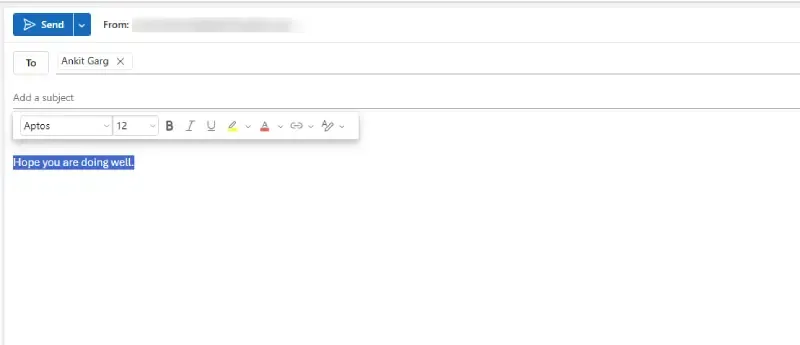
This method only affects the current email and does not change the default font settings in Outlook.
If you need to permanently change the font for all emails, you will need to modify the default font settings under Outlook's Stationery and Fonts options.
Conclusion
Learning how to change the font in Outlook is a simple process that helps you personalize your emails for better readability and professionalism. Whether you're using Outlook 365, Outlook 2019, or the mobile app, adjusting the Outlook default font settings and font size can enhance your communication. By understanding how to change the default font in Outlook 365, you can create a consistent look across all your emails, improving your overall user experience and making your messages stand out.


.webp)
.webp)
-660.webp)
-660.webp)
-660.webp)
-(1)-660.webp)