|
VOOZH | about |
|
VOOZH | about |
Discord, the renowned communication platform catering to communities and gamers, offers an interactive approach to organizing conversations and participating in discussions through threads. Creating a conversation thread can significantly enhance the way members interact. Threads in Discord allow users to break conversations into more manageable, topic-specific discussions, helping maintain clarity and focus in larger community channels.
In this article, we will walk you through the process of creating and managing conversation threads on Discord.
👁 How to Create a Conversation Thread in Discord
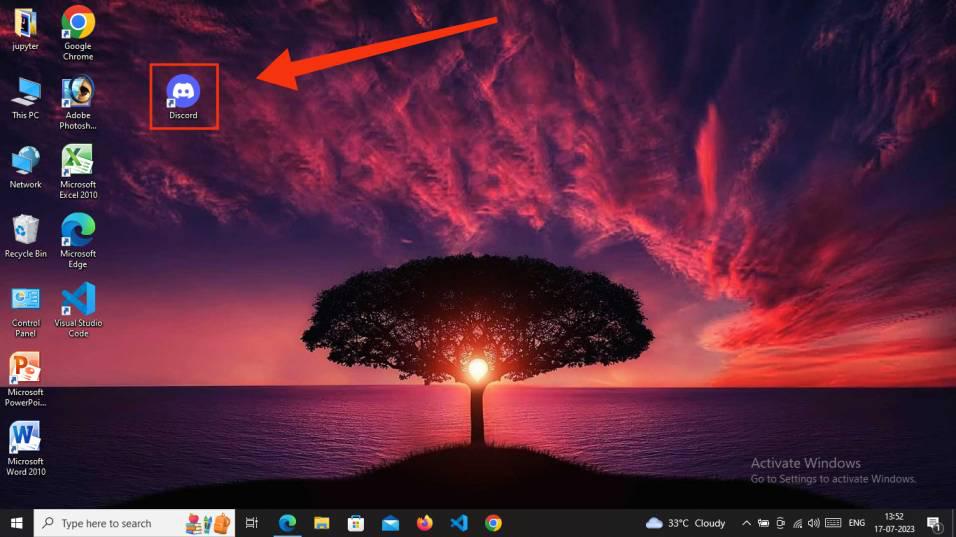
Launch the Discord App on your Desktop or open Discord Web App.
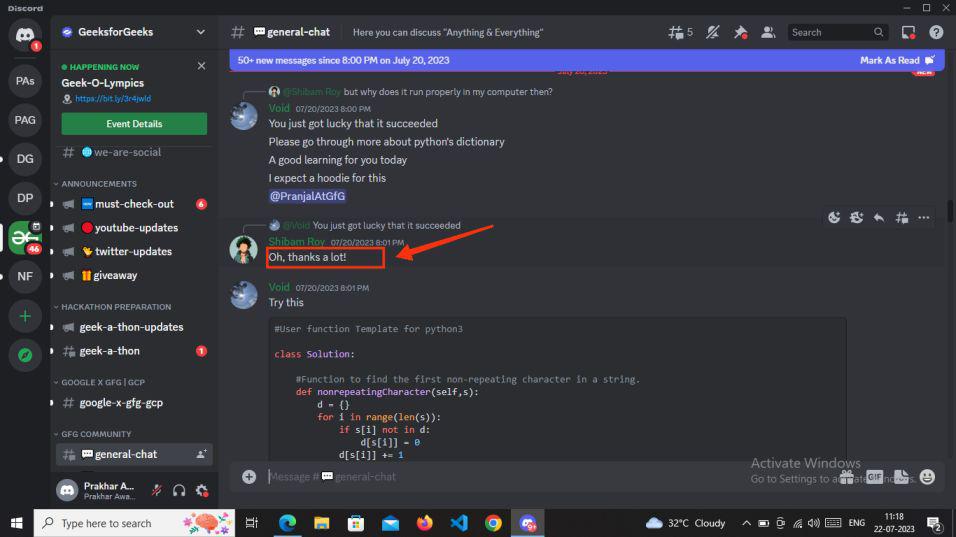
Choose a message for which you wish to create a thread, and then perform right-click or click the three dots visible on the right-hand side of the message to reveal the message menu.
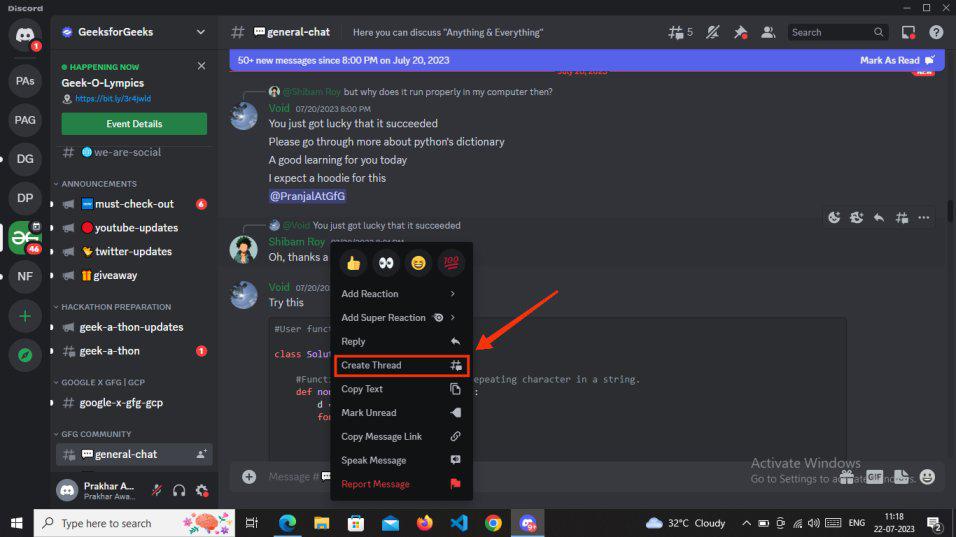
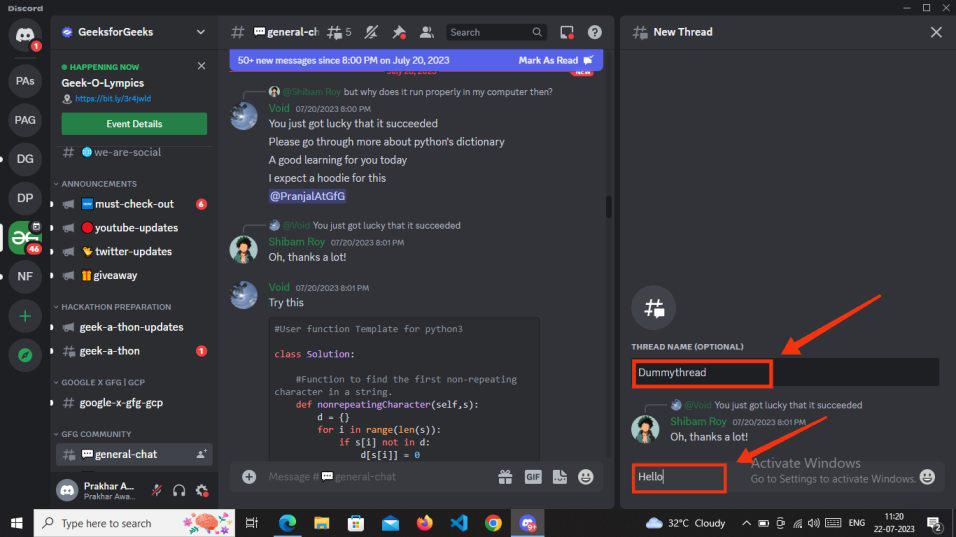
Now, all you need to do is click on "Create Thread" from the available options, and this action will open a third panel displaying the New Thread basic setup page.
To get started, simply enter the thread name. While it's optional, we recommend naming the thread to help you remember it easily. After providing the thread name, enter a message to initiate the conversation within the thread.
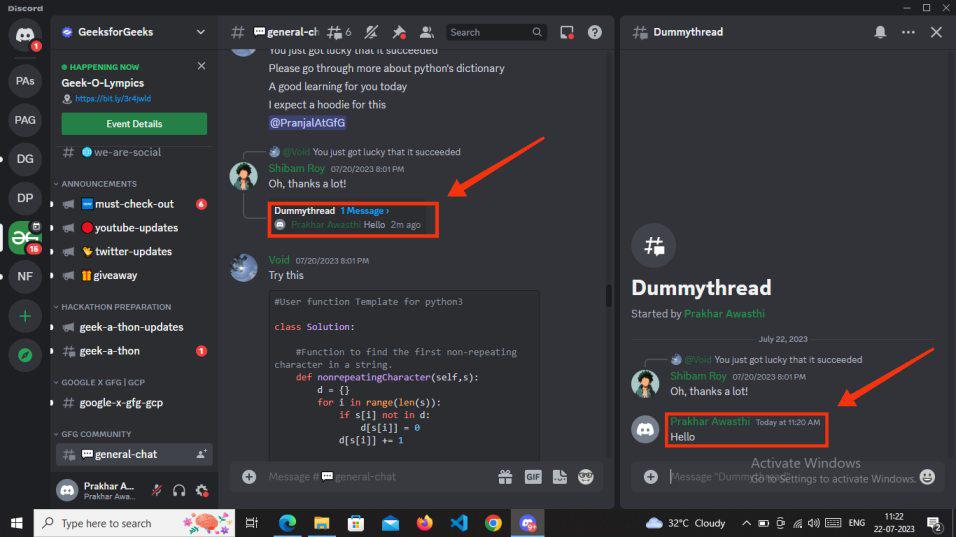
Once you've typed your message, press enter. You'll then notice that under the text channels (left-hand side), the thread name will appear, indicating that your thread is now active.
Your thread has been successfully created, allowing you to resume your discussion from the original message you chose for the thread.
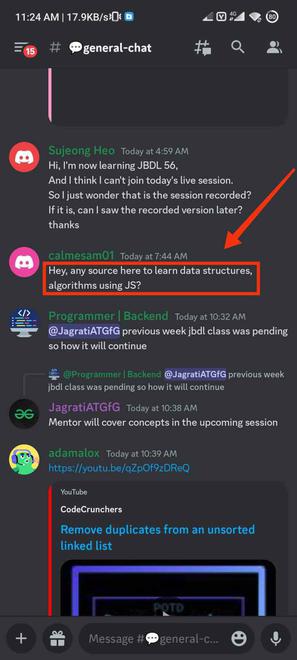
To begin, tap the Discord app icon on your mobile phone to launch the application. Next, select the server, and then choose a channel where you wish to initiate a thread by selecting a message.
Having chosen a Discord channel, proceed further and long-press the message to open the options.
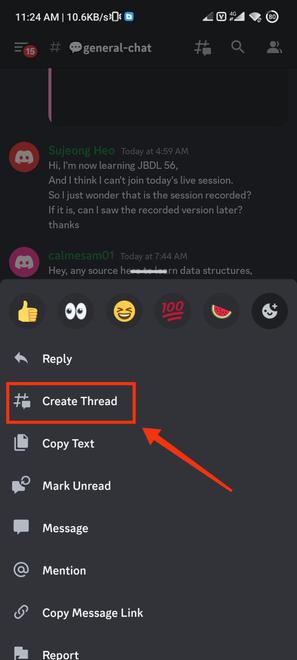
After performing a long press on a text message, you can now opt for "Create Thread" from the available options that appear.
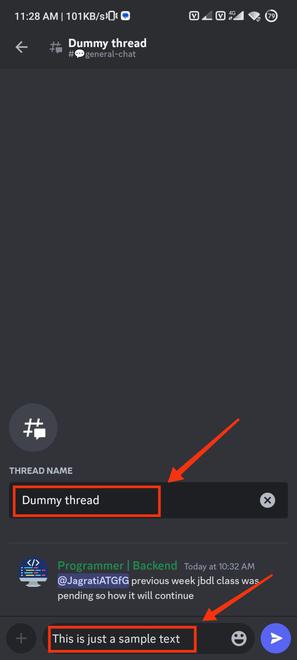
Now, you have the option to enter the name of your thread, although it's optional, giving your thread a name can assist you in recalling the discussion topic. After naming the thread, proceed to type your message to start the conversation within the thread on Discord mobile.
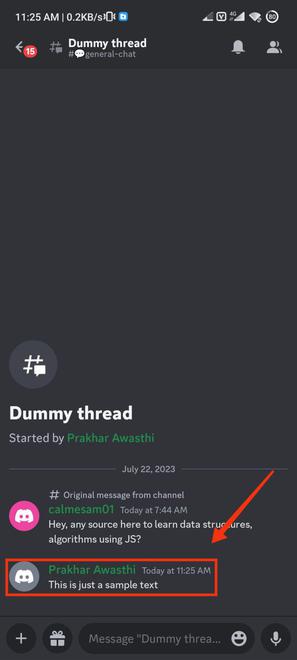
Congratulations, your thread has been successfully created, and now you can commence the discussion on the specific message within it.
Creating conversation threads on Discord opens up a world of organized and focused discussions within bustling communities and gaming servers. Threads provide a dynamic and convenient method to keep conversations tidy, engaging, and easy to follow, allowing members to delve into specific topics without cluttering the main chat.
By initiating threads, Discord users can foster meaningful exchanges without disrupting ongoing conversations among other members. This thoughtful approach to communication enhances community engagement and promotes a vibrant and inclusive environment. So, next time you find yourself with an intriguing topic that deserves its own space, don't hesitate to create a thread.