A Discord account is your personal profile on the Discord platform. It allows you to:
- Join and manage servers
- Chat via text, voice, and video
- Customize your profile and settings
- Interact with communities and friends
Important Things to Know Before Deleting Your Account:
- You must delete or transfer ownership of any servers you own
- Account deletion is permanent
- Discord places your account in a 14-day pending deletion period
- You can cancel deletion by logging in during those 14 days
- After 14 days, your account and data are permanently removed
How to Delete a Discord Account on Desktop
To delete Discord account on desktop follow the steps given below:
- Open the Discord app or visit the Discord website
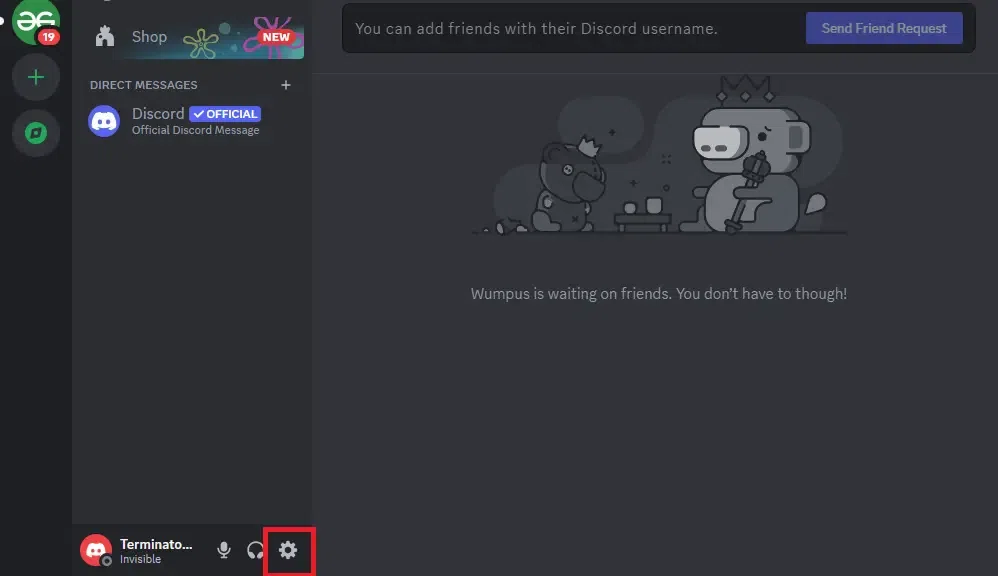
- Click the User Settings icon at the bottom
👁 Delete Discord Account
Click on User Settings- Select My Account
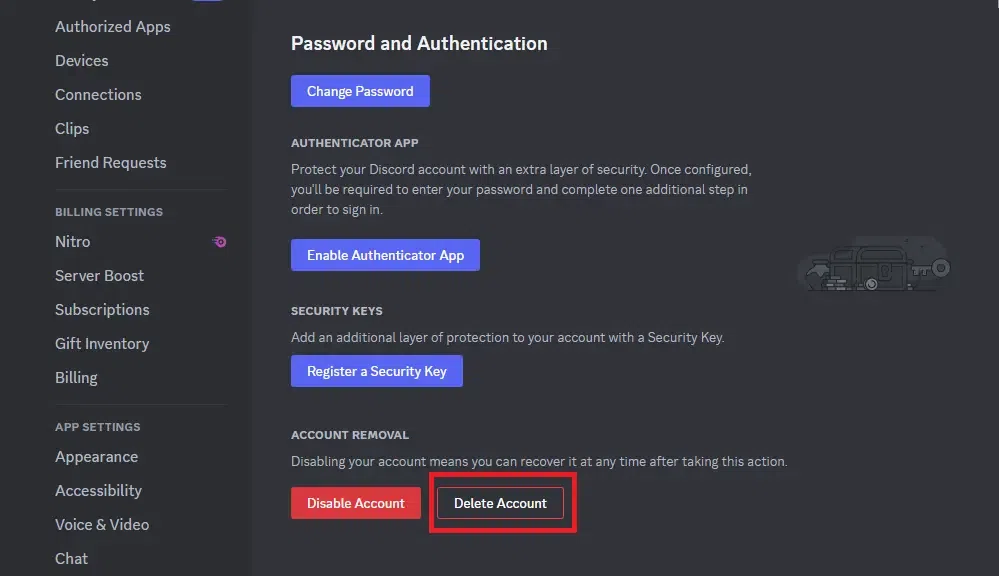
- Scroll down and click Delete Account
👁 Delete Discord Account
Click on Delete Account👁 Delete Discord Account
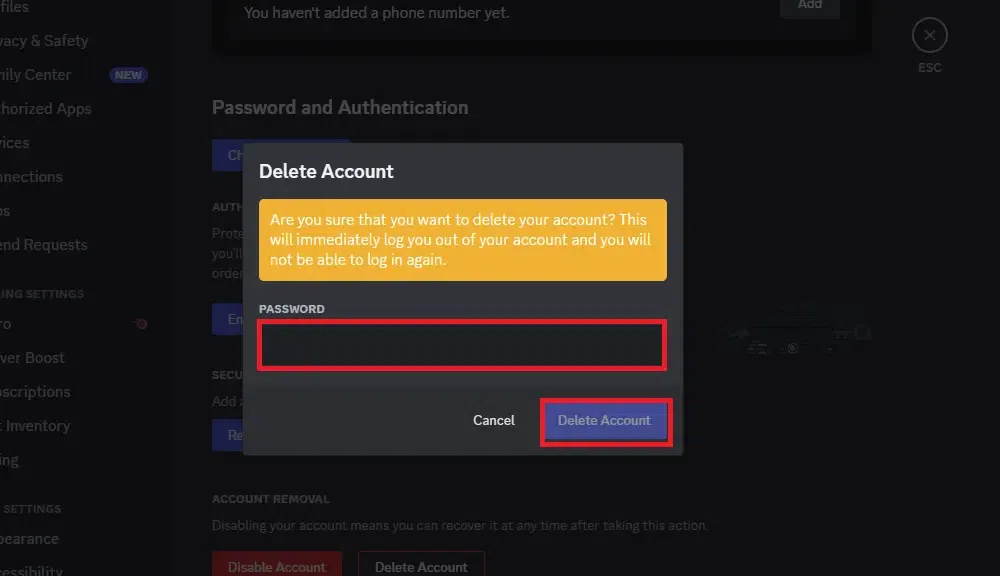
Enter Password- Confirm the deletion
- Your account will be scheduled for deletion.
How to Delete Discord Account on Mobile
Follow these steps to delete your Discord account on a mobile device.
- Open the Discord mobile app
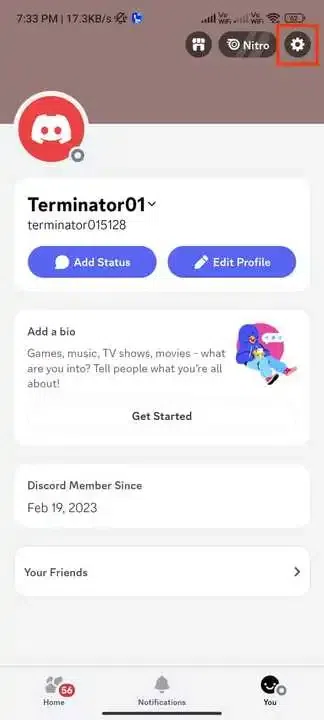
- Tap your profile icon
👁 Delete Discord Account
Click on your Profile👁 Delete Discord Account
Click on Settings👁 Delete Discord Account
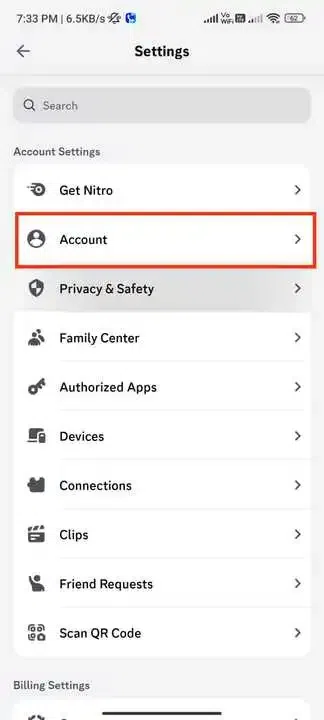
Select Account👁 Delete Discord Account
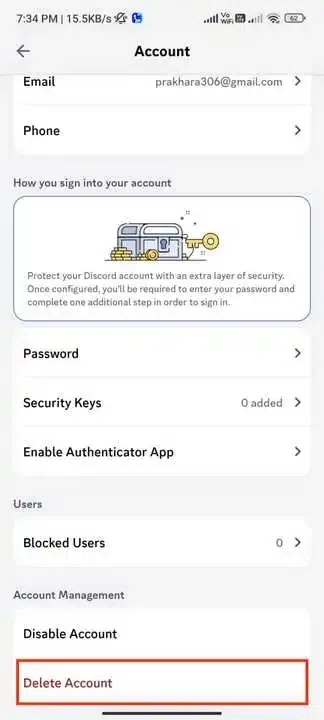
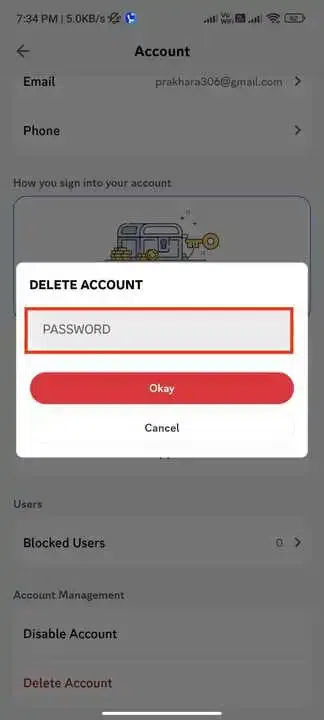
Click on Delete Account- Enter your password and confirm
👁 Delete Discord Account
Enter Password