|
VOOZH | about |
|
VOOZH | about |
Getting your Facebook account locked can be a frustrating experience, especially when you're unsure how to regain access. Whether it's due to suspicious activity, a security precaution, or a breach of community standards, knowing how to fix a locked Facebook account is crucial if your Facebook account is locked. In this article, we'll explore the steps to unlock your Facebook account and ensure your online presence remains secure.
Learn how to verify your identity, navigate Facebook's security checks, and prevent future lockouts and also check why your Facebook account is locked out. Discover effective methods to recover a locked Facebook account, including the use of official forms and ID verification, to get back to connecting with friends and family quickly. Let's start exploring the comprehensive steps to resolve a Facebook-locked account and safeguard your digital life.
There could be many reasons on which your Facebook account is locked, it could be some suspicious activity done through your account or any violation of the Community Guidelines by your Facebook account. Some of the reasons responsible
Here are the following steps to recover your Facebook account and get back in:
Visit Facebook.com and try to log in with your username or email and password.
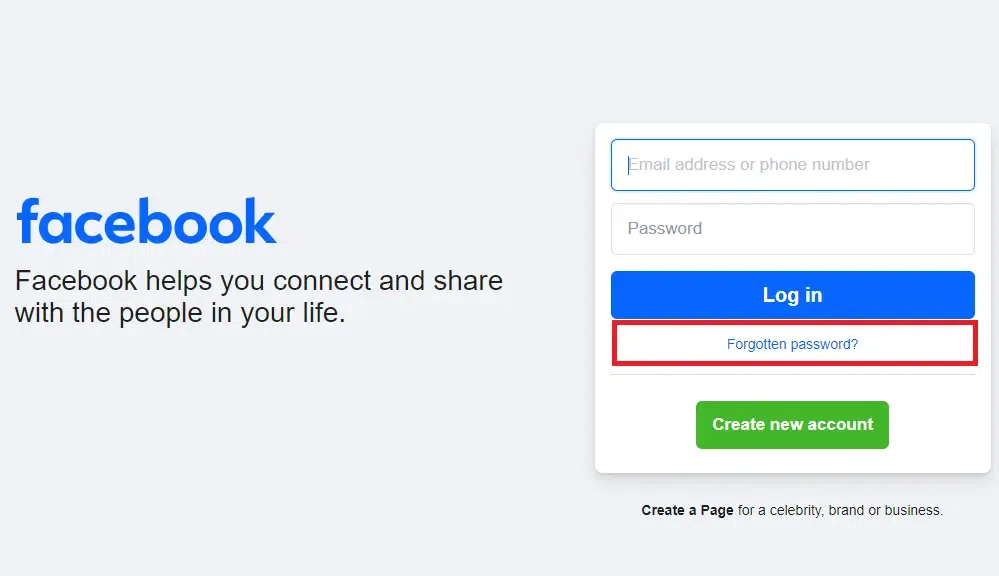
Click on the "Forgot My Password" button located under the "Login Button".
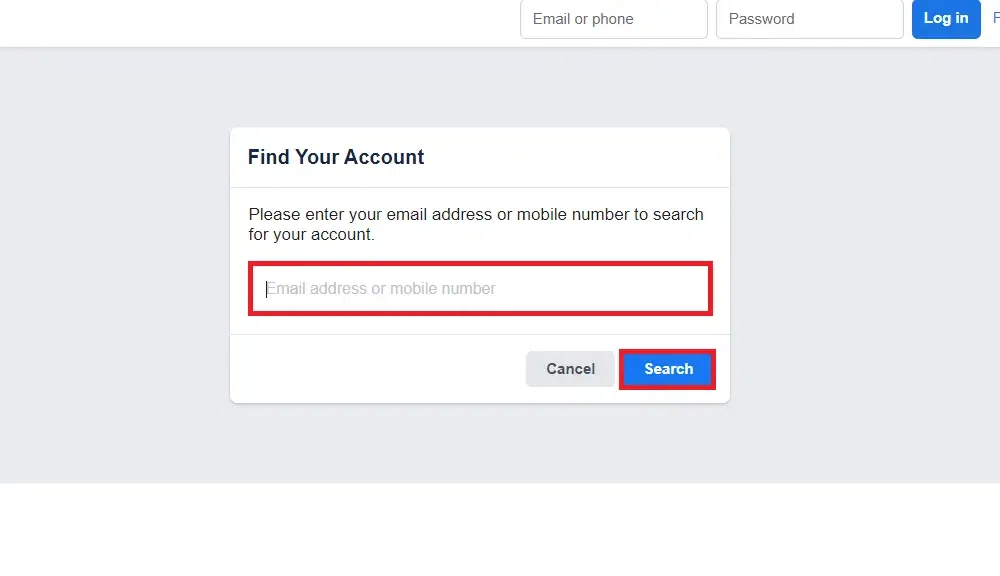
Now enter an email address or your phone number linked to your Facebook account.
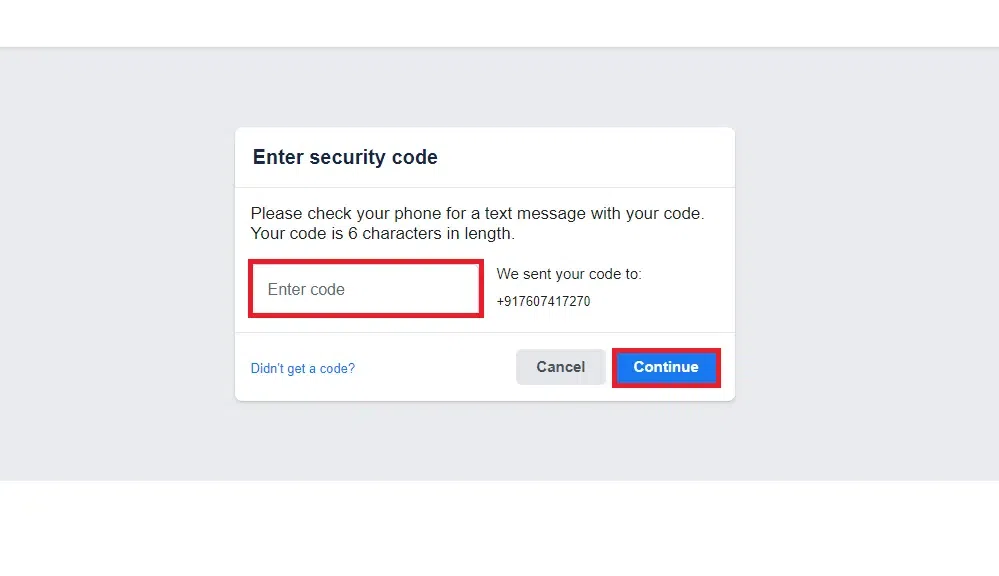
Get the code sent to yourGmail or your phone number and enter to move towards next step.
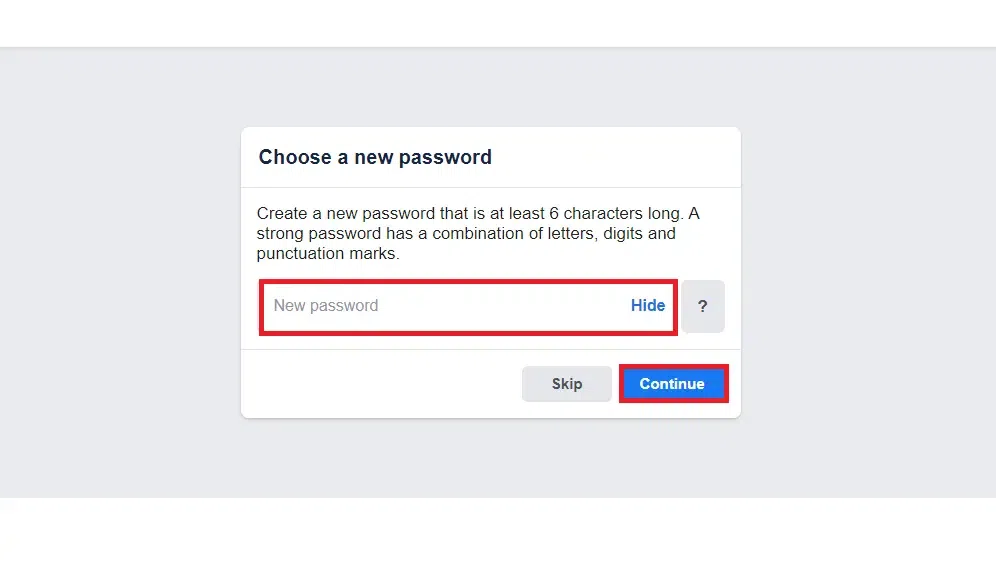
After entering the code specify the new password for your account. Now you have successfully recovered your account.
To avoid the hassle of recovering a locked Facebook account, it's important to take steps that help keep your Facebook account safe and secure. Here are the following tips to stop your Facebook account from getting locked:
Make sure your Facebook profile uses your real name, photo, and correct details. Fake info can trigger a lock.
Don’t send too many friend requests at once. This can make Facebook think you’re a bot or spammer.
Before unlocking your account, look for any weird posts, messages, or friend requests that you didn't make. if you see anything suspicious, securing your account is important.
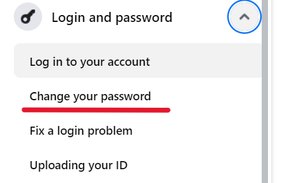
If you suspect someone else accessed your account, change your password immediately. Use a strong password with letters, numbers, and symbols.
If you suspect someone else accessed your account, change your password immediately. Use a strong password with letters, numbers, and symbols.
For added security, turn on two-factor authentication (2FA) on your Facebook account. It adds an extra layer of protection by requiring a second verification step along with your password.
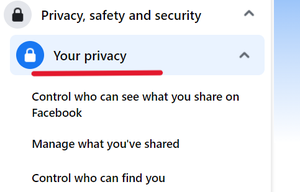
Check your Facebook privacy settings to control who can see your posts and personal info. Make sure they're set to your liking.
Keep an eye on your account for any unusual activity. Facebook lets you check recent logins and active sessions to spot any unauthorized access quickly.
Resolving a locked Facebook account is crucial for regaining access to your social media presence. By following the steps outlined in this guide, you now know how to fix Facebook locked account issues effectively. Whether your Facebook account is locked due to suspicious activity or a policy violation, the steps provided help you navigate the recovery process smoothly. Remember, Facebook locked my account situations can often be resolved by verifying your identity through provided options or contacting Facebook support for assistance. Restoring access to your Facebook account locked out ensures you can reconnect with friends, share updates, and enjoy the platform's features without interruption