|
VOOZH | about |
|
VOOZH | about |
Discord is a popular communication platform that allows users to create and manage their servers for text and voice communication. Discord webhooks are the ultimate bridge between your favorite applications and your Discord server. Imagine receiving automatic updates on new GitHub commits, live notifications from website monitoring tools, or even custom alerts straight into your designated channel. That's the magic of webhooks
In this article, we'll walk you through the process of creating a webhook in Discord, providing a step-by-step guide to help you set up your webhook for various purposes. One of the features that make Discord powerful is the ability to integrate webhooks, which enable automated messages and notifications in a server channel.
It's a Way For An Application To Notify Another Application Of Real Time Information. Webhooks enable various forms of automation, alerts, and integrations with external services. It's essentially a URL provided by Discord that external services or applications can use to push information into a server's chat channel.
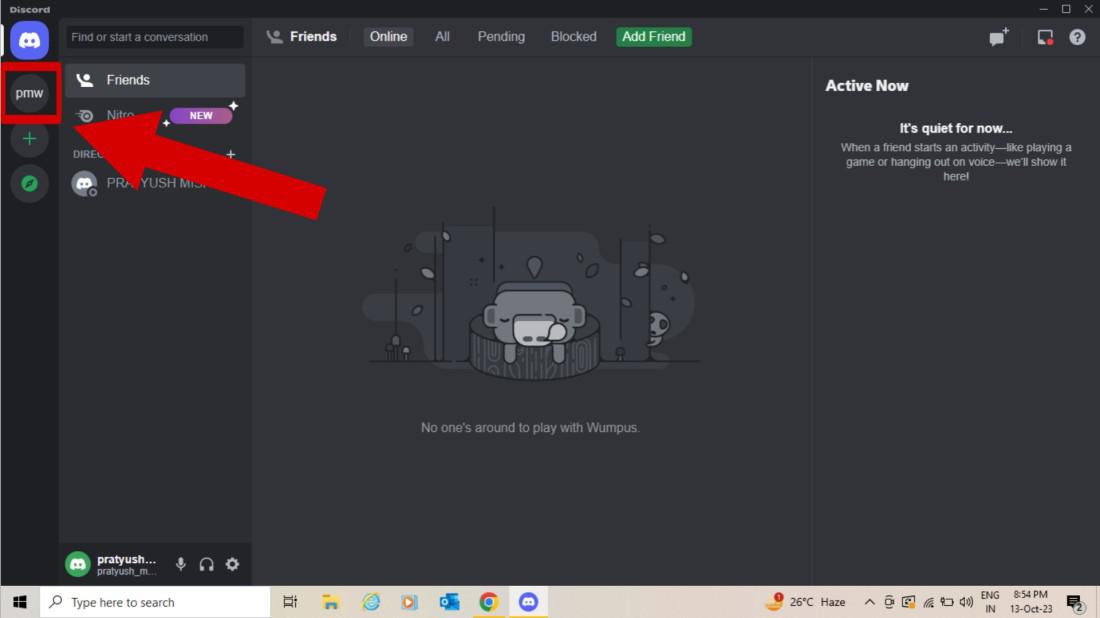
Create Discord Account then create A Server With the text channel.
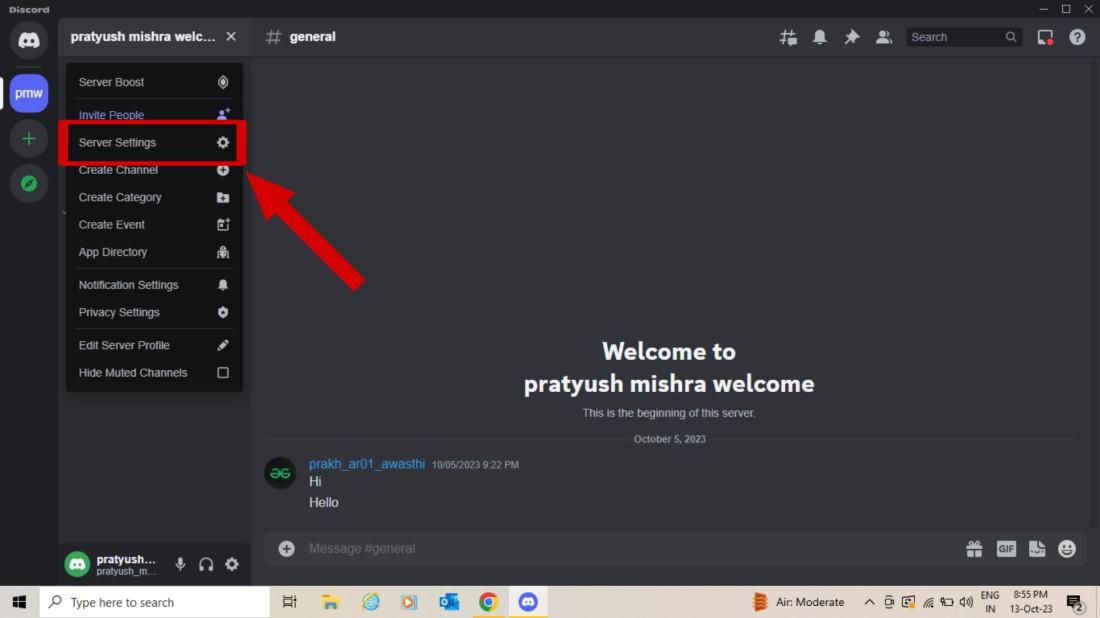
To access the server settings, hit the server’s name and choose “Server Settings” from the appeared drop-down menu.
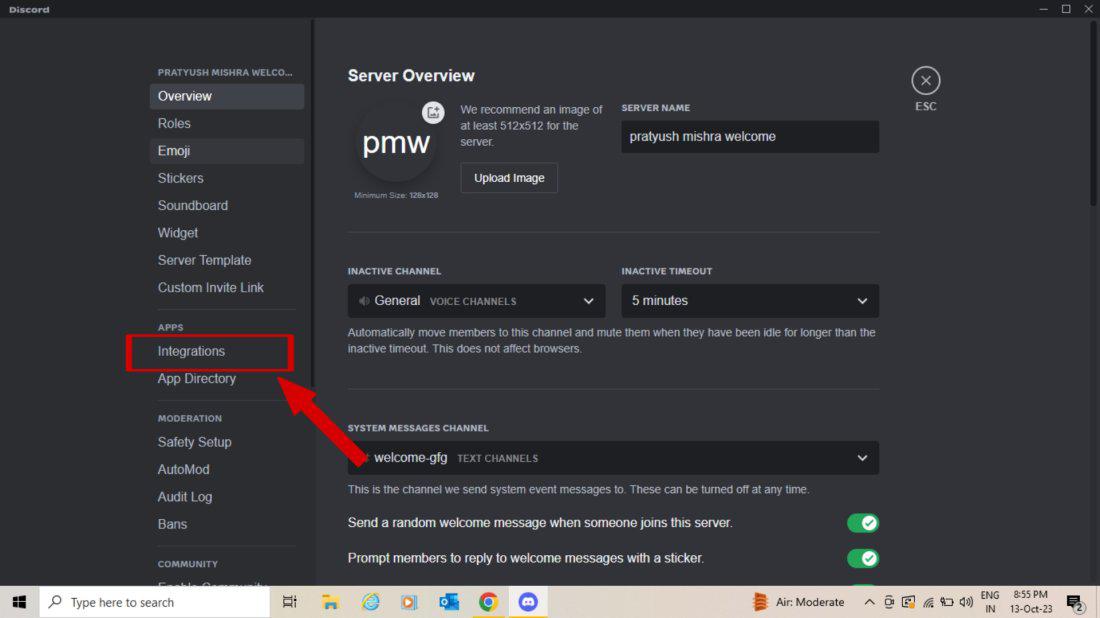
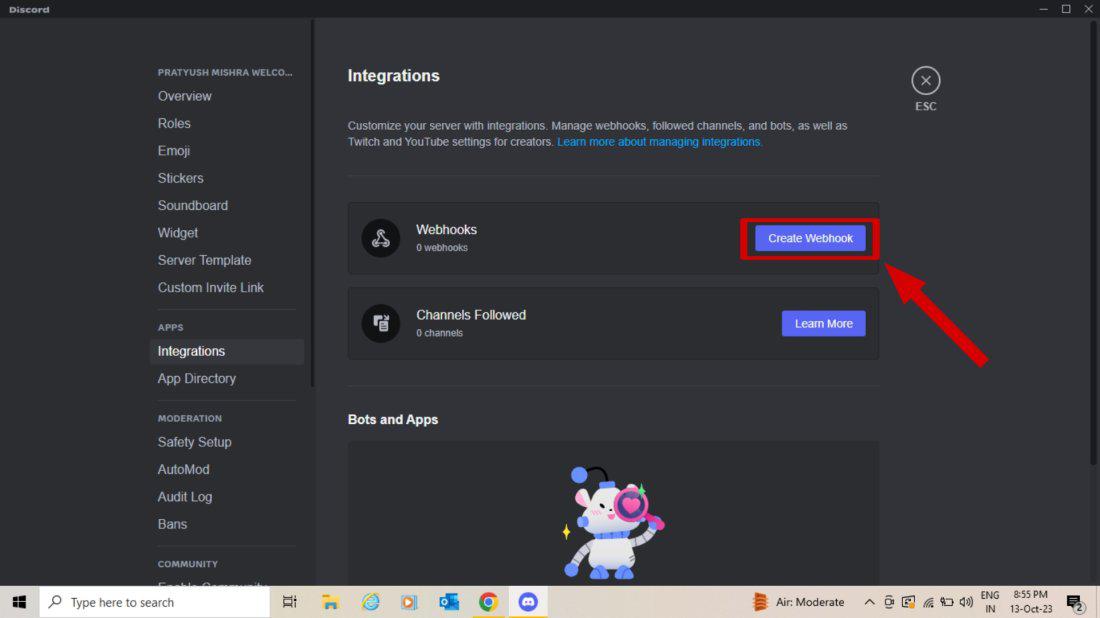
Click on the Integrations tab in Navigate to create a webhook.
There, you can see your webhooks and create new webhooks by clicking "Create Webhook."
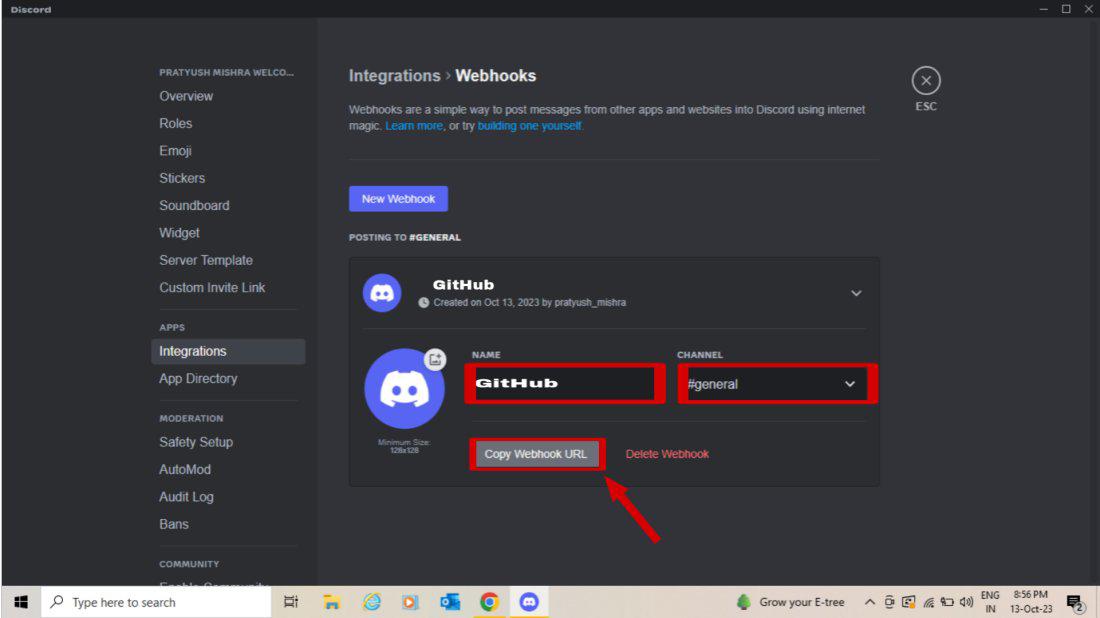
Give your webhook a descriptive name and select the channel you want your messages to be sent to Remember to click Save Changes when you make any change to your webhook configuration.
Here we have taken an example of GitHub so that you can understand well how to create posts in Discord.
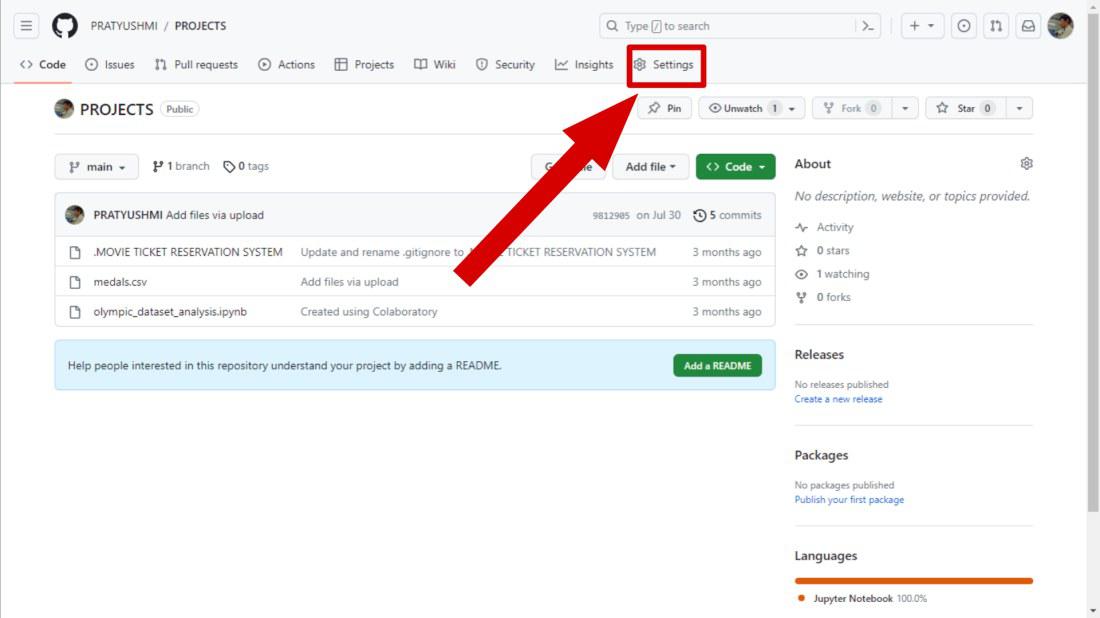
Go to the repository settings to create a Webhook for Discord.
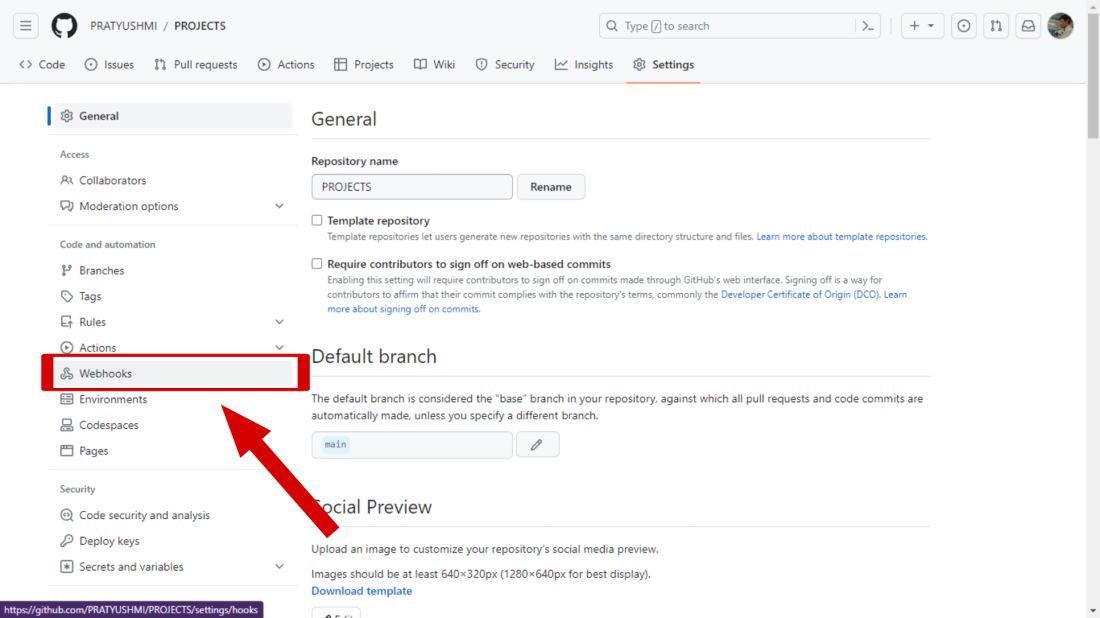
Click on the option Webhooks in the sidebar of settings.
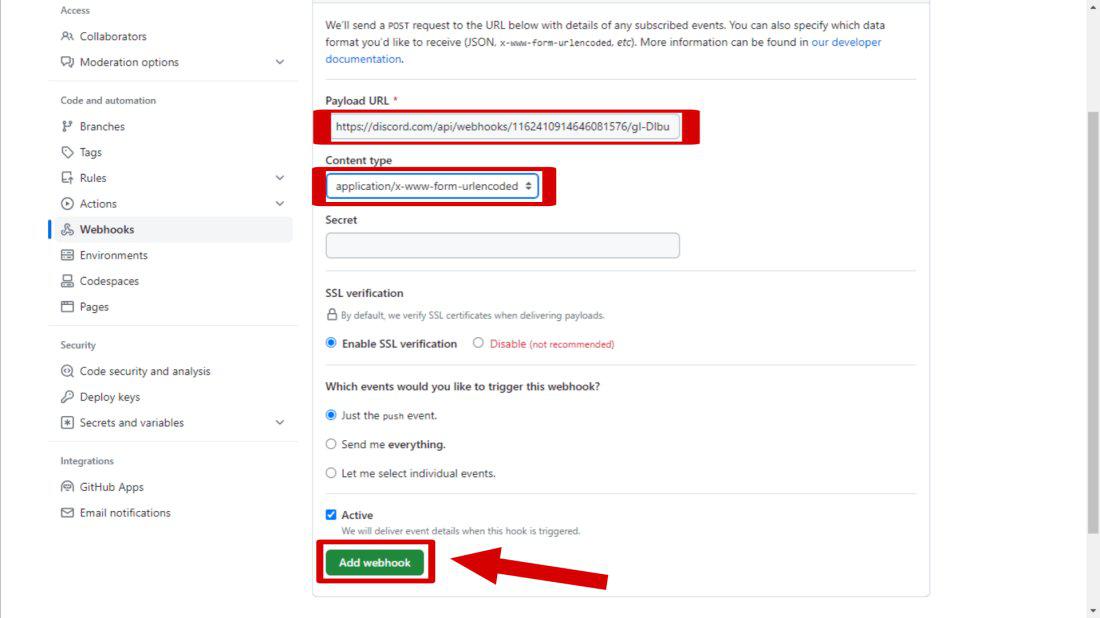
Select "Add Webhook" to create A Webhook.
Create a Discord webhook on the team's server to send messages to the team's channel Get the webhook URL for the webhook created. Use the webhook URL to create a webhook on GitHub and subscribe for the push event (the push event is triggered when a new commit is pushed to the GitHub repository).
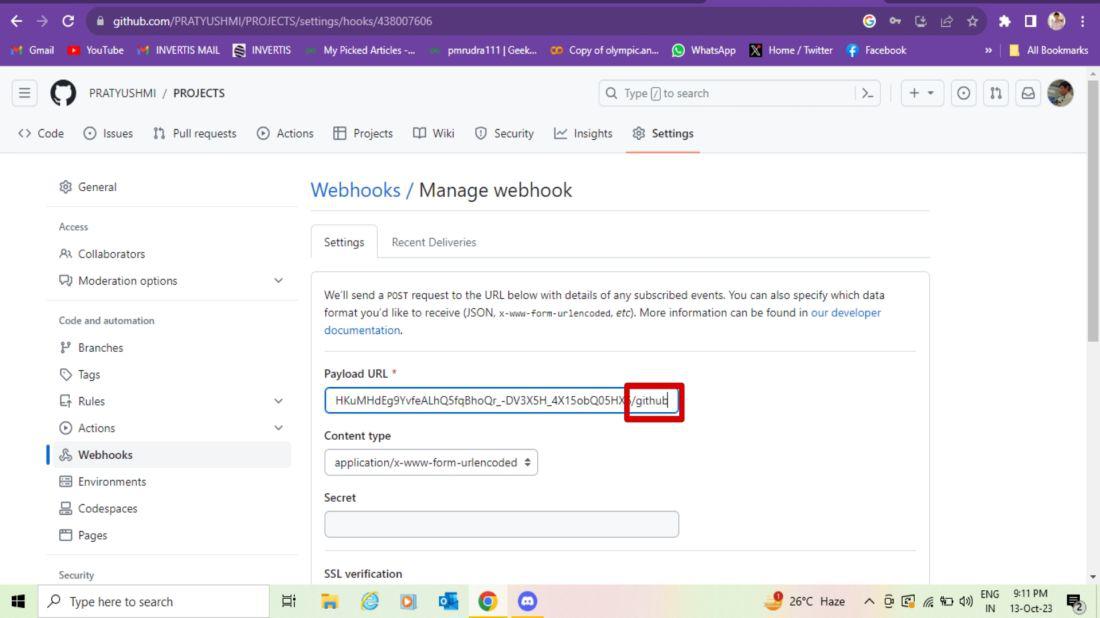
Paste the discord copied URl With "/github".
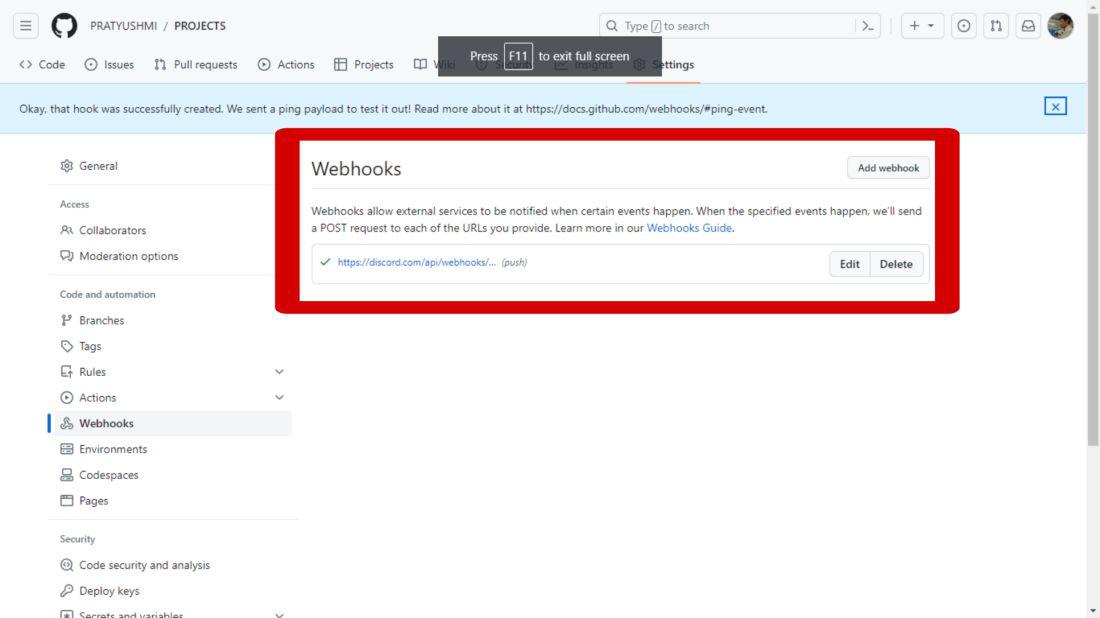
Now you have created A Webhook in Github.
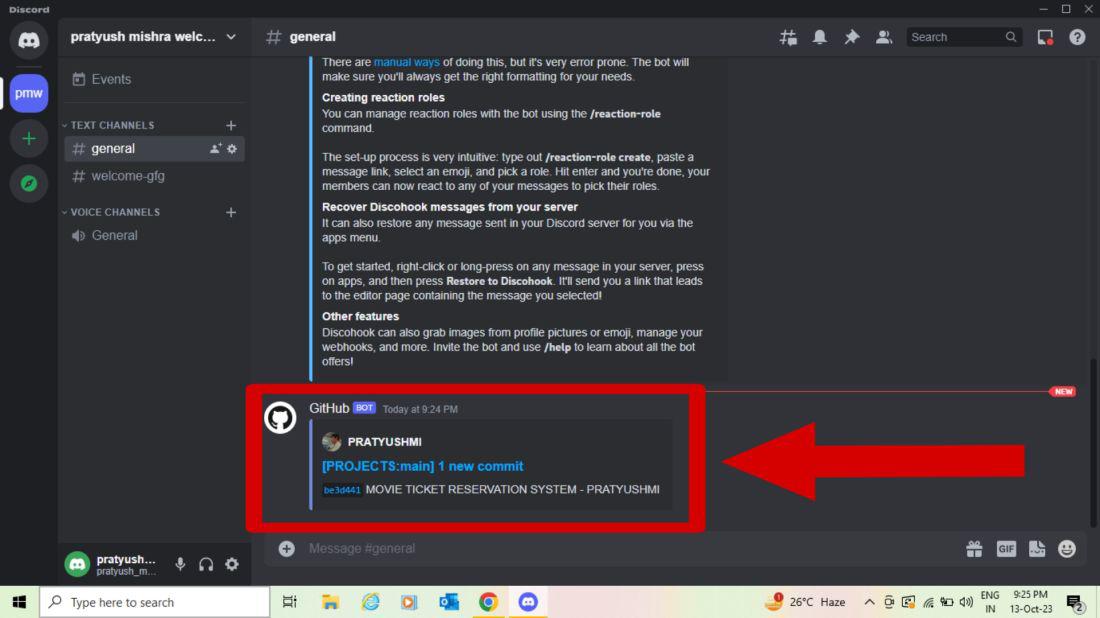
This will trigger a notification in Discord if you make any changes to your repository.
Making a webhook in Discord is easy and useful for improving your server. By setting up webhooks, you can connect external services, automate messages, and manage your server more efficiently. Whether you're an admin or developer, learning to use Discord webhooks can greatly enhance your server's functionality. Try creating webhooks today through this article and see how they can benefit your Discord community.

.jpg)
.jpg)