We use cookies to improve your experience on our site. By clicking “Accept”, you are agreeing to the collection and use of data as described in our Privacy Policy.
We use cookies to improve your experience on our site. By using our site, you are agreeing to the collection and use of data as described in our Privacy Policy.
Before investing in Tray.ai (formerly Tray.io) to build and maintain either internal or customer-facing integrations, it’s worth taking the time to evaluate a wide range of other solutions.
After all, even a marginal improvement in the solution you choose can have a significant impact on your close rate, retention rate, ability to expand to new markets, and more.
To help you pinpoint the best integration solution for your business, we’ll break down several alternatives to Tray.ai.
Merge
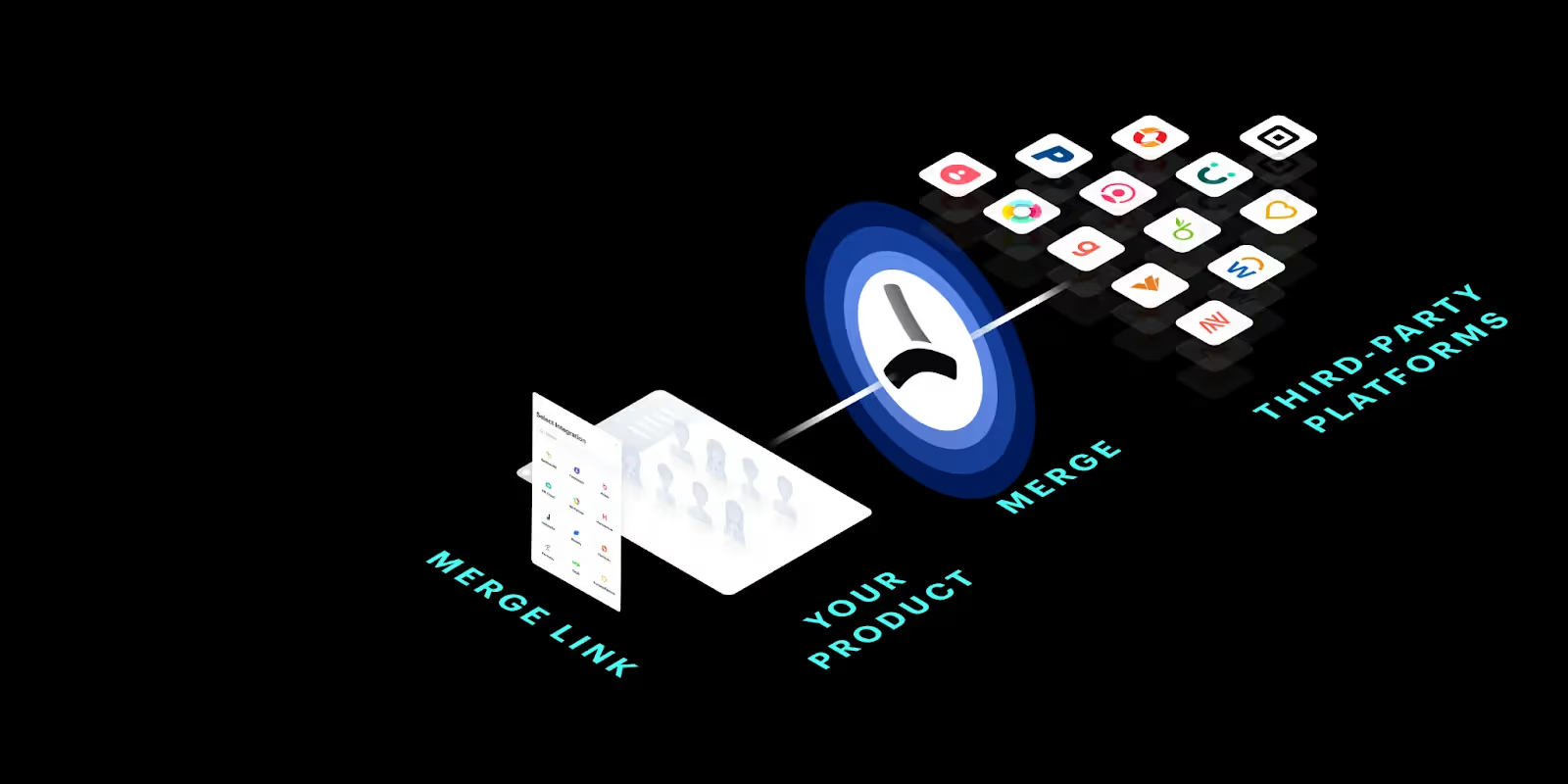
Merge lets you add hundreds of integrations to your product by simply building to its unified API.
While Merge offers a variety of impactful features, here are a few of the top ones:
A suite of unified APIs that covers a wide range of software categories, including accounting, ticketing, CRM, file storage, HRIS, and ATS
Integration Observability tooling to help your customer-facing employees identify and diagnose issues and then work with customers on resolving them
Merge’s team of partner engineers provide integration maintenance support, which lets you offer more reliable and performant integrations while also enabling your engineers to save time
When to choose Merge over Tray.ai
You need to build a high volume of integrations, quickly. Since Tray forces you to build one integration at a time and requires technical expertise to use, scaling integrations through the platform within a short time frame can prove difficult
You can’t afford to assign engineering resources to maintaining integrations. Integrations inevitably break or need to be improved. Using Merge, you can task most, if not all, of this work to Merge’s partner engineers and your customer-facing team
You don’t want to spend time normalizing data across 3rd-party systems. This work can prove to be technically complex and time-intensive, which largely negates the benefits of using a 3rd-party integration solution
{{this-blog-only-cta}}
Workato
Workato is similar to Tray in that it also offers an iPaaS, an embedded iPaaS, and an API management solution.
Top features
More than a thousand pre-built application connectors that span several software categories, from CRM to HRIS to ticketing to machine learning models
A low-code interface for designing and maintaining workflow automations, or “recipes”
An embedded offering that provides different deployment options, including white-labeling the customer-facing integrations and automations built through Workato
You want to access a richer set of pre-built application connectors. While this is subject to change, Workato currently offers more application connectors, making the platform better suited to support more integration use cases than Tray
You need to build workflow automations that are more interactive on Slack or Microsoft Teams. You can so with Workato’s customizable platform bot, Workbot®
You’d like to build workflow applications, or fairly basic applications that are powered by automations. Workato powers this capability while Tray doesn’t
Zapier
Zapier is a workflow automation software that’s easy to use and supports a wide range of internal integration use cases.
Top features
It supports more than 7,000 application connectors
Allows you to build “Zaps”, or task automations, through a no-code UI
Lets you build Zaps using natural language through its newly-released copilot
You’re only interested in internal integration use cases. Zapier is purpose-built for streamlining your internal team’s processes—not your customer’s
You want employees at large to build and manage integrations and automations. Zapier offers a more intuitive UX, allowing non-technical employees to get onboarded to the platform faster and use it more easily
You want to access more application connectors and automation templates. Zapier offers a more comprehensive set of connections and automation templates, making it easier for your team to adopt the platform for whatever use cases you have in mind
Offers a team of integration engineers to help support any building and maintenance-related work
When to choose Pandium over Tray.ai
You need to build an integration marketplace and don’t have the resources to do so in-house. Pandium can help take this work off your team’s plate
You want additional integration support. Through Pandium, you can outsource some, if not all, of the development and maintenance of their integrations
UiPath™
The robotic process automation (RPA) software lets you integrate on-prem systems and cloud applications and automate workflows across them.
Top features
UiPath™ Process Mining helps you understand and improve your processes via automation
Lets you connect applications and sync data via screen scraping and APIs
UiPath™ Test Manager lets you evaluate your automations and applications to see if they’re ready to be pushed to production and, if not, what needs to be improved
When to choose UiPath™ over Tray.ai
You need to integrate applications at the UI-level. Some applications may not provide the API endpoints you need. Since UiPath lets you sync data via screen scraping, it can address these scenarios
You’re solely focused on building internal integrations. Like Zapier, UiPath™is solely built to support a wide range of internal integration and automation scenarios, making it well suited to meet your internal requirements
You want a tool that’s been around longer and has more case studies. UiPath was founded several years before Tray and has many more case studies across industries, regions, and products. Taken together, it might be easier to sell UiPath internally
Make
Make is a workflow automation tool that helps companies of all sizes, industries, and regions build automations built on triggers, or specific events that occur in an application.
Top features
Offers6k+ automation templates that span several software categories, from commerce and internet of things to business intelligence and AI
Enables you to build integrations that extend beyond their pre-built apps by using their HTTP app
Lets you use an AI Assistant to create automations via plain text
When to choose Make over Tray.ai
You want non-technical personnel to build and maintain automations. Make is relatively more accessible than Tray.ai, which helps various teams—from operations to marketing—own the automations that impact their specific processes
You need to take automations live within a short timeframe. Make’s workflow builder lets you build automations in just a matter of minutes
You’re working with a limited budget. Make is more affordable than Tray.ai
Mulesoft from Salesforce is an integration and automation solution that’s typically geared for enterprise organizations.
Top features
Offers Anypoint Platform, which lets you develop, test, publish and monitor integrations, automations, and APIs
Enables you to automate tasks at the UI-level via their robotic process automation (RPA) offering, “Mulesoft RPA”
Provides several classes and credentials to help users learn their platform and land certain roles (i.e., integration developer)
When to choose Mulesoft over Tray.ai
You want a robust API management solution. Mulesoft’s API management platform lets you define and apply standards to your APIs, document them, implement governance controls, and more
You want to invest in a platform that’s well positioned for the long-run. Mulesoft is not only an established brand in the integration space—they’re also owned by Salesforce
You need to sync data in a variety of ways. Mulesoft offers API-based integrations, UI-based integrations, and—for Salesforce—file-based integrations
Mulesoft offers several approaches to integration, as laid out in the “Products” dropdown on their site
Final thoughts
Evaluating and picking the best integration solution requires assessing each option against a certain set of criteria. This spans everything from specific security features and capabilities to ratings on 3rd-party review sites to the quality and quantity of integrations that can be launched within a certain timeframe.
We believe that if you’re looking to build customer-facing integrations, Merge will stand above all the other vendors based on your assessment.
Jon Gitlin is the Managing Editor of Merge's blog. He has several years of experience in the integration and automation space; before Merge, he worked at Workato, an integration platform as a service (iPaaS) solution, where he also managed the company's blog. In his free time he loves to watch soccer matches, go on long runs in parks, and explore local restaurants.


.avif)





.png)



