We use cookies to improve your experience on our site. By clicking “Accept”, you are agreeing to the collection and use of data as described in our Privacy Policy.
We use cookies to improve your experience on our site. By using our site, you are agreeing to the collection and use of data as described in our Privacy Policy.
Workato offers a wealth of features to help you build integrations and automations, but it isn’t necessarily the best integration solution for your business.
To help you make a fully-informed purchasing decision, we’ll share several competitors to Workato and break down how they differ from and overlap with the integration platform.
Merge
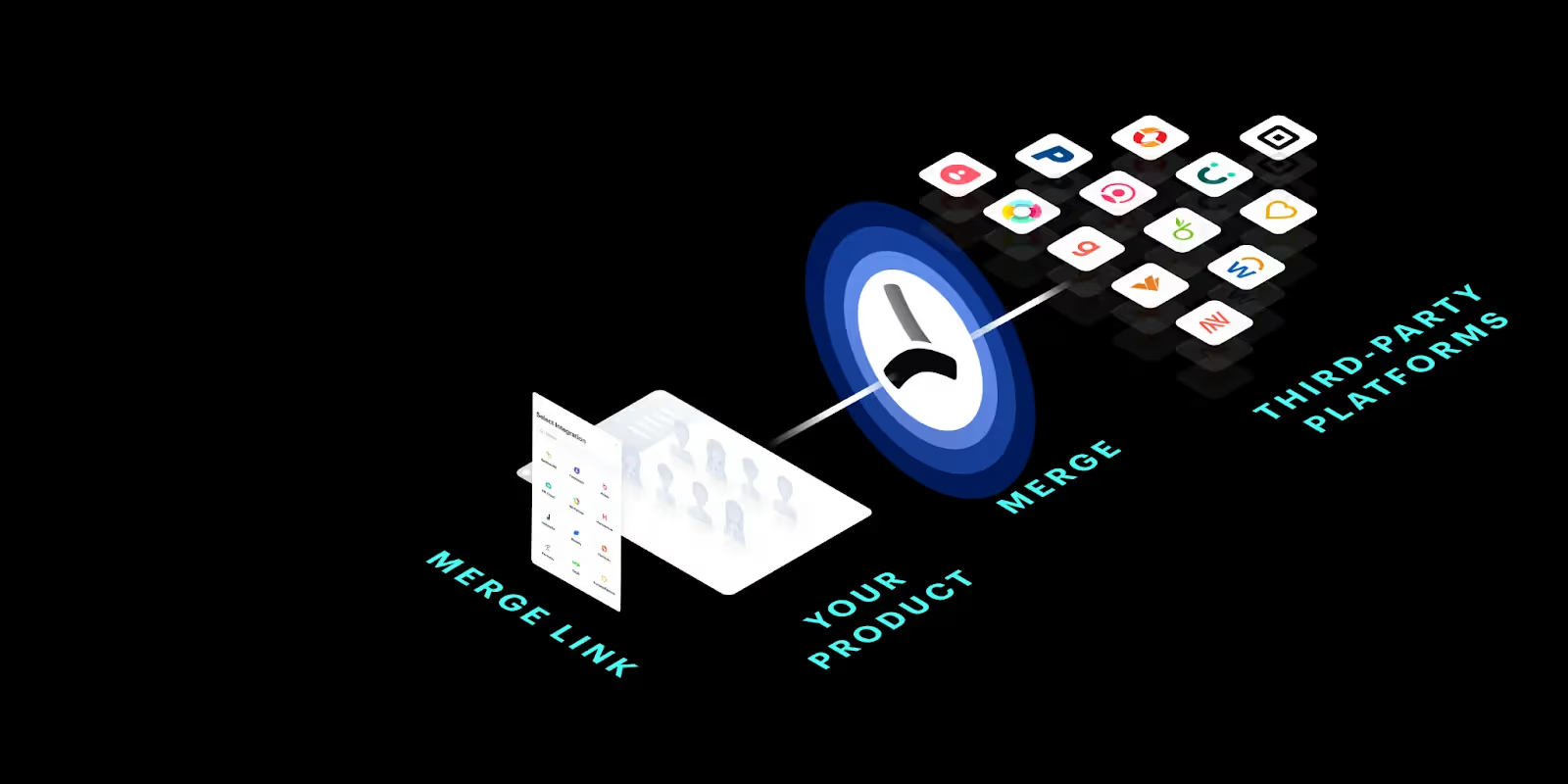
Merge lets you add hundreds of integrations to your product through a single integration build, making it a highly-scalable product integration solution.
Using Merge, your customer-facing team can easily pinpoint issues and the steps to resolve them
Comprehensive set of unified APIs, which include accounting, HRIS, ATS, ticketing, file storage, and CRM, allowing customers to implement a wide range of integrations
You need to build customer-facing integrations at scale. Workato forces you to build one integration at a time, while Merge lets you add hundreds of integrations through a single build. As a result, Merge is significantly more scalable
You can’t afford to allocate engineers toward maintaining and managing integrations. Workato doesn’t have intuitive and robust tooling to help your customer-facing team identify, diagnose, and resolve integration issues themselves—while Merge does
You want to test the integrations via sandbox accounts. Merge offers various sandboxes for building and testing connections while Workato doesn’t
{{this-blog-only-cta}}
Tray.io
Tray is similar to Workato in that it also offers a traditional iPaaS, an embedded iPaaS, and an API management platform.
Top features:
Provides hundreds of pre-built application connectors to help you implement integrations faster
Offers Merlin AI, an LLM-powered chatbot that lets you design automations through natural language
Merlin AI, while still in its infancy, may be able to help you build internal workflow automations across your internal applications through written instructions
Lets you build, manage, and analyze API endpoints
When to choose Tray.io over Workato:
You need to build integrations and automations with less code. Merlin AI can help your team design and improve API endpoints and workflow automations without having to write as much code
You want a clearer pricing model. Tray offers a more transparent usage-based pricing model on their website
Zapier is a workflow automation software for any and every working professional.
Top features:
Provides thousands of app connections
Lets you build workflow automations through no-code “Zaps”
Offers a way to build custom forms, webpages, and apps that leverage workflow automations
When to choose Zapier over Workato:
You’d like employees at large to build automations. Workato is harder to use than Zapier, so the latter can work better if you need more employees to build and maintain automations
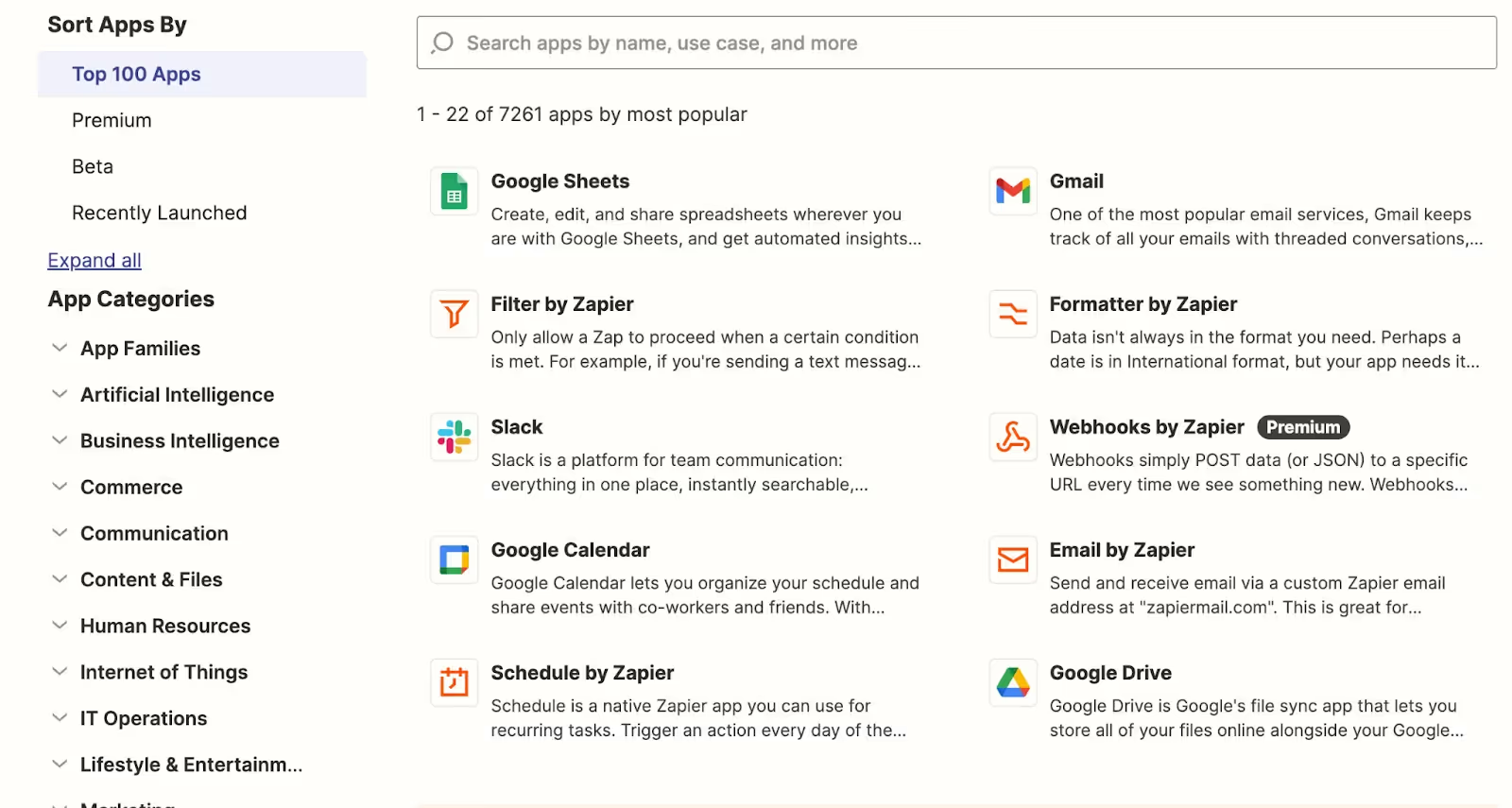
You want to access a wider range of application connectors. Zapier offers more than 7,000 application connectors, which surpasses Workato’s count by a wide margin
Zapier lets you filter and search for specific applications you’d like to build Zaps with
You only need to build internal integrations and automations. Zapier is purpose-built for internal use cases, so if that covers all your integration and automation needs for now and the foreseeable future, it probably doesn’t make sense to invest in a platform like Workato
Automation Anywhere
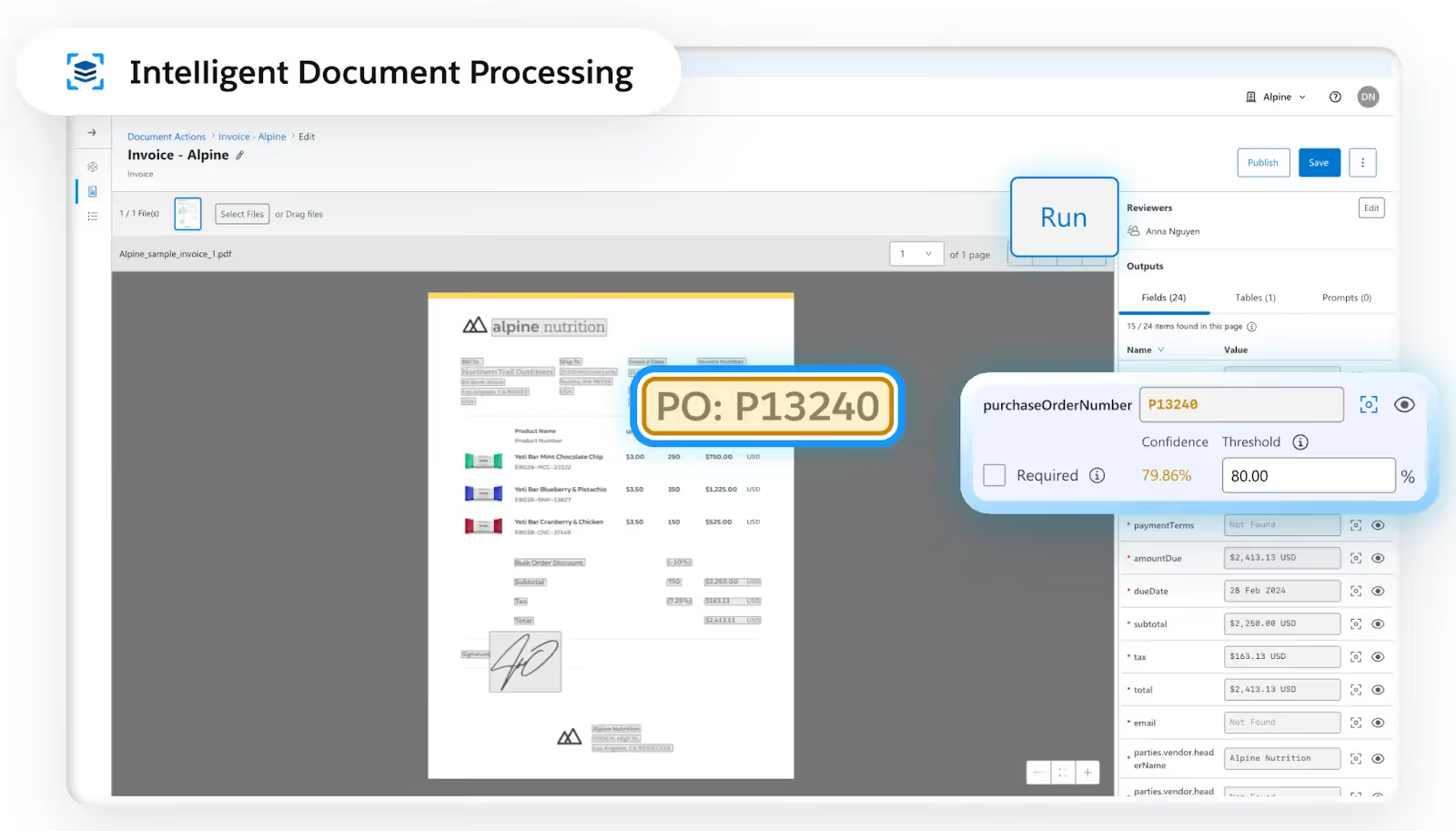
The robotic process automation (RPA) software lets you write custom scripts (i.e., bots) to automate human tasks.
Top features:
Offers an automation co-pilot to fast-track automation development
Lets you incorporate AI models to build intelligent automations
Enables you to integrate applications via both screen scraping and API endpoints
When to choose Automation Anywhere over Workato:
You need to connect applications that don’t provide the endpoints you need. In other words, you'll need an RPA tool like Automation Anywhere to scrape this data
You’d like to invest in a platform that’s been around for longer and has a richer set of relevant case studies. Automation Anywhere has been around about 10 years longer than Workato and has a larger set of public case studies available across industries and use cases, which can make it easier to trust the tool and get internal buy-in for adopting it
You need to integrate data at the UI-level. Unfortunately, the API endpoints you need may not be available. You can overcome this situation by using Mulesoft RPA
You want to invest in the integration solution that’s best positioned to innovate. With Salesforce backing Mulesoft, the platform has the financial resources needed to improve faster than Workato
You already use another Salesforce product. By being an existing customer, you might be able to negotiate a discounted rate for Mulesoft
Make
Make is a workflow automation tool that lets you build, test, and maintain end-to-end automations.
Top features:
Offers a no-code workflow builder, which can help your less technical teams use the platform
Has thousands of pre-built connectors across a variety of software categories, from survey tools to website builders
Provides several courses and badges to enable you to get comfortable with the platform and become more competitive as a candidate for certain roles (e.g., integration architect)
When to choose Make over Workato:
You need to integrate with a website builder, lifestyle application, IoT device, and/or travel application. Make covers these categories via their pre-built connectors while Workato doesn’t
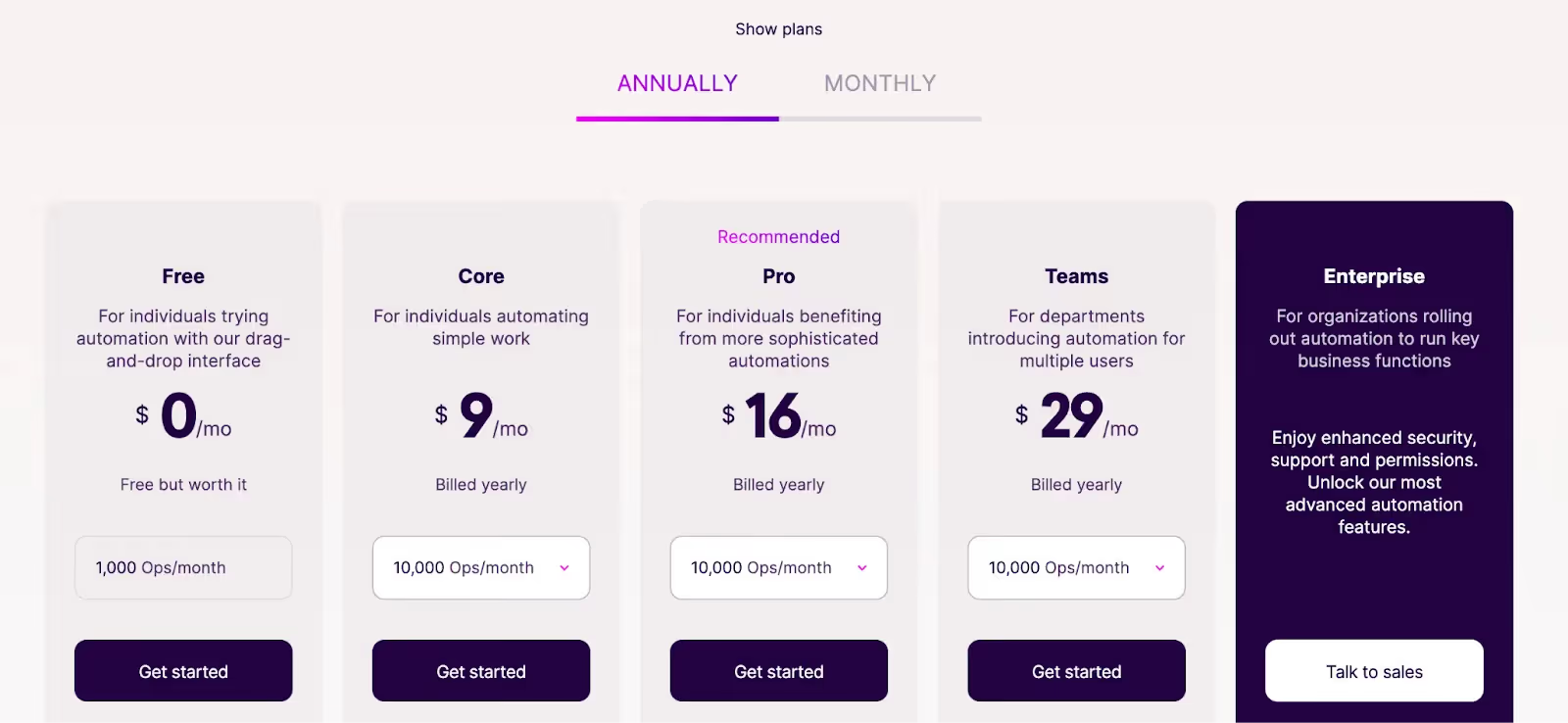
You’re operating on a tight budget. Make is significantly cheaper than Workato, which can make it easier for you to invest in it
Like Mulesoft, Boomi is an integration solution that’s geared for enterprise organizations.
Top features:
Aside from API integrations, it allows you to sync data between systems and businesses via electronic data interchange (EDI) and event streams
The Boomi API Control Plane can help you develop and publish APIs, govern and secure them, and analyze their performance over time
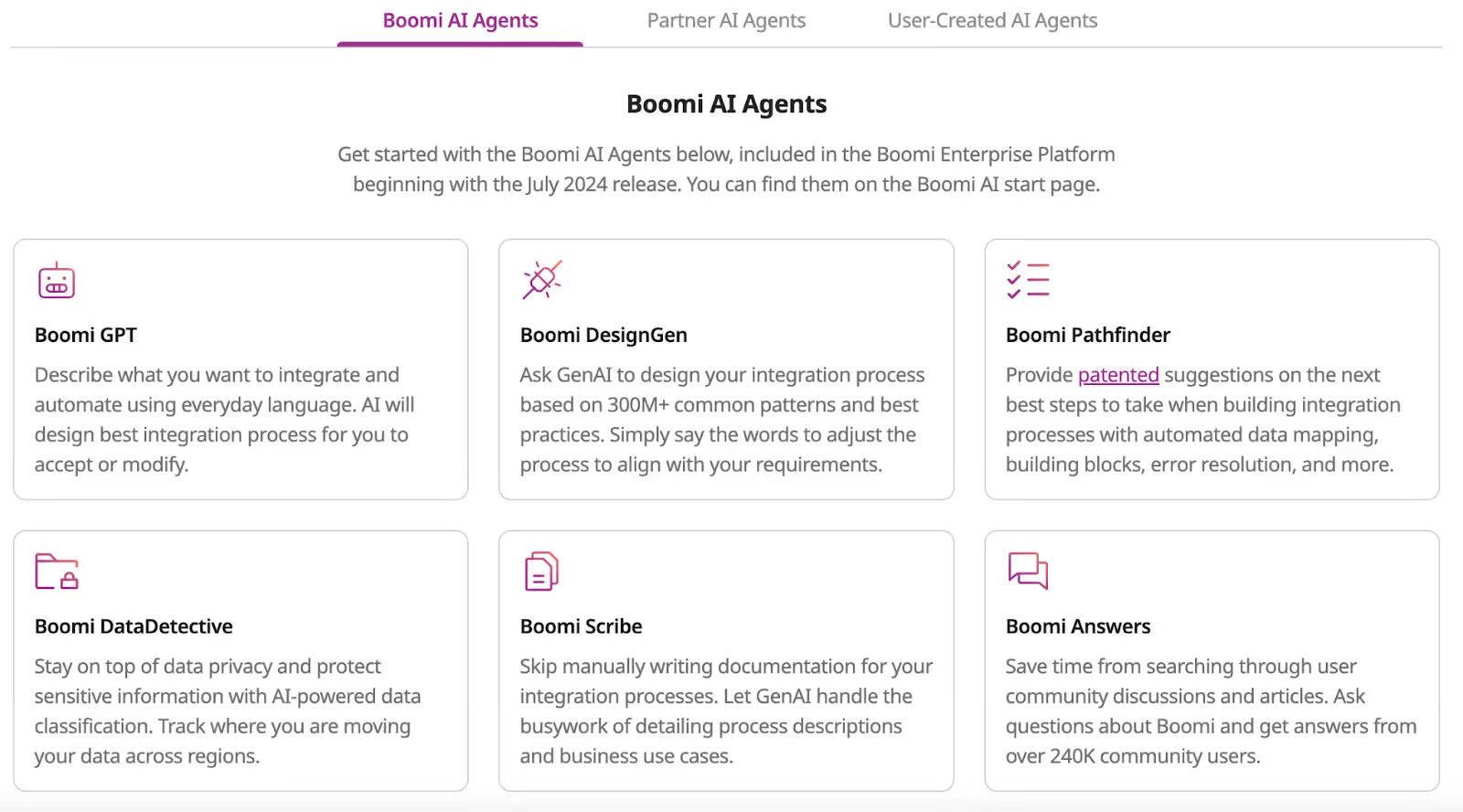
Offers AI agents that can help you build integrations and automations faster, find answers from discussions and articles with ease, generate descriptions of certain processes and use cases, and more
Boomi offers a variety of AI agents that can, among other things, help you integrate and automate faster and more easily
When to choose Boomi over Workato:
You already use an existing Boomi solution. If you have an existing relationship with Boomi, you can likely negotiate a discount on their other products
You want the team at large to build integrations and automations. Boomi’s task automation solution is no-code, making it more accessible than Workato’s workflow builder
You need to add integrations with applications that Boomi supports (via pre-built connectors) and Workato doesn’t. This includes everything from security solutions like Snyk to digital asset management software like Aprimo
Final thoughts
Your organization will need to evaluate and decide on the integration solution that does the job of meeting your security, governance, and performance requirements independently.
We believe that once you’ve gone through this exercise for customer-facing integration solutions, you’ll ultimately land on Merge, the leading unified API platform.
Jon Gitlin is the Managing Editor of Merge's blog. He has several years of experience in the integration and automation space; before Merge, he worked at Workato, an integration platform as a service (iPaaS) solution, where he also managed the company's blog. In his free time he loves to watch soccer matches, go on long runs in parks, and explore local restaurants.

.avif)





.png)



