
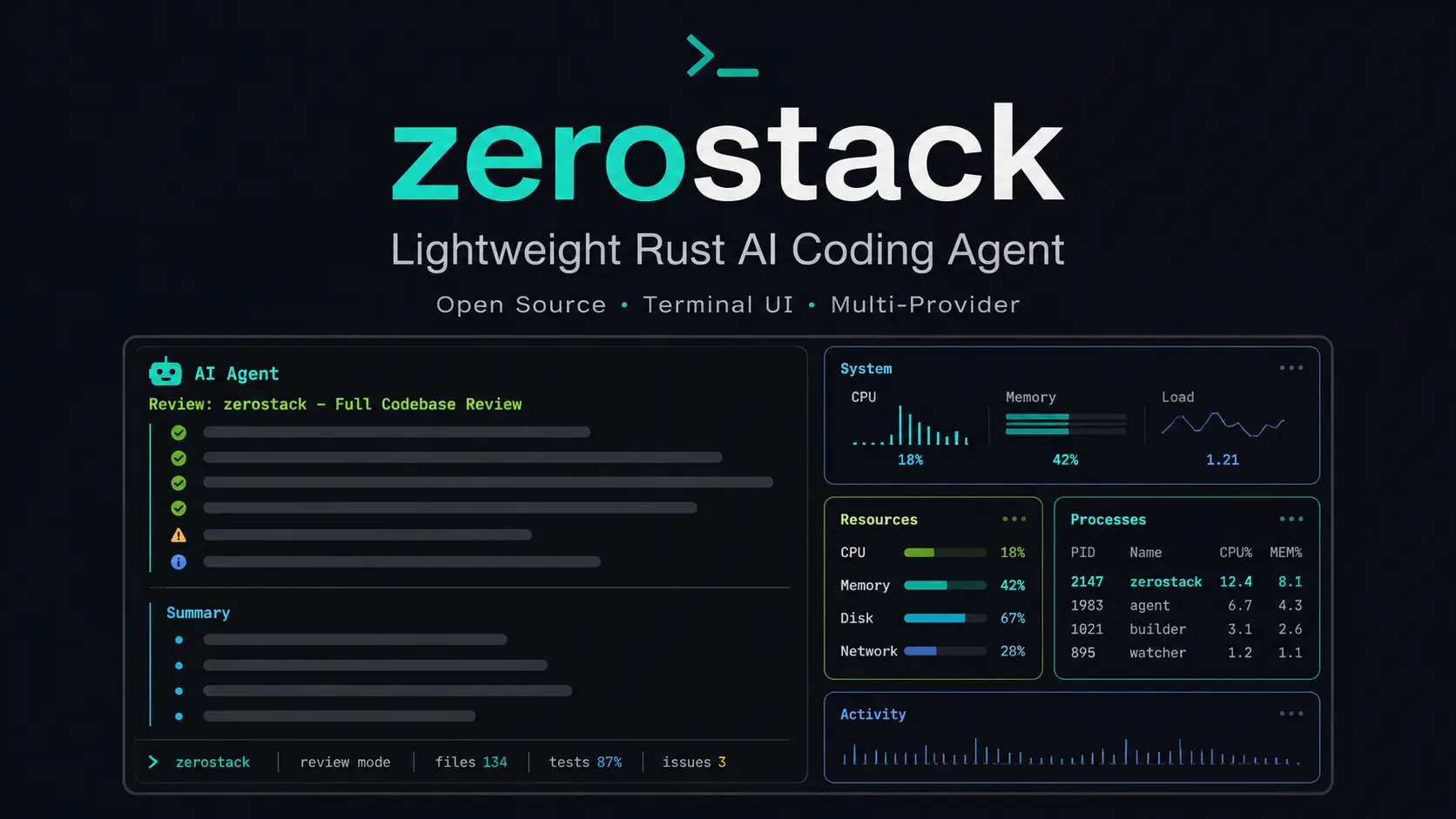
zerostack is a free, fast, open-source AI coding agent written in Rust that helps you work on code with multiple model providers, permission modes, sessions, prompts, tools, MCP servers, subagents, loops, and git worktrees.
Many AI coding agents feel heavy because they rely on large JavaScript runtimes, cloud-first workflows, or polished editor layers.
zerostack takes a different route. It focuses on a small binary, low memory use, direct terminal control, and enough safety controls to keep agent work from turning into uncontrolled file edits or repeated tool calls.
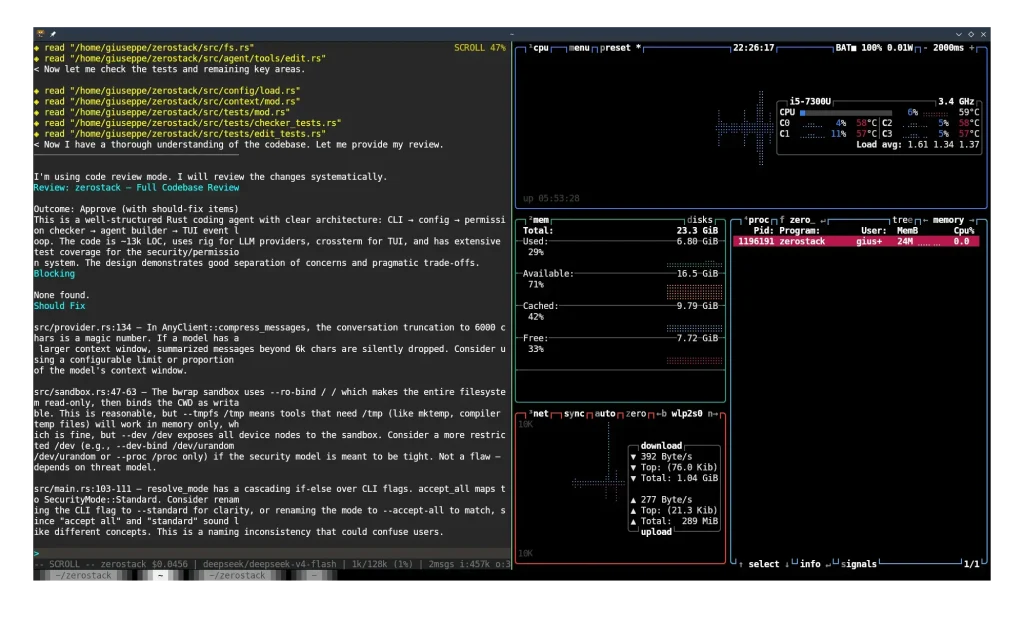
The report shows that its source code has approximately 16,000 lines, the binary file size is 26MB, the average memory usage is approximately 16MB, and the peak memory usage is approximately 24MB; the CPU utilization is 0.0% in idle state and approximately 1.5% when the agent is running.
Features
- Runs as a minimal Rust coding agent with a 26MB binary.
- Supports OpenRouter, OpenAI, Anthropic, Gemini, Ollama, and custom providers.
- Standard coding-agent tools for reading, writing, editing, searching, listing files, and running bash commands.
- 5 permission modes for read-only work, guarded edits, standard tasks, restrictive approval, and high-trust operation.
- Stores session history so you can save, load, resume, and compact longer coding conversations.
- A terminal UI with markdown display, scrollback, mouse selection, copy support, and a reasoning visibility toggle.
- Switches task behavior at runtime through prompt modes such as code, plan, review, debug, ask, and review-security.
- Connects MCP servers through an optional compile-time feature.
- Exa search for WebFetch and WebSearch tools.
- Iterative loops for longer coding tasks through the loop system.
- Moves coding tasks across git worktrees through slash commands.
- ACP support through a gated feature for compatible editors such as Zed.
- Persistent Markdown memory through a gated feature.
- Subagents for faster codebase exploration.
- Loads AGENTS.md, CLAUDE.md, and optional ARCHITECTURE.md files as project context.
- Sandboxed bash commands through bubblewrap or zerobox.
Use Cases
- Run a coding agent on a laptop with limited RAM where JS-based agents cause slowdowns.
- Edit local codebases without sending source code to any cloud API by using Ollama.
- Review pull requests locally using the review prompt mode that checks correctness and design.
- Automate refactoring tasks with the loop system that repeats until tests pass.
- Connect Zed editor to zerostack as an ACP agent backend for inline coding assistance.
zerostack vs Claude Code
Claude Code is the safer default when you want a mature AI coding agent with strong product support, smoother onboarding, and a Claude-first workflow. zerostack is the better fit when you want a smaller open-source terminal agent with provider choice, local model support, and more direct control over agent behavior.
| zerostack | Claude Code | |
|---|---|---|
| Product type | Open-source Rust CLI agent. | Commercial Anthropic coding agent. |
| Best fit | Terminal-first developers. | Claude-first developers. |
| Setup difficulty | Cargo, git, API keys, feature flags. | Account, plan, CLI or app setup. |
| Interface | Terminal UI. | Terminal, IDE, desktop, browser. |
| Model choice | OpenRouter, OpenAI, Anthropic, Gemini, Ollama, custom providers. | Claude models. |
| Local models | Supports Ollama. | Cloud Claude workflow. |
| Open-source status | GPL-3.0-only. | Closed commercial product. |
| Permission control | Five modes plus tool rules. | Product permissions and settings. |
| MCP support | Optional compile-time feature. | Built into Claude Code workflows. |
| Memory | Optional Markdown memory feature. | Product-level memory and configuration. |
| Git workflows | Worktree slash commands. | Broader GitHub and IDE workflows. |
| Long tasks | Experimental loop system. | More mature agent workflow. |
| Resource use | Small binary and low RAM claims. | Heavier product ecosystem. |
| Windows confidence | Not tested. | Stronger cross-platform path. |
| Cost | Free tool, model usage may cost money. | Free or paid Claude access. |
Choose Claude Code when you want the most practical daily coding agent with fewer setup decisions. Choose zerostack when you want an open-source CLI agent that can route work through different providers, run local models through Ollama, and keep more of the workflow under developer control.
How to use it
Table Of Contents
Installation
zerostack requires Cargo and git.
cargo install zerostackInstall with ACP support for editor agent connections.
cargo install zerostack --features acpInstall with persistent memory support.
cargo install zerostack --features memoryInstall with experimental multi-threaded subagents.
cargo install zerostack --features multithreadPre-built binaries are available through GitHub Releases.
Sandbox Setup (OPTIONAL)
zerostack can run bash commands inside an isolated environment through bubblewrap.
Debian and Ubuntu:
apt install bubblewrapFedora:
dnf install bubblewrapArch:
pacman -S bubblewrapzerobox can also act as a sandbox backend.
Quick Start
OpenRouter acts as the default provider.
export OPENROUTER_API_KEY="[api_key]"Start an interactive session with the default code prompt.
zerostackStart a monochrome terminal UI.
zerostack --no-colorRun one prompt and exit.
zerostack -p "Explain this project"Continue the last session.
zerostack -cSelect a provider and model.
zerostack --provider openrouter --model deepseek/deepseek-v4-flashRun the interactive setup assistant inside zerostack.
/prompt autoconfigSupported AI Providers
| Provider Type | Notes |
|---|---|
| OpenRouter | Default provider. |
| OpenAI | Standard cloud provider support. |
| Anthropic | Claude model support through provider setup. |
| Gemini | Google model support through provider setup. |
| Ollama | Local model support. |
| OpenAI-compatible | Works with compatible servers such as vLLM or LiteLLM. |
| Custom providers | Configure a base URL and API key environment variable. |
Built-in Prompt Modes
| Prompt | Purpose |
|---|---|
| code | Coding mode with file tools, bash tools, and a TDD workflow. |
| plan | Planning mode that explores and produces a plan without code edits. |
| review | Code review mode for correctness, design, testing, and impact. |
| debug | Debug mode that finds root cause before fixes. |
| ask | Read-only mode with read, grep, and find_files access only. |
| brainstorm | Design mode for ideas without code changes. |
| frontend-design | Frontend UI mode for production UI work. |
| review-security | Security review mode for exploitable vulnerability checks. |
| simplify | Code clarity mode that preserves behavior. |
| write-prompt | Prompt writing mode for agent prompt creation and revision. |
Custom prompts belong in this directory:
$XDG_CONFIG_HOME/zerostack/prompts/Context Files
| File | Purpose |
|---|---|
| AGENTS.md | Project instructions loaded from the project root or ancestor directories. |
| CLAUDE.md | Claude-style project instructions loaded from the project root or ancestor directories. |
| ARCHITECTURE.md | Optional shared codebase architecture context when the feature is active. |
Disable context file loading with this flag:
zerostack -nzerostack --no-context-filesPermission Modes
| Mode | Flag | Behavior |
|---|---|---|
| restrictive | -R, –restrictive | Asks for every operation. |
| readonly | –read-only | Allows read, grep, find_files, and list_dir. Denies writes, edits, bash, and other actions. |
| guarded | –guarded | Allows reads. Asks before writes, edits, bash, and other actions. |
| standard | Default | Allows path tools within the current working directory and subdirectories. Auto-allows safe bash commands. |
| yolo | –yolo | Allows everything but prompts for destructive bash commands. |
The permission system supports per-tool glob rules and session allowlists. Doom-loop detection warns or blocks repeated identical tool calls after three or more repeats.
The full bypass flag removes permission checks.
zerostack --dangerously-skip-permissionszerostack Command Cheat Sheet
| Command | Use |
|---|---|
zerostack | Start an interactive terminal session. |
zerostack -p "Explain this project" | Run one prompt without entering a longer interactive session. |
zerostack -c | Continue the most recent session. |
zerostack -r | Browse and select a saved session. |
zerostack --session <id> | Load a specific saved session. |
zerostack --provider <name> | Select a provider for the current launch. |
zerostack --model <name> | Select a model for the current launch. |
zerostack --quick-model <name> | Start with a named quick model from the config file. |
zerostack --read-only | Allow repository inspection but block edits and shell commands. |
zerostack --guarded | Ask before edits, writes, shell commands, and other non-read operations. |
zerostack --yolo | Allow broad automation while still prompting for destructive shell commands. |
zerostack --sandbox | Run Bash commands in the configured sandbox backend. |
zerostack --parallel | Create a temporary Git worktree, work inside it, then attempt merge and cleanup on exit. |
zerostack --worktree <name> | Create or enter a named worktree branch. |
zerostack --loop --loop-prompt "<task>" | Run a headless iterative coding loop. |
zerostack --acp | Start ACP editor integration in stdio mode. Requires the acp feature. |
zerostack --acp --acp-host <host> --acp-port <port> | Start ACP in TCP mode. |
zerostack Slash Commands Cheat Sheet
Provider, Models, and Sessions
| Command | Use |
|---|---|
/provider | Show the active provider. |
/provider <name> | Switch provider during the session. |
/model | Show the active model. |
/model <name> | Switch to another model. |
/models | List configured quick models. |
/models <name> | Switch to a named quick model. |
/models-add <name> <provider> <model> | Save a quick model to the config file. |
/sessions | List recent saved sessions. |
/sessions <id-prefix> | Load a session by ID prefix. |
/sessions delete <id-prefix> | Delete a saved session. |
/clear | Clear the current conversation. |
/undo | Remove the latest user-and-agent exchange. |
/retry | Put the previous user message back into the input editor. |
Prompt, Permission, and Editing Controls
| Command | Use |
|---|---|
/prompt | List available prompt modes. |
/prompt <name> | Activate a prompt mode. |
/prompt default | Clear the active prompt. |
/mode | Show the active permission mode. |
/mode readonly | Block edits, writes, Bash, and non-read tools. |
/mode guarded | Ask before writes, edits, Bash, and other non-read operations. |
/mode standard | Permit repository file work and selected safe commands. |
/mode restrictive | Ask before every operation. |
/mode yolo | Allow broad access while prompting for destructive Bash commands. |
/editsys | Show the active editing system. |
/editsys similarity | Use fuzzy SEARCH/REPLACE editing. |
/editsys hashedit | Use anchored HashEdit editing. |
/review [message] | Run a one-shot read-only code review. |
/reasoning | Toggle visible model reasoning when the selected model supports it. |
/compress | Compact the current session to recover context space. |
Context, Memory, MCP, and Side Questions
| Command | Use |
|---|---|
/add <path> | Add a file to the current agent context. |
/drop <path> | Remove a previously added context file. |
/drop-all | Remove all manually added context files. |
/init | Create an AGENTS.md file for the current repository. |
/btw <question> | Ask a parallel read-only side question without interrupting the main task. |
/memory | Check persistent memory status. Requires the memory feature. |
/memory search <query> | Search long-term memory, notes, scratchpads, and daily logs. |
/memory read scratchpad | Read the current project’s open checklist items. |
/memory write scratchpad <text> | Add an open task or note to the project scratchpad. |
/mcp | List connected MCP servers and available tools. |
/mcp login <server> | Start OAuth login for a URL-based MCP server. |
/mcp logout <server> | Remove an MCP server’s stored OAuth token. |
Session Management
Sessions live in this directory:
$XDG_DATA_HOME/zerostack/sessions/Continue the most recent session.
zerostack -cBrowse and select a previous session.
zerostack -rLoad a specific session.
zerostack --session <id>Memory
Memory requires the memory feature.
cargo install zerostack --features memoryMemory files live in this directory:
$XDG_DATA_HOME/zerostack/agent/memory/The memory system uses a global MEMORY.md file plus per-project daily logs, scratchpad files, and notes. zerostack injects relevant memory into the system prompt at session start.
Parallel Agent
The parallel mode creates and manages a temporary git worktree.
zerostack --parallelEach parallel agent works in its own temporary git worktree. zerostack merges and removes the worktree when the agent exits.
Loop System
Start a loop from the chat UI.
/loop Implement the user authentication systemStop the active loop.
/loop stopCheck loop status.
/loop statusRun a headless loop from the CLI.
zerostack --loop --loop-prompt "Refactor the API" --loop-max 10 --loop-run "cargo test"| Flag | Purpose |
|---|---|
| –loop | Enable headless loop mode. |
| –loop-prompt | Set the prompt for each iteration. |
| –loop-plan | Set a custom plan file path. |
| –loop-max | Set the maximum number of iterations. |
| –loop-run | Run a validation command after each iteration. |
The default loop plan file is:
LOOP_PLAN.mdGit Worktree Commands
| Command | Purpose |
|---|---|
| /worktree | Create a worktree on branch and move into it. |
| /wt-merge [branch] | Merge the branch into main or master by default, push, clean up, and return. |
| /wt-exit | Return to the main repository without merging. |
ACP Support
ACP support requires the acp feature.
cargo install zerostack --features acpStart zerostack in ACP stdio mode.
zerostack --acpStart zerostack in ACP TCP mode.
zerostack --acp --acp-host 0.0.0.0 --acp-port 7243ACP server configuration can live in this file:
~/.local/share/zerostack/config.jsonExample ACP configuration:
{
 "acp_servers": {
 "my-editor": {
 "host": "127.0.0.1",
 "port": 7243
 }
 }
}
ACP mode still requires a configured provider, model, and API key.
Configuration
The config file handles accepted keys, provider aliases, permission rules, and MCP server configuration.
Run this command inside zerostack for guided setup:
/prompt autoconfigCustom providers can use a custom base URL and API key environment variable through the config file.
Alternatives and Related Resources
- Free AI Tools for Developers: Browse more developer-focused AI tools, coding assistants, CLI tools, and automation utilities.
- Best Free CLI AI Coding Agents: Compare more AI coding agents for terminal, repository, and autonomous coding workflows.
- The Ultimate Claude Code Resource List: Explore Claude Code agents, skills, plugins, guides, and related developer resources.
- Best & Open-source MCP Servers: Find MCP servers that extend AI assistants with external tools and structured context.
- SmallCode: Compare zerostack with a local AI coding agent focused on smaller local LLMs.
- Pi Coding Agent: Compare zerostack with the coding agent project that influenced its design.
Pros
- Small Rust binary.
- Low memory footprint.
- Multiple model providers.
- Ollama support.
- Granular permission modes.
- MCP support.
- Prompt mode switching.
- Git worktree workflow.
- ACP support.
- Plain Markdown memory.
Cons
- Cargo setup required.
- API keys required.
- Memory needs feature build.
- ACP needs feature build.
- Terminal workflow only.
FAQs
Q: Is zerostack free?
A: zerostack is free and open source under the GPL-3.0-only license.
Q: Does zerostack require a sign-up?
A: zerostack does not use a web signup flow, but cloud model providers require API keys or account credentials.
Q: Can zerostack run with local models?
A: zerostack supports Ollama, so you can use local models when your hardware and model setup can handle the coding task.
Q: Is zerostack a Claude Code replacement?
A: zerostack can replace parts of a terminal AI coding workflow when you want multi-provider control, local model support, prompt modes, permissions, and worktree tools, but it does not copy Claude Code’s hosted product experience.
Q: Does zerostack send my code to the cloud?
A: Not when you use Ollama or another local provider. With cloud providers like OpenAI or Anthropic, your prompts and context go to those APIs. Use the --read-only or --restrictive permission modes to limit what the agent can access.
Q: What is the difference between standard and yolo permission modes?
A: Standard mode auto-allows safe commands like ls, cat, and git log within the current directory. Yolo mode skips most confirmations but still prompts for destructive bash commands like rm or dd.
Last Updated: June 29, 2026






Leave a ReplyCancel Reply