
The world of PC building and performance optimization is filled with long-standing myths and misconceptions. While some traditional wisdom still holds true, many beliefs about computer hardware have become outdated as technology has evolved. From RAM speeds to CPU cores, temperature management to overclocking, it's time to separate fact from fiction. Let's debunk four common PC performance myths that might be holding you back from getting the most out of your system.
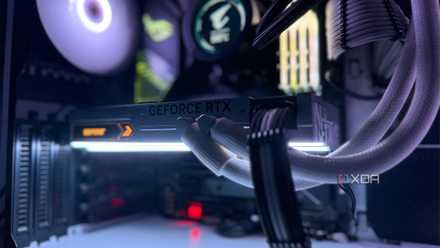
3 reasons why your PC build should be optimized for FPS over fidelity
Ultra settings are ultra-overrated.
4 "RAM speed doesn’t matter"
Times have changed
There’s so much more than meets the eye when it comes to your RAM. Capacity is obviously key, but speed has become tied closely to CPU performance, especially in the world of Ryzen processors. Once very finicky for RAM compatibility, it now supports a wide range of speeds and timings. However, there’s still a sweet spot to hit. For example, the Ryzen 7 7800X3D in my system seems to be the most stable and performs best with 6000 MHz RAM. This RAM “sweet spot” exists with other processors as well, but the X3D chips seem particularly sensitive to RAM speeds and timings.
There are diminishing returns the higher you go, but certain workloads like video editing and 3D rendering benefit heavily from faster RAM. If you’re already at a decent speed in the DDR5 realm, there’s probably little reason to upgrade unless you’re particularly CPU-bound. Do your research on your CPU and see what it prefers. Higher isn’t always better.

7 reasons why your framerate is lower than it could be
You have more control over your framerate than you think
3 "More CPU cores = more performance"
It really depends on your workload
More isn’t always better, and that’s especially true when it comes to CPU cores. Counting cores is a great way to end up with a CPU that’s great at multithreaded workloads but not much else. Like with anything, there’s some truth to “more cores is better” but it just comes down to what you’ll be using your computer for. If you’re gaming, chances are you don’t need more than 8 or even 4 cores in some cases. To use the Ryzen X3D chips as an example, the CPUs with less cores are often a bit better in gaming workloads due to the way the dual CCDs communicate with one another. While the 7800X3D does have less cores and will perform slightly worse in productivity workloads, the 7950X3D is significantly worse in gaming workloads. It all depends on your use case.

How many cores does your CPU have?
Gone are the days when the quad-core was the reigning champion for core counts. Now we've got consumer-grade chips with 16 cores and 32 threads. So, how many cores does your PC have? Do you make full use of the available performance?
2 Temps only matter once you start thermal throttling
You should keep them low regardless
Your PC components can perform their duties well enough even under what seems like extreme temperatures. The obvious risk is that you’ll begin to thermal throttle if temperatures creep too high. This is when your GPU or CPU automatically turns its clocks down in an effort to get temperatures under control. Even if you aren’t at this level of overheating, it’s a good idea to keep things cool anyway, both for performance and for general wear and tear. Computer components naturally degrade slowly over time due to heat, so keeping things cool will lengthen the lifespan of your rig. It also helps your performance; when cooled properly, your components will be able to boost to higher clock speeds for longer periods of time.
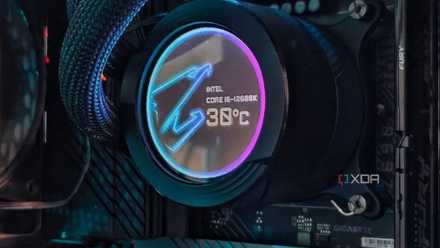
Let's settle this - how hot should your CPU run while gaming?
Is there a magic number to run the CPU at?
1 Overclocking shortens the lifespan of your hardware
Unless you really screw things up
One of the biggest PC myths out there is that overclocking shortens hardware lifespan. When novice builders hear the word, they treat it like the Boogyman. There’s really nothing to fear, unless you go poking around with settings you don’t understand. Overclocking does have a tendency to increase temperatures, which as we’ve discussed, does have a real effect on wear and tear. However, so long as you keep things nice and cool, you really shouldn’t have any issues.
GPU overclocking has become quite easy with the proper software utilities. CPU overclocking is still possible, but many won’t see tangible performance gains through pushing CPU clock speeds higher. So long as you do both safely and take note of any dangers, overclocking isn’t the big bad wolf you think it is.

5 reasons to overclock your GPU instead of buying a new one
Consider overclocking your GPU before rushing for another GPU upgrade
Don’t let superstition get in the way of performance
There are many pieces of advice around the PC building sphere that are remnants of a bygone era. Things like overclocking aren’t just for the extreme enthusiasts, and CPU brands are no longer locked in a core battle. It’s time we move on from these myths, and squash any fears novice builders may have surrounding them.