
There's truly nothing better than buying a brand-new component for your rig. The unboxing, the peel, and that new computer part smell. Despite the fact that my nostrils yearn for the scent of a new graphics card, the current market is still a bit volatile. Prices are relatively high, and stock is still thin, leading me to lean towards grabbing a pre-owned card.
I've bought a few different cards pre-owned throughout my time building computers, and during that time I uncovered some gems, and also purchased my fair share of paper weights. Here are the 5 things I wish I knew before I took the plunge with a pre-owned GPU.

4 mistakes people make while undervolting their CPU or GPU
You can't just lower the voltage and expect your desired results
5 Don't underestimate AMD cards
What was once a bad card at launch could be a bargain today
RDNA 4 has done a lot of great work in repairing the Radeon brand in the eyes of PC enthusiasts, but prior to the RX 9000 series, Radeon cards were just too pricy for the performance they would afford. There were few instances where going with an AMD card made sense over the Nvidia equivalent, but that doesn't mean the GPUs themselves were without merit in a vacuum.
The pre-owned market has made the prices of these last-gen AMD graphics cards so much more reasonable. GPUs like the RX 7700 XT and RX 6900 XT can be awesome GPUs at a heavily discounted price. Sure, ray tracing and path tracing will be basically out of the question, but so long as you pick up a card with a decent amount of VRAM, you could have a great piece to tide you over until the next generation.
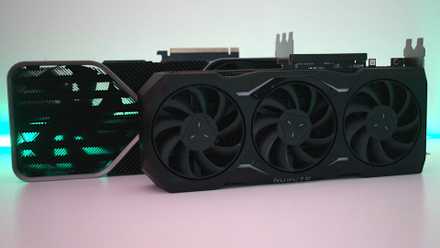
5 things I wish I knew before switching from AMD to Nvidia
Knowing these things would have made my life easier
4 Always make sure the card works
The proof is in the pudding
It's one thing to trust a friend or family member when buying something pre-owned for hundreds of dollars, but it's another thing entirely to trust a stranger. When buying pre-owned computer parts of any kind, it's important to ensure that they're functioning in the way you expect. It's especially true with GPUs, which can be a little fickle with age and wear.
If you're buying in person, see if the seller would be comfortable showing you a working system with the card inside. It's also important to see it working under load, as some malfunctioning GPUs will work just fine as a display output, but will falter under any kind of significant load. Loading up an intensive game or benchmark will do the trick. If they're not comfortable showing you in person, or you're buying online, request that the seller show you some video proof of the card running.

Best GPU benchmarks: 5 options to test your graphics card performance
Trust these programs to tell you how well your GPU performs
3 A card used for crypto mining isn’t immediately a no-go
As long as the owner took care of it
Once upon a time, it was actually a challenge to find a GPU on the pre-owned market that hadn't been used for mining. The common wisdom I heard at the time was: avoid these cards at all costs because they've been used at full throttle for many thousands of hours in addition to being in subpar conditions.
The truth is, as long as the owner took the proper precautions, you shouldn't have any issues with a mining card. Personally, I own multiple cards that were once used for crypto mining, and I haven't had any issues over a pretty large stretch of time.
So, how can you tell if a card has been taken care of? It starts with asking the right questions: was the card under-volted during mining, was it kept in a climate-controlled environment, and so on. Once you buy the card, it might be a little late to try and get your money back depending on the marketplace you bought it from, but you can physically inspect it for signs of abuse. Taking the cooler assembly off and inspecting the thermal paste and pads to see if they're in good condition is recommended.

5 flawed decisions I avoid when buying a new GPU (and you should too)
I've learned to avoid these missteps when upgrading my GPU
2 Avoid listings with no original photos
Sketchy if you’re ordering online
Listings that are devoid of any kind of original photos and have a ton of listings can be a red flag. It's much more common on websites like eBay, but even on in-person marketplaces like Facebook Marketplace or Craigslist, taking a picture of the item is a basic part of the selling process. Grabbing a stock image of the card from Google just puts off bad vibes.

5 myths about PC BIOS updates you need to forget about
Updating your PC's BIOS should be free of misinformation
1 Not all marketplaces are built the same
Buyer protection is key with GPUs
In recent years, Facebook Marketplace has become one of the most popular online buy-sell-trade marketplaces for everything from furniture to computer parts. If you live in a densely populated area (or you don't mind a bit of a drive) it can be worth it to scour it for GPU deals. In my area, there are a lot of computer components up for sale, and GPUs are quite common.
The other big marketplace for second-hand PCs and their components is eBay, and for good reason. eBay's buyer protection is a cut above anything else. So long as your purchase is covered by it, if you receive your GPU, plug it in, and it doesn't work, you are likely eligible for a refund. There are some stipulations here, however. Read the listing extremely carefully before buying; any indication that the card may have issues functioning could be grounds to deny your refund if things were to go badly. Generally speaking, though, buying off of eBay isn't as much of a gamble as most people think it is.

5 GPUs that will be worth buying pre-owned in 2025
If you can't get one new, don't sleep on grabbing these 5 GPUs on the used market.
Pre-owned GPUs are an excellent way to save some cash
I've bought and used more pre-owned graphics cards than new ones in my time building and tinkering with PCs. I've rarely had issues, but when I have, it was usually because I didn't take extra precautions before pulling the trigger on the purchase. Now, more than ever, is a great time to take a peek into the pre-owned market for all kinds of hardware.