
For the longest time, I was a proud owner of an AMD GPU. It was an ancient card from the 2010s, but served me well for around 5 years before I stopped using the PC it called home. Years later, I decided to switch the GPU to one of the newer RTX 40 series cards from Nvidia, wanting to breathe new life into the old machine. What I didn't research enough on were the differences I would find between AMD and Nvidia GPUs.
The newer Nvidia GPUs use a different power connector compared to the standard 8-pin PCIe connectors I was used to. Plus, the Nvidia app pushed way more driver updates than I was used to on my old AMD card. Even basics like the different drivers caused me some headaches before I figured out what to do about them. Suffice it to say that if you're switching GPUs from one camp to another, be prepared for some moving pains.

4 reasons why I'm switching to an AMD GPU in 2025
Sorry NVIDIA, but you've driven me to the Red Team.
5 A clean driver uninstallation is recommended
A clean break
It was clear that I'd need different drivers for the Nvidia GPU, but I didn't know everyone recommended uninstalling the previous ones completely. A simple uninstallation in the Windows settings was apparently not enough, since the process tends to leave behind traces of the old files, which can sometimes interfere with the new driver installation. I only found out about this a while later while browsing Reddit for less-than-expected performance on the new Nvidia card.
So, I downloaded Display Driver Uninstaller (DDU), performed a clean uninstallation of both the AMD and Nvidia drivers, and reinstalled the Nvidia drivers for the new card. I didn't exactly see any big performance jumps in games, but all further driver updates in the Nvidia app went through successfully without a hitch. Whether you're moving from Team Red to Team Green or vice versa, a clean driver uninstall using DDU is a quick and useful step in the migration process.

How to uninstall drivers for an AMD GPU
You'll have to let your old GPU drivers go to make room for new ones, and this guide will teach you how to do that
4 Nvidia has a different software approach
The Nvidia app lags behind in some departments
During my time on the AMD GPU, I never found myself using the associated software that often. A few driver updates here and there, sure, but I rarely opened the program for anything else. After moving to Nvidia and trying the new Nvidia app, I was surprised to see the frequent driver updates, which were way more than what I was used to on AMD. And this might just be due to Nvidia's marketing, but I started using the software more often, if only to toggle the myriad of features on or off.
I didn't use AMD's Adrenalin software personally, since the one on my old AMD GPU was something else entirely, but I found out later that it was better than the Nvidia app in some departments. The built-in broadcasting feature to share game streams to Twitch and YouTube, and the more fleshed-out overclocking controls caught my attention the most. Besides, the recent challenges users are facing with Nvidia drivers on both RTX 40 and RTX 50 series GPUs make AMD GPUs and the Adrenalin app look far better in comparison.
I ended up using OBS to overcome many of the missing features in the Nvidia app, but had I known this beforehand, I might have considered staying on AMD by moving to one of the RX 6000 or RX 7000 series cards.
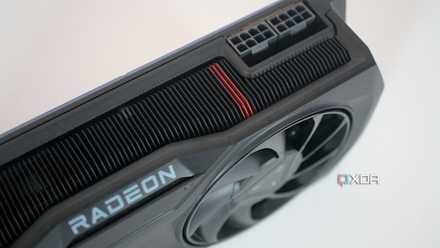
5 ways the Nvidia app falls behind AMD Adrenalin
AMD's GPU software is full of handy features.
3 I had to recompile the shaders
This one surprised me the most
Once I had the new GPU set up, I wanted to take it for a spin in my favorite games. Some games worked fine, but then I started seeing other titles recompiling shaders on the first launch. The first time it happened, I ignored it, but after two more games did the same thing, I realized the new GPU might be at the root of it. And sure enough, when I Googled about it, it turned out that switching from AMD to Nvidia or vice versa requires many games to recompile shaders for compatibility with the new hardware configuration.
Had I upgraded to another AMD GPU, this likely wouldn't have happened, but switching between GPU manufacturers that use different architectures makes shader recompilation necessary, at least for the first time a game is launched. The shaders are then stored in the shader cache, so you don't need to go through the wait again. While this was a small hiccup before I could use the new Nvidia GPU in my games, knowing about it would have saved me a lot of time wondering what was going on.

ReShade 6.0 lets you enhance your PC games with ray tracing and mesh shading
Revisiting your favorite classic games just got a whole lot more appealing.
2 A new PSU would have made my life easier
Nvidia does things a certain way
When I first got the Nvidia GPU in my hands, I was surprised by the fancy new power connector. The 12VHPWR connector was different from the regular 8-pin PCIe connectors I had seen on my AMD GPU and many other models. The new GPU came with a bundled adapter, so connecting it to my power supply wasn't a roadblock, but I wish I had known about this before I went headfirst into the purchase.
My old power supply didn't have the 12VHPWR connector that the new ATX 3.0 or ATX 3.1 models now come with. One of those models would have made the PC look cleaner, since I wouldn't have to deal with the awkward adapter sticking out like a sore thumb from the GPU. A single 12VHPWR cable between the PSU and the GPU is not only seamless, but it's also supposed to offer more resilience for these power-hungry GPUs. The issue of the melting connectors is another story, however.
Thermaltake Toughpower GF A3 850W
The Thermaltake Toughpower GF A3 850W power supply is an ATX 3.0/PCIe 5.0 unit with 80+ Gold efficiency and a fully modular design.

Why doesn’t Nvidia stick to 8-pin PCIe cables?
Nvidia's 12VHPWR woes still exist, making everyone think why not use 8-pin cables like before?
1 The jump in RT performance was more impressive than I thought
AMD is still behind in ray tracing
I was never into ray tracing as much as some other gamers. Except for Cyberpunk 2077, I hadn't played many RT-intensive titles before upgrading to Nvidia on my secondary machine. So, the difference in the visuals due to the superior ray tracing performance came as a shock. AMD wasn't known for its ray tracing chops before the RX 90 series bridged most of the gap between AMD and Nvidia, so I wasn't exactly prepared for the kind of gaming possible on the Nvidia card.
If I had known that the in-person experience of playing intensive RT games on Nvidia GPUs was this impressive, I would have thought of switching sooner. AMD might have vastly improved its ray tracing, upscaling, and frame generation technologies with GPUs like the RX 9070 XT and RX 9070, but it might take Team Red another generation or two before they can match or surpass Nvidia.
Nvidia RTX 5070 Founder's Edition
- Brand
- Nvidia
- Cooling Method
- Dual-fan
- Interface
- PCIe 5.0 x16
- Memory
- 12GB GDDR7
- Power
- 250W
- CUDA Cores
- 6,144
The RTX 5070 is a mid-range GPU from Nvidia that offers the latest in Nvidia's ray tracing and upscaling technologies. While there are a lot of things wrong with it, it's the cheapest RTX 50 series GPU you can find right now.

The only 10 games that can justify the ray tracing tax
Ray tracing comes with heavy financial and performance overheads. Here are the only titles that make it all worth it.
Nvidia and AMD are closer than ever
The competition in the GPU market has never been better. AMD has delivered some of the best mid-range 4K gaming GPUs ever, Nvidia still holds the lead in cutting-edge RT titles, and Intel is pushing what's possible for budget GPUs with its Battlemage cards. I switched from AMD to Nvidia for multiple reasons, including better encoding and compatibility of Nvidia's software stack with the productivity programs I use. However, I wouldn't be opposed to switching back to AMD the next time, especially with the direction the company is headed in.